Send WhatsApp newsletters and evaluate every campaign
With the hellomateo WhatsApp newsletter you send offers, news and appointment invitations to customers who have agreed to receive your newsletter. You choose the recipients from your customer data, schedule the send and then see who read your message or interacted with it.
Sent only with consent
Audiences from your customer data
Reporting down to the individual recipient
Last updated: 26 October 2026
More than 2,000 customers use hellomateo
























From consent to an evaluated campaign
Collect consent
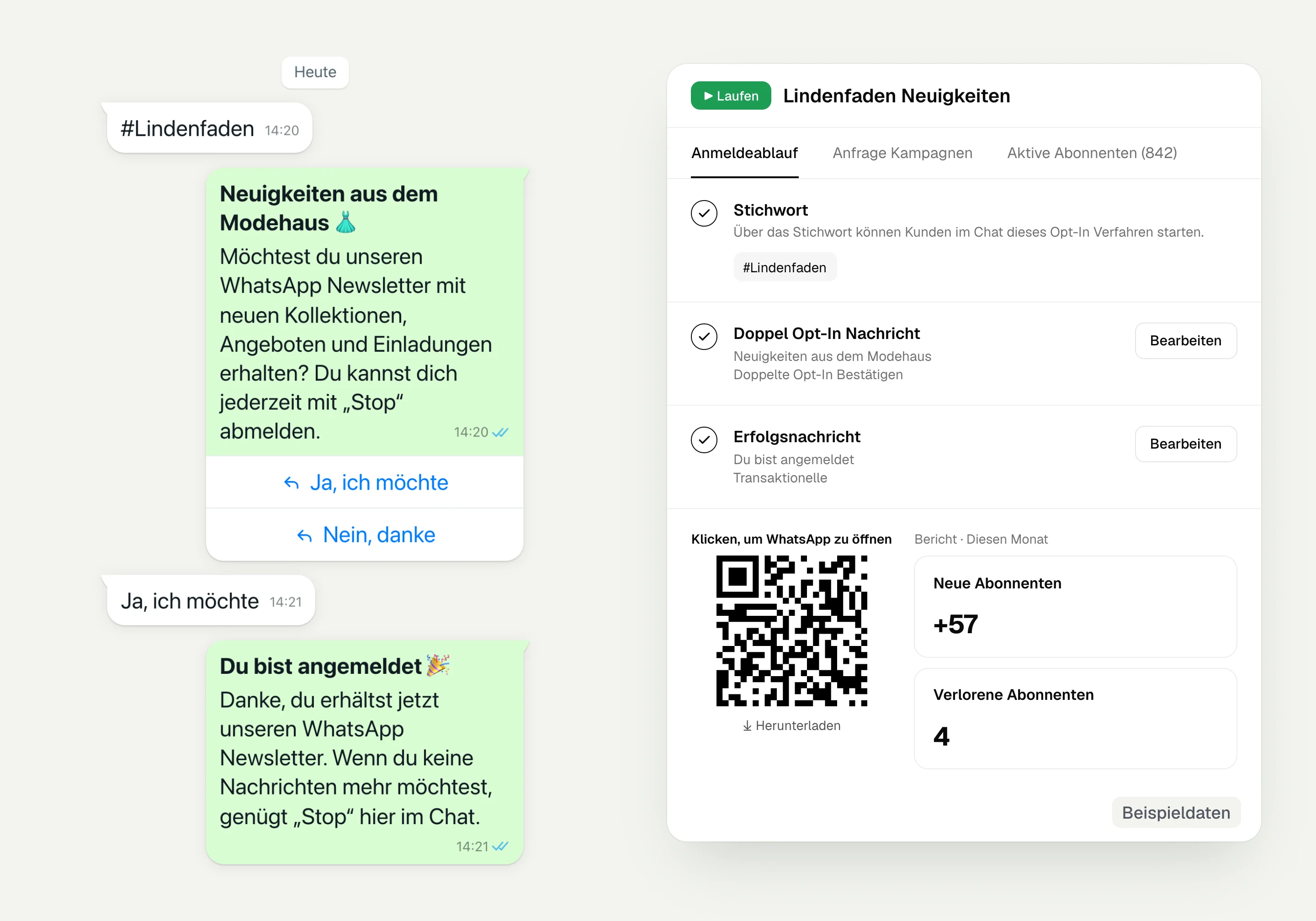
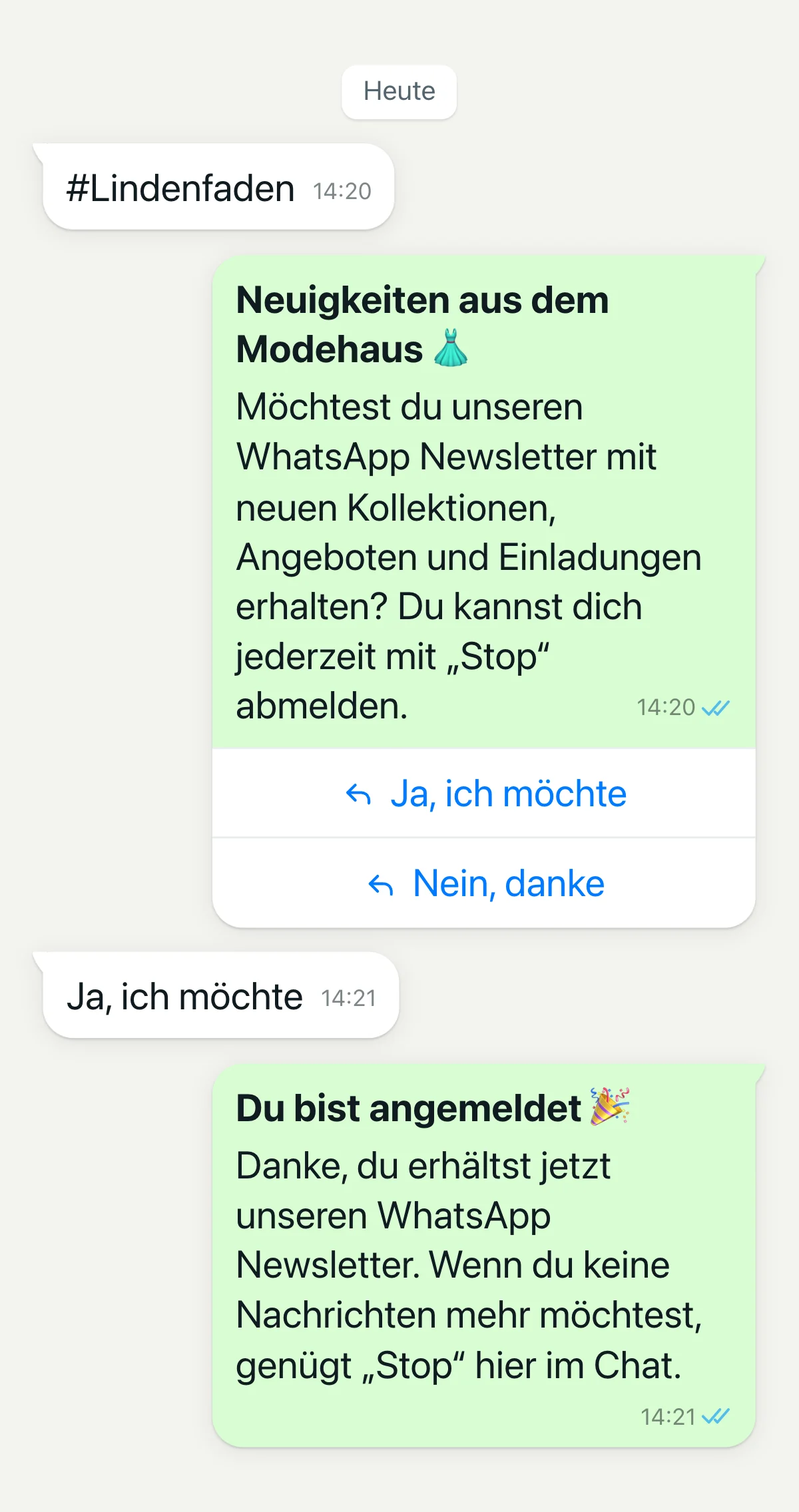
Your customer opens the WhatsApp chat via a QR code or link and sends your chosen keyword. They then confirm that they want to receive your newsletter.
Choose recipients
You build a dynamic recipient list with filters. In marketing mode, hellomateo sends the campaign only to contacts who have given consent.
Prepare and schedule the message
You choose a message template approved by Meta and fill in the variables. A test message lets you check the content before you send immediately or at the scheduled time.
See the results
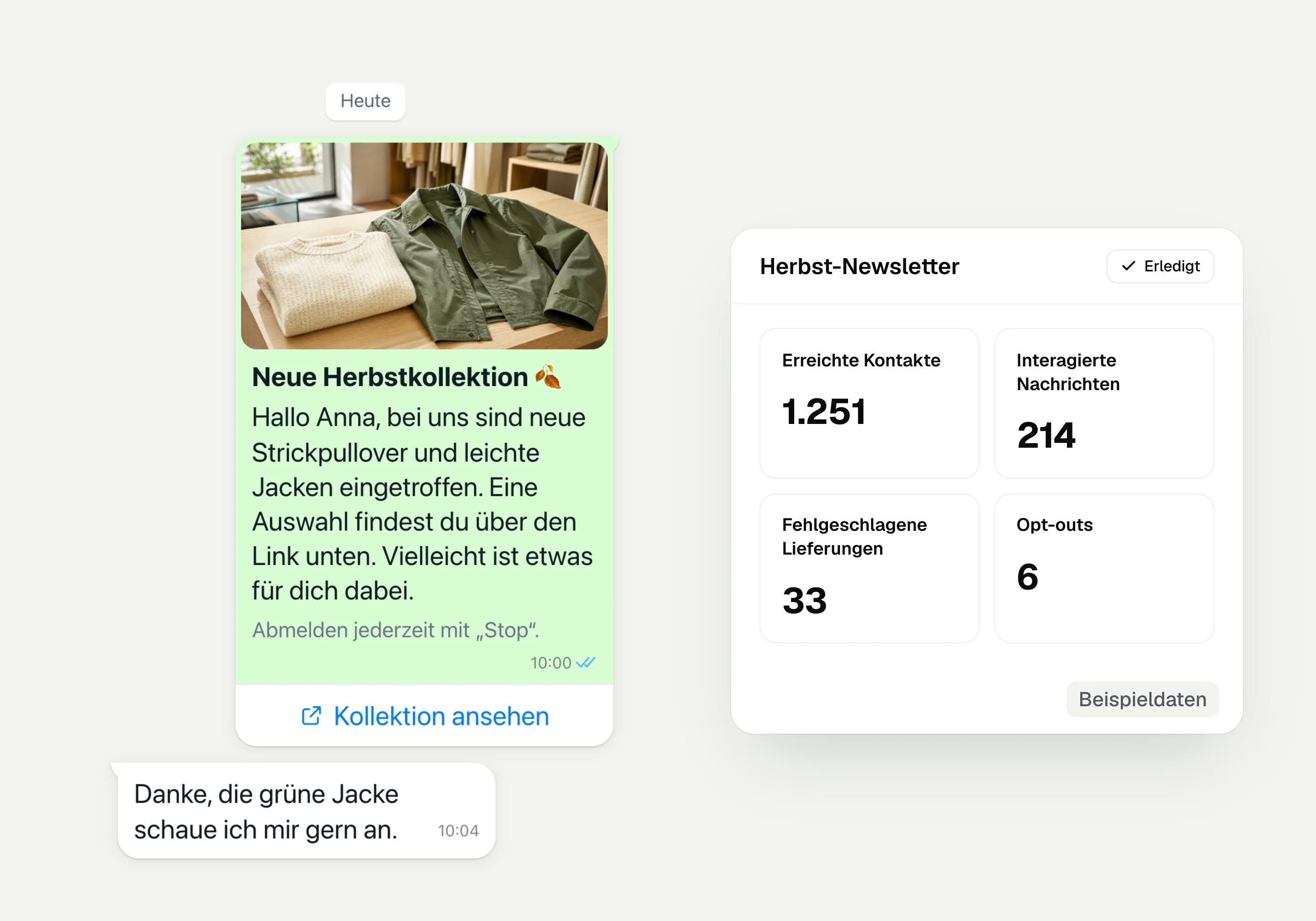
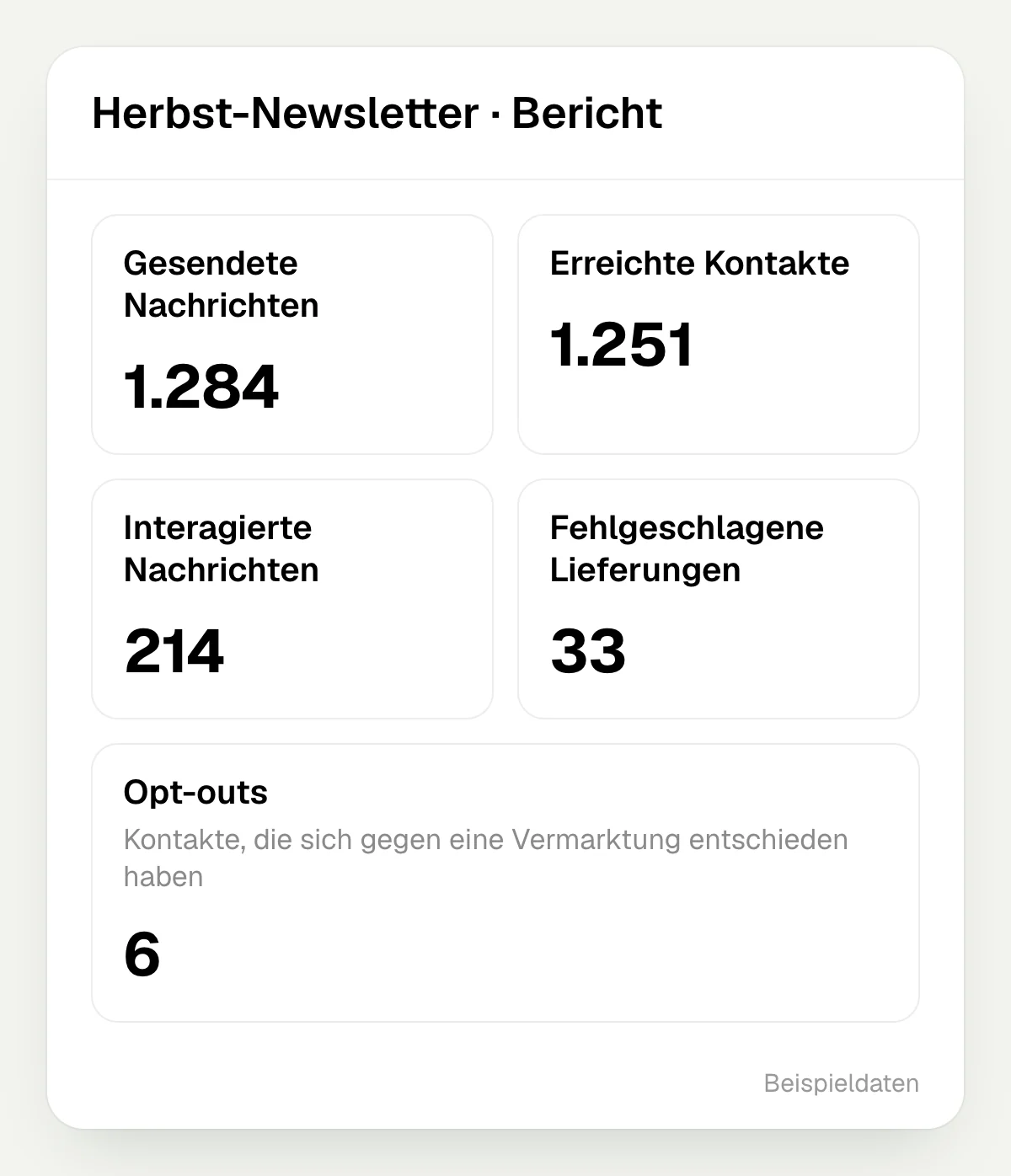
The campaign report shows sent, delivered, read and interactions down to the individual recipient. You can export the recipient overview.
Learn more: WhatsApp newsletter explained, double opt-in, message templates and newsletter unsubscribe
How you work with your WhatsApp newsletter
In hellomateo you set up sign-up, build audiences from your customer data and track the reactions to your message after sending.
Win subscribers and record consent
In hellomateo you set up an opt-in procedure with your own keyword, confirmation message and success message. The matching QR code or link opens WhatsApp with the prepared keyword, which your customer sends and then confirms in a double opt-in. The date and time of consent are stored on the contact, and the wording of the confirmation stays in the chat.
Keyword for your opt-in procedure
QR code and link per WhatsApp number
Invite existing customers with contact permission to sign up
Unsubscribe by sending “Stop” in the chat
Build audiences from your customer data
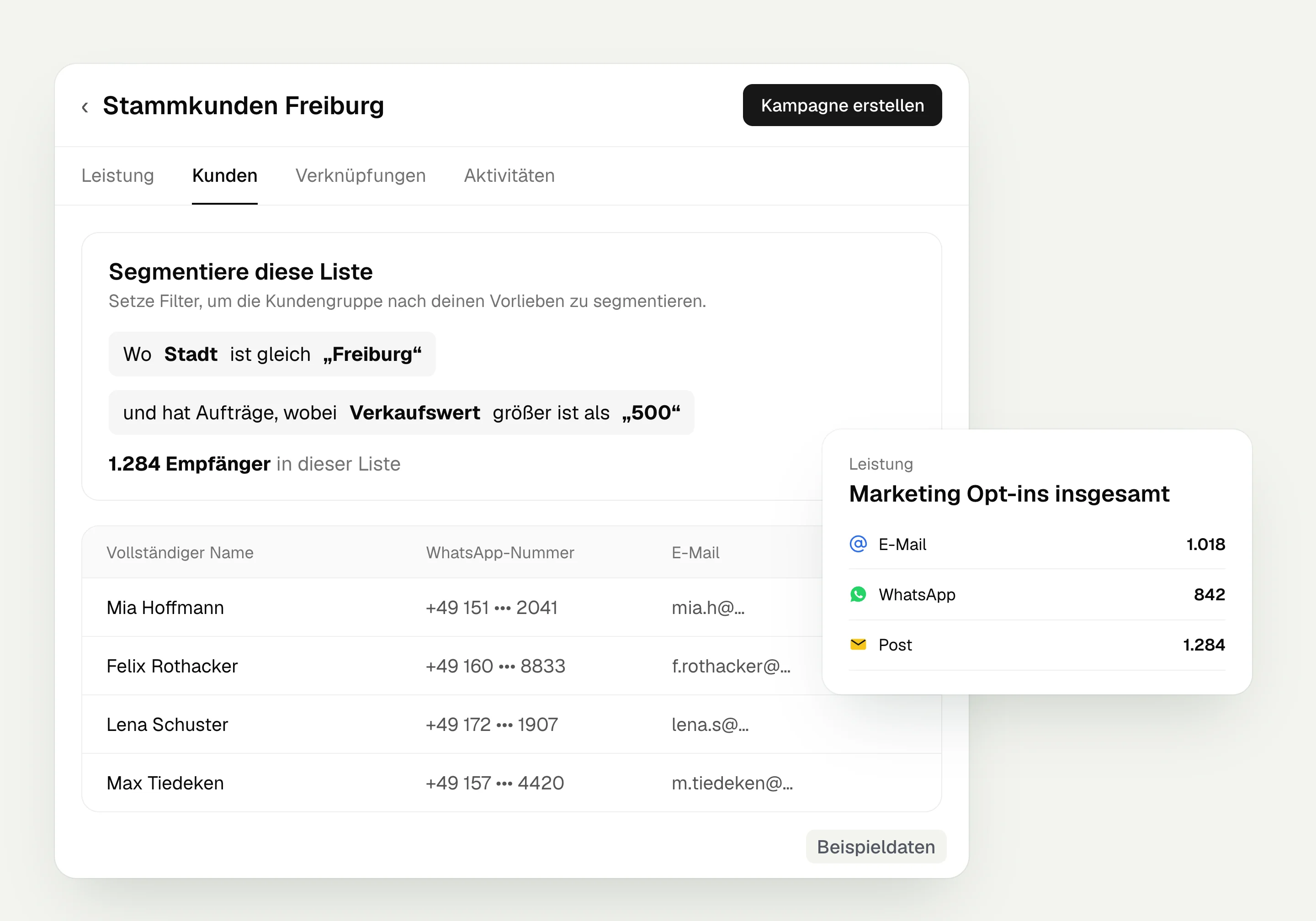
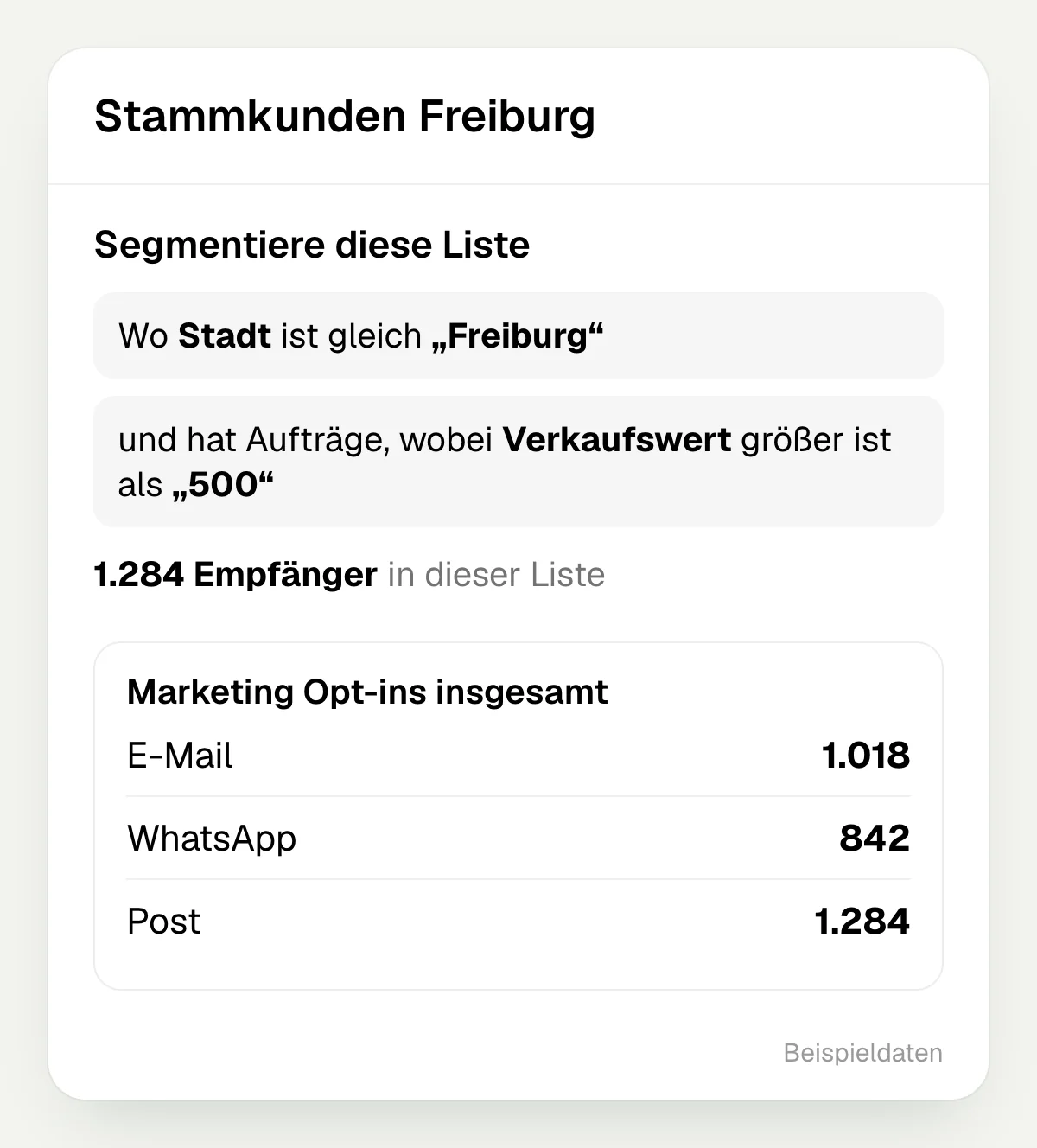
In hellomateo you create dynamic lists based on contact details, messages, orders or appointments. Orders and appointments usually come from your connected industry software; which data a system provides depends on the integration. The list view shows the existing consents per channel, and you can create a campaign for the selected list right there.
Dynamic lists with your own filters
Combine conditions with “and” or “or”
Consents per channel at a glance
Create a campaign straight from the list
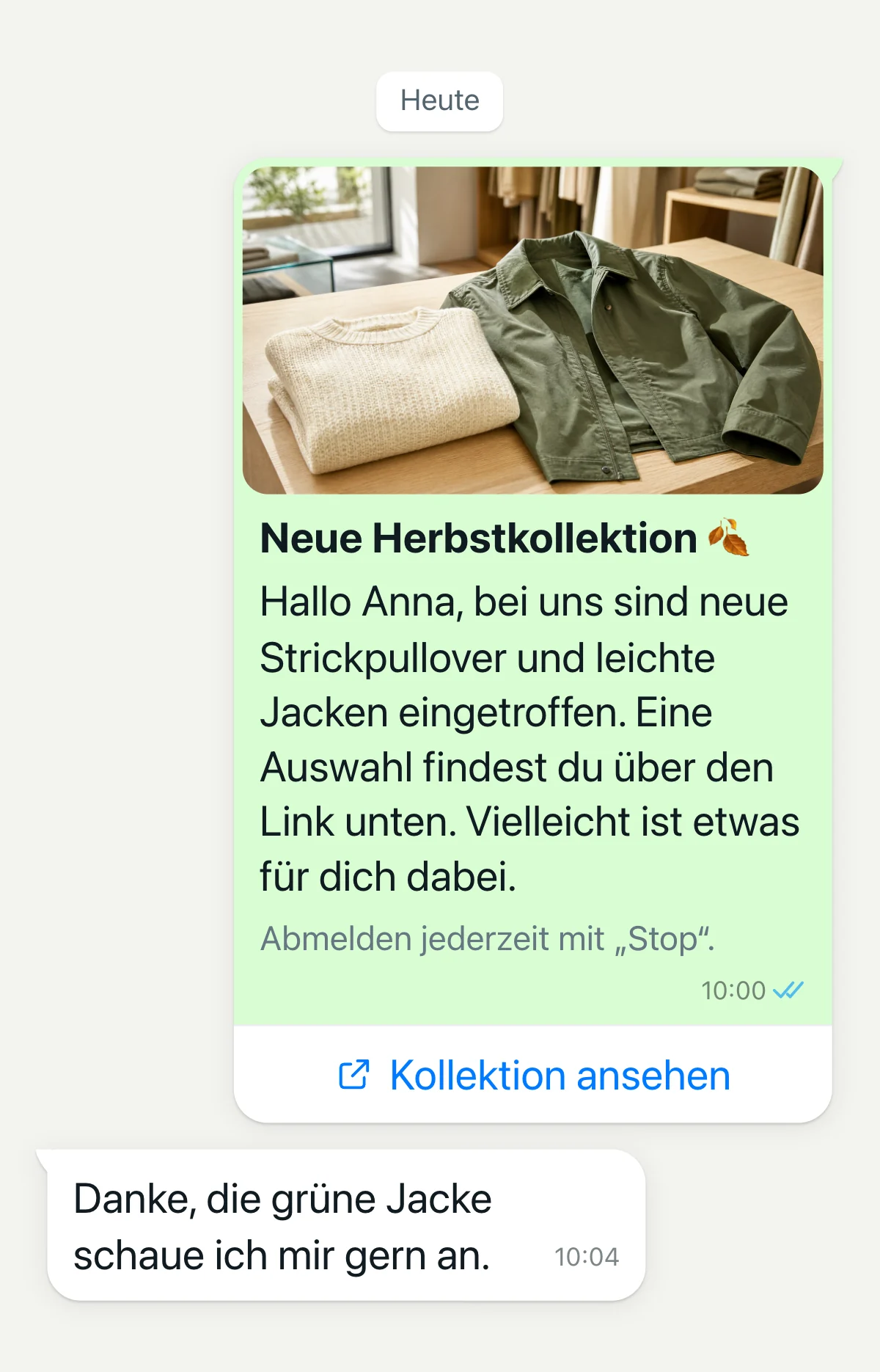
Messages with image, video, PDF and button
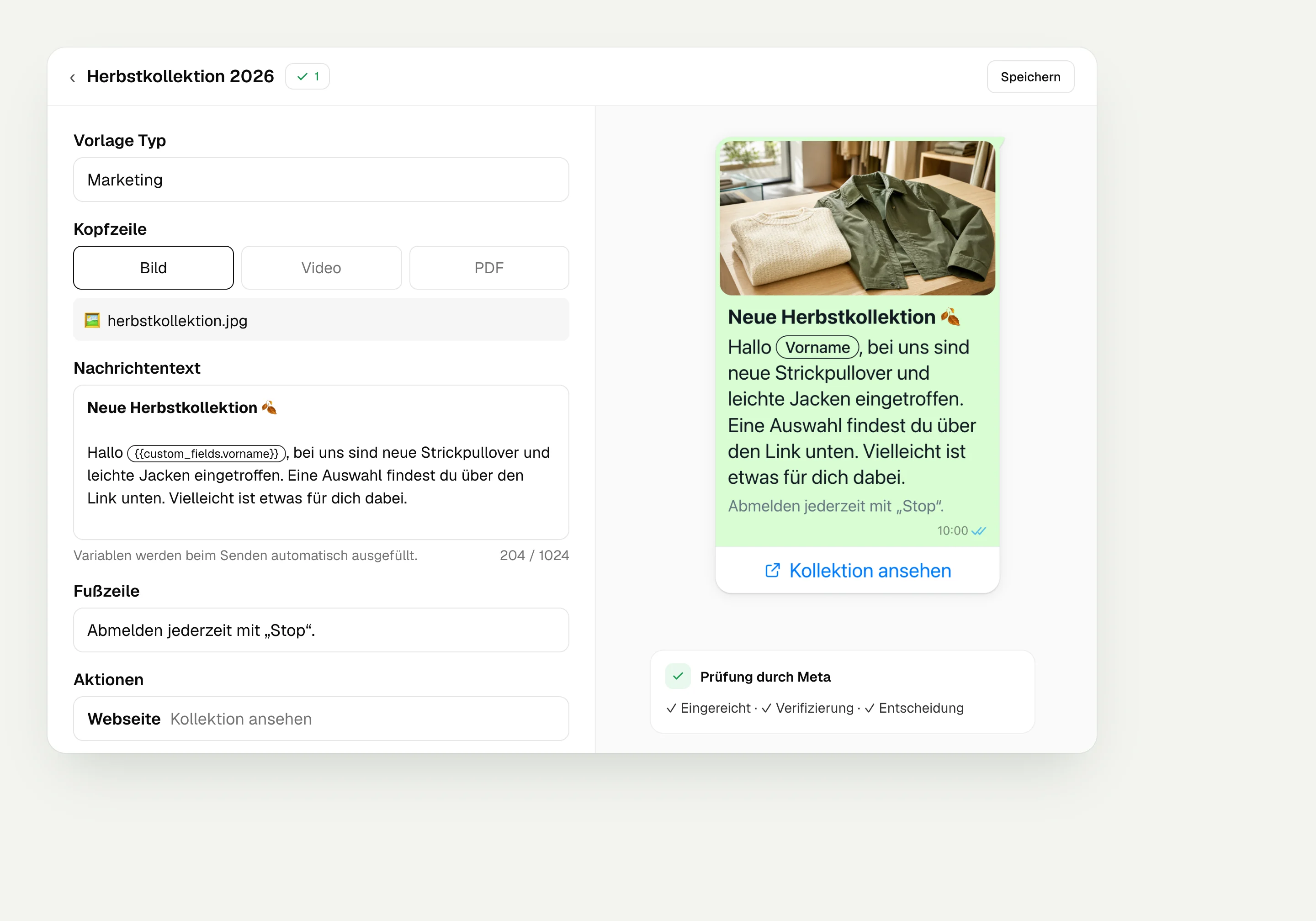
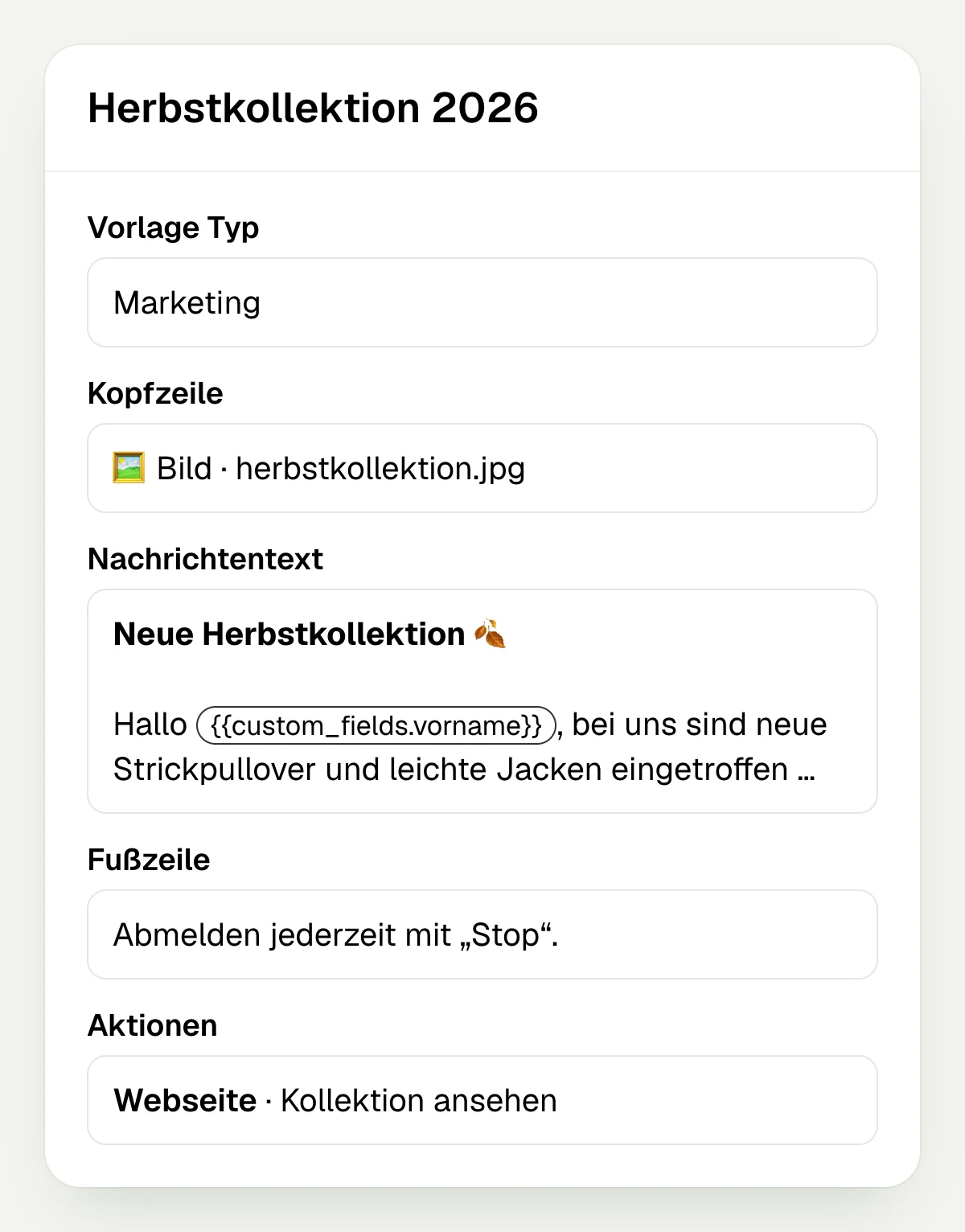
In hellomateo you create a message template with text and choose an image, video or PDF for the header. Variables let you address every customer personally, for example by first name if you keep it as a contact field, or by full name; a button leads to your offer page or appointment booking. Meta reviews the WhatsApp template, and you can send a test message before the campaign goes out.
Image, video or PDF as header
Personal greeting with variables
Button with a link to the page you choose
Send a test message before sending
Schedule sends and combine several channels
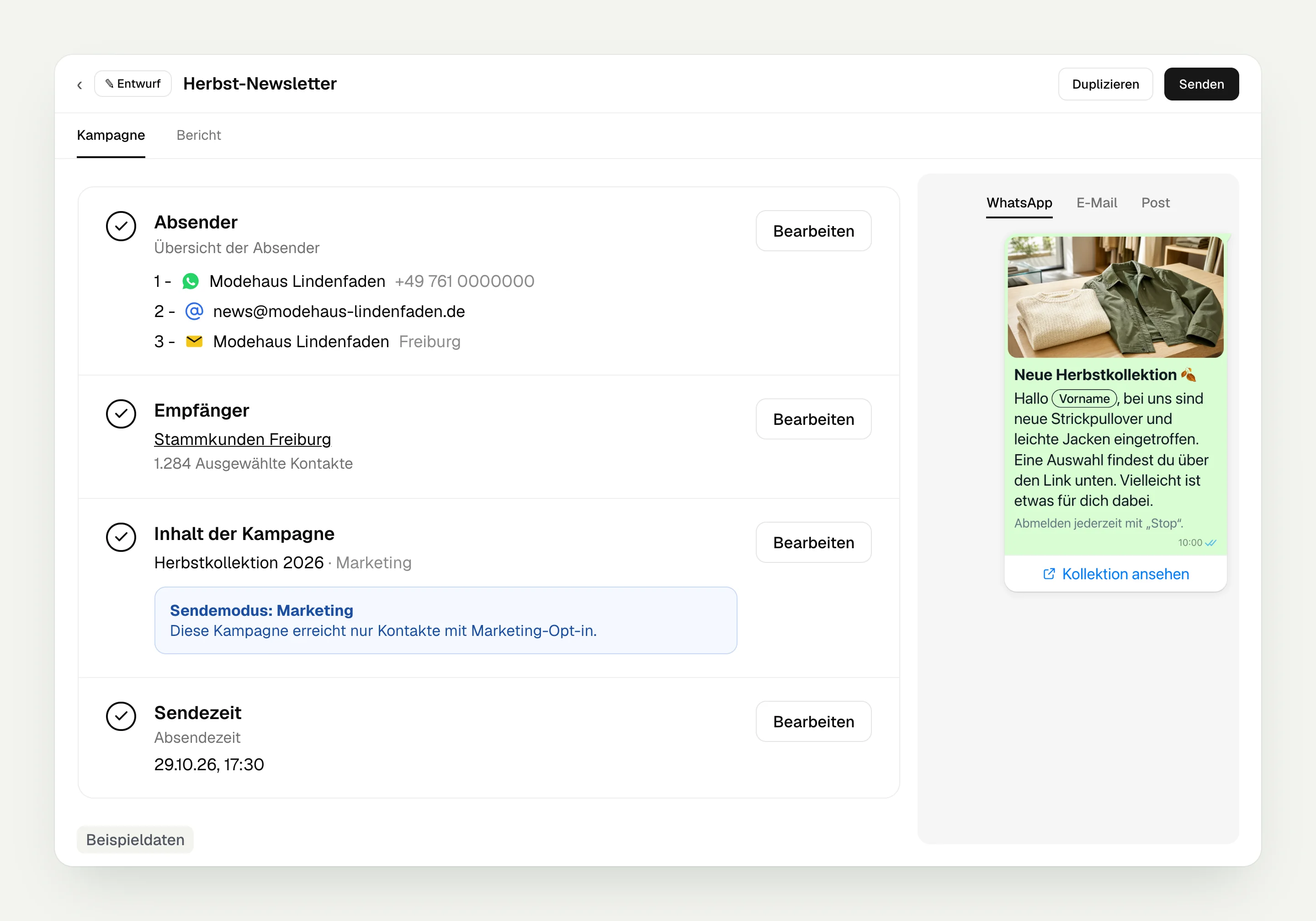
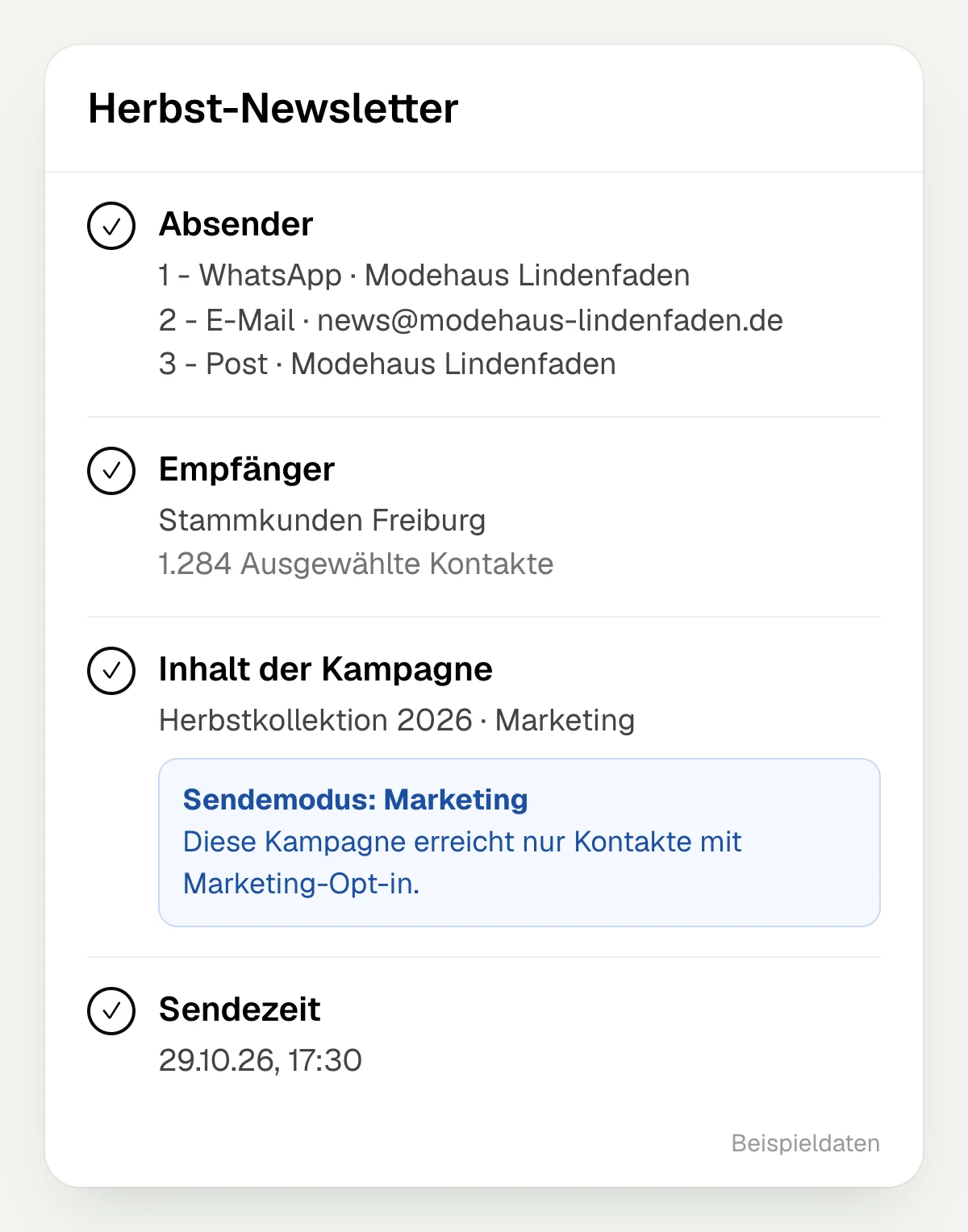
In marketing mode, campaigns in hellomateo go only to contacts with consent, and you set the send time yourself. From the Business package you can put several senders in an order, such as WhatsApp, email and letter. For each contact, hellomateo then picks one channel: the first one for which an address and their consent are available. Letter sending is an add-on in Business, one of the selectable features in Business Plus and included in Enterprise.
An always-on campaign sends a message at fixed times: daily, weekly, monthly or yearly. hellomateo determines the recipients anew from a dynamic list each time it runs, such as “Birthday today”.
Send now or at a time you choose
Marketing mode for contacts with consent
Monthly limit for campaigns in marketing mode: five per contact and channel type by default
Recurring sends on a schedule
See results down to the individual recipient
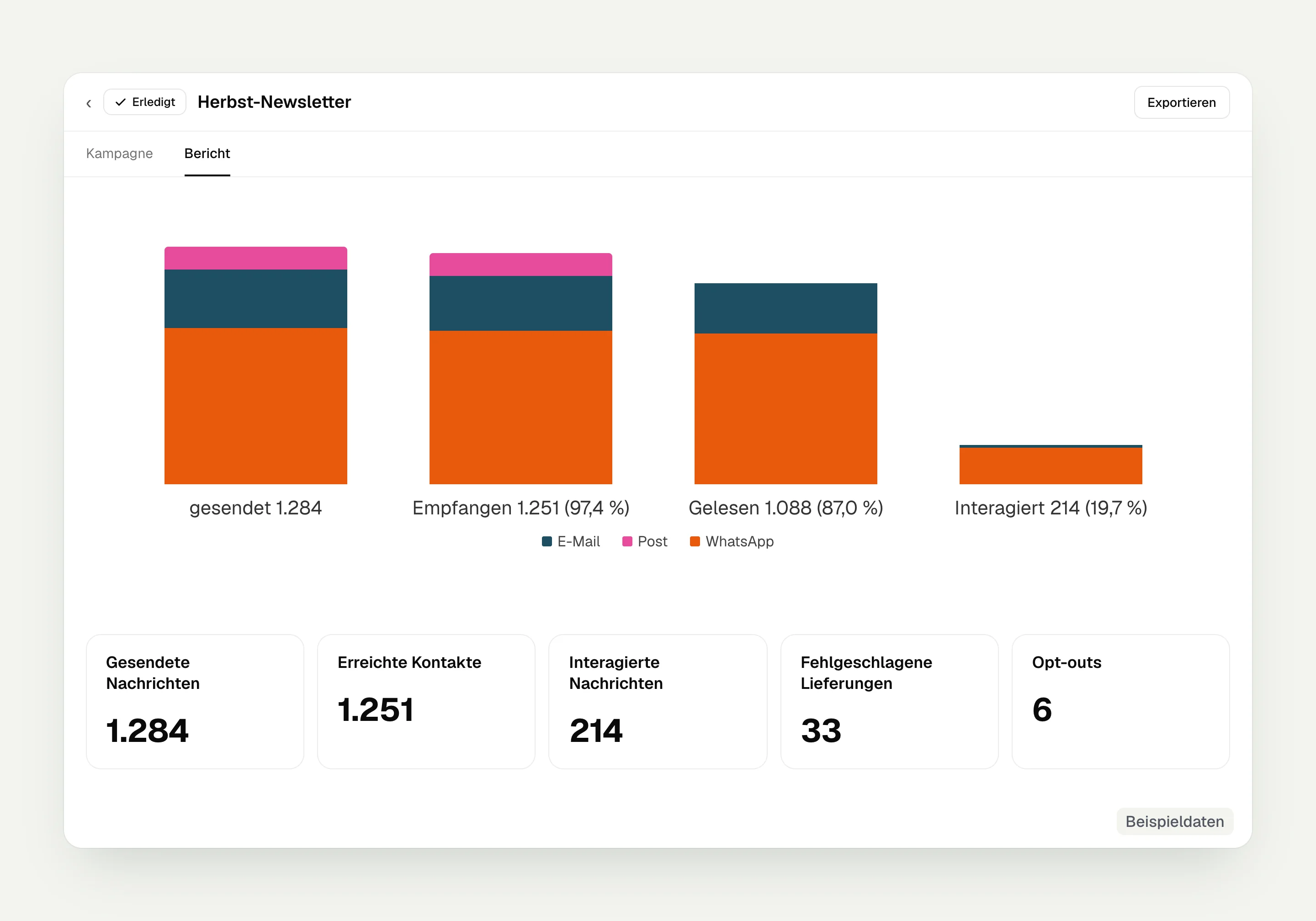
The hellomateo campaign report shows you for each recipient when a message was sent, delivered, read or recorded as an interaction. Clicks on link buttons count as interactions. The report shows unsubscribes after the campaign as the number of opt-outs, and you can export the report per recipient. If orders with an amount reach hellomateo, usually from your industry software, the list view shows the metric “Influenced revenue”: the value of orders from contacts on this list that were won within 90 days after a message via hellomateo.
Sent, delivered, read and interacted
Link clicks as interactions, unsubscribes as opt-outs
Export the report per recipient
Influenced revenue from won orders
Let us look together in a meeting at how you use your customer data for a newsletter and then evaluate the reactions.
What will you send your next WhatsApp newsletter for?
A new collection, an invitation to a test drive or changed opening hours: choose an occasion that is relevant to the selected customer group.
Fashion retail
Your fashion store shows regular customers what has just arrived with a collection image and links to the matching items.
Car dealership
Your dealership sends an invitation with a link to register or book an appointment.
Furniture and kitchens
Your kitchen studio shows a showroom kitchen in an image and links to the page with the details.
Electronics retail
Your electronics store can present an appliance in a video and add the link to the demo.
Opticians
As an optician you invite your customers to an eye test via WhatsApp and add the link to appointment booking.
Hearing care
As a hearing care professional you send appointment invitations and let your customers know when your store is available.
How businesses use hellomateo every day

Augenoptik Hauptsache Scharf: Mit hellomateo Zeit sparen und Kunden durch WhatsApp-Automatisierung begeistern
- 24/7 availability
- Stress-free weekend planning
- Full schedules
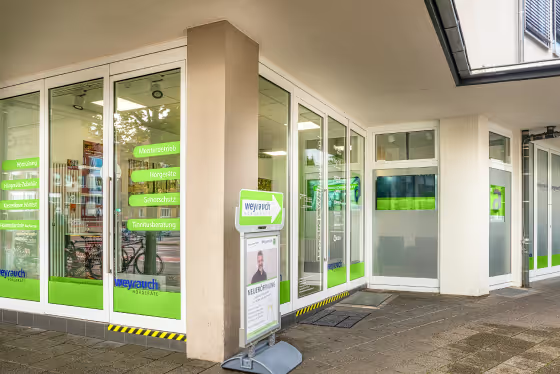
auric digitizes the customer journey and is already relieving 45 locations with automated WhatsApp communication via hellomateo
- 4.9 Google rating
- 88% opening rate
- 45 active locations
What else you can do with hellomateo
Manage customer contacts, answer enquiries or let customers book appointments: here you will find the hellomateo modules.
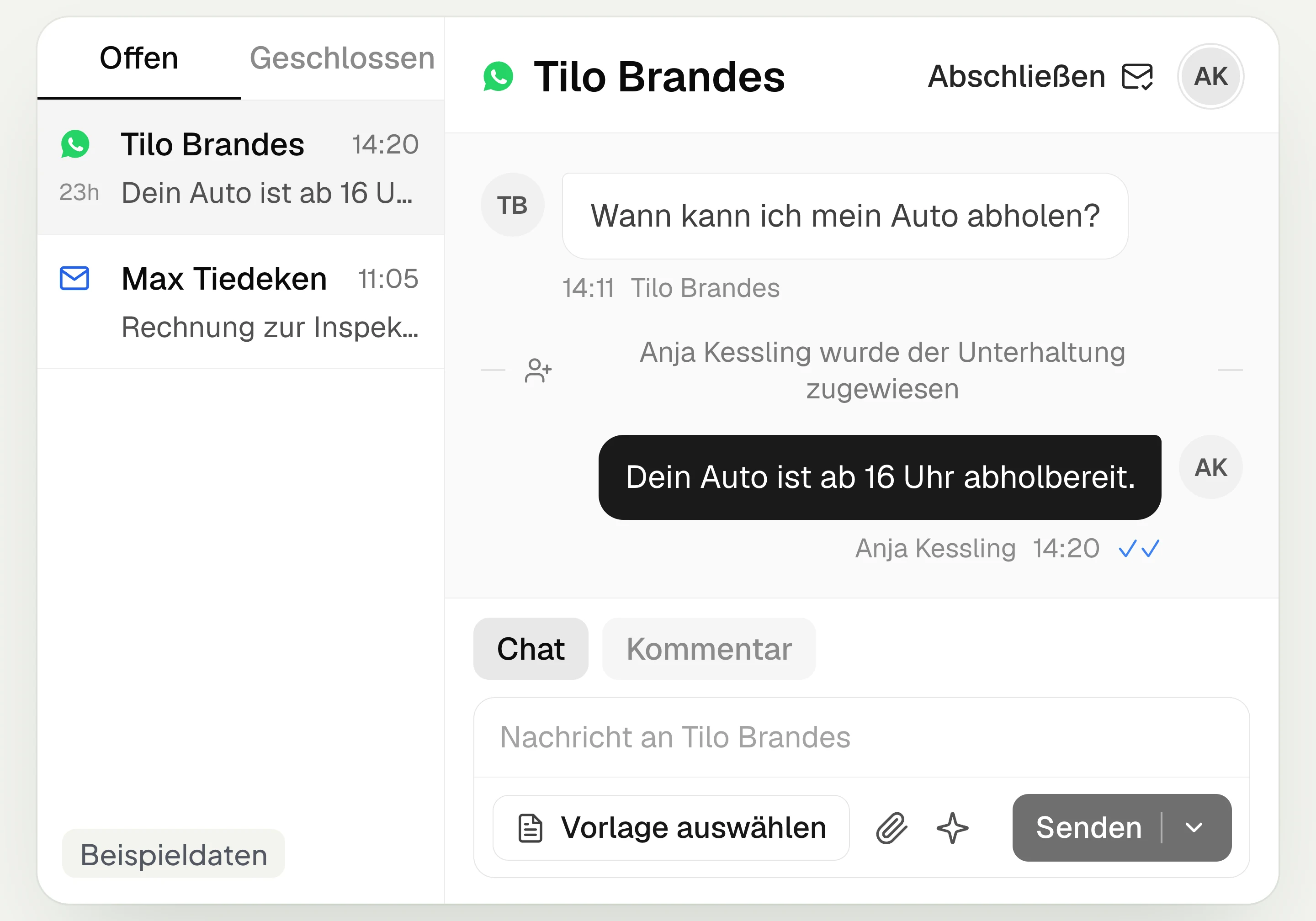
Central Inbox
hellomateo brings together WhatsApp, email, Instagram and Facebook Messenger in one inbox. Multiple staff members write via the same WhatsApp number and assign conversations.
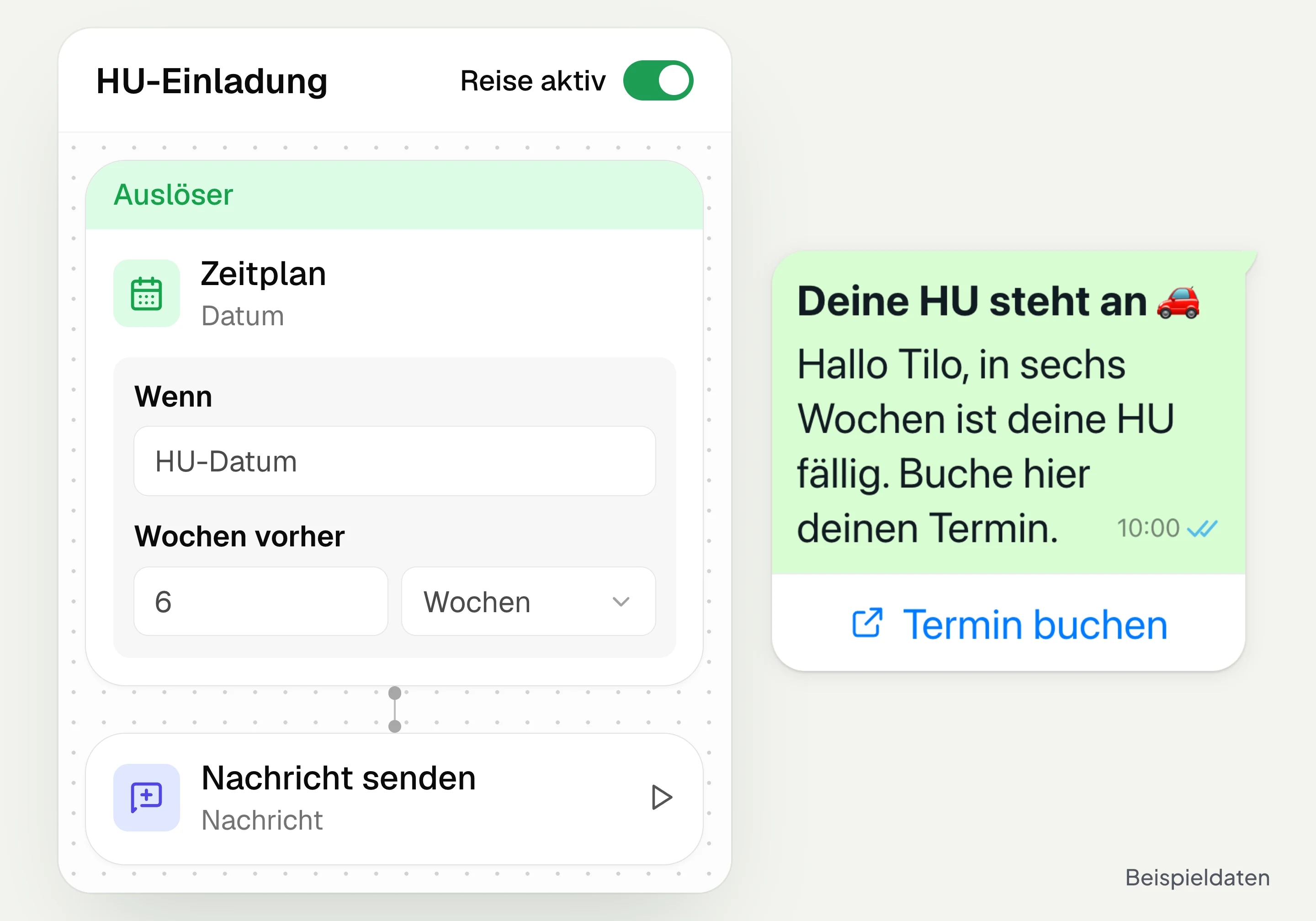
Automated customer journeys
Customer journeys in hellomateo send invitations automatically based on a date or event. You set the message and follow-up steps and check the progress per contact. Business and above.
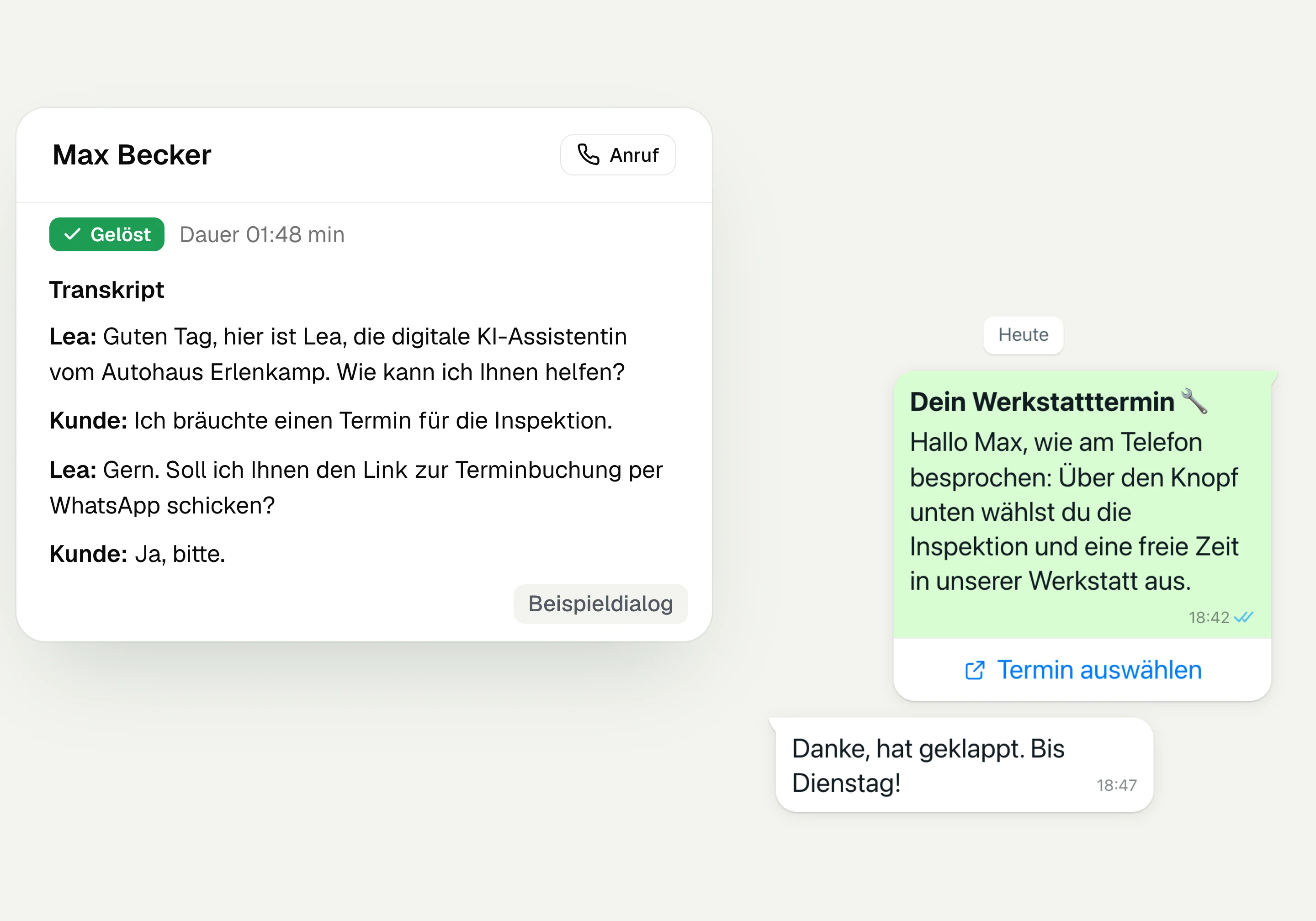
AI Telephony
hellomateo AI telephony takes calls, answers questions and sends the booking link via WhatsApp after consent. From €80 per month with 500 free minutes; additional minutes are charged on top.
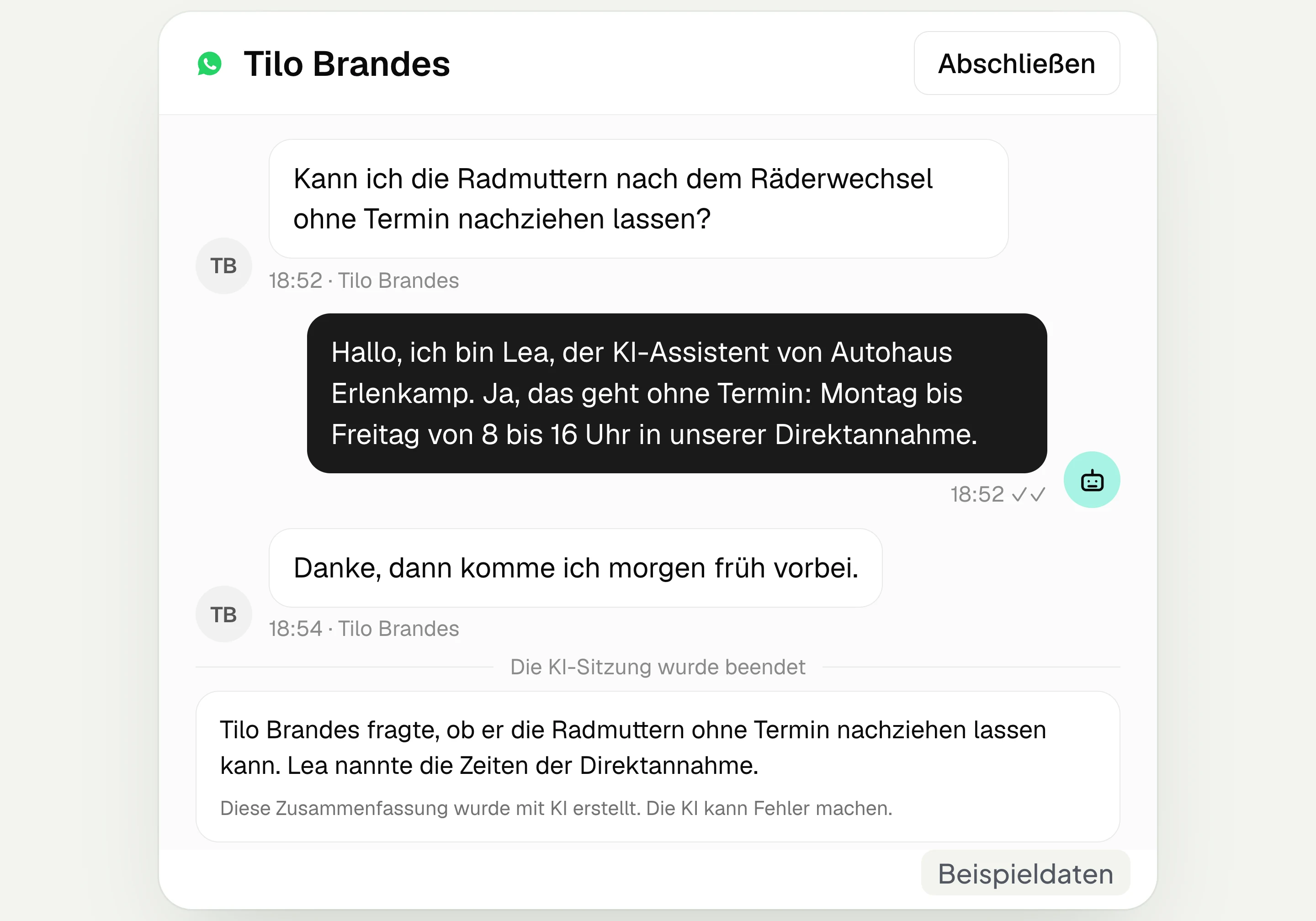
AI assistant in chat
The hellomateo AI assistant answers questions in WhatsApp, Instagram and Facebook Messenger with your knowledge. Can be added, selectable in Business Plus, included in Enterprise.

Appointment booking
With hellomateo, customers book appointments themselves on your booking page. You set services and calendars. Add-on module: €25 per month, regardless of the number of locations.
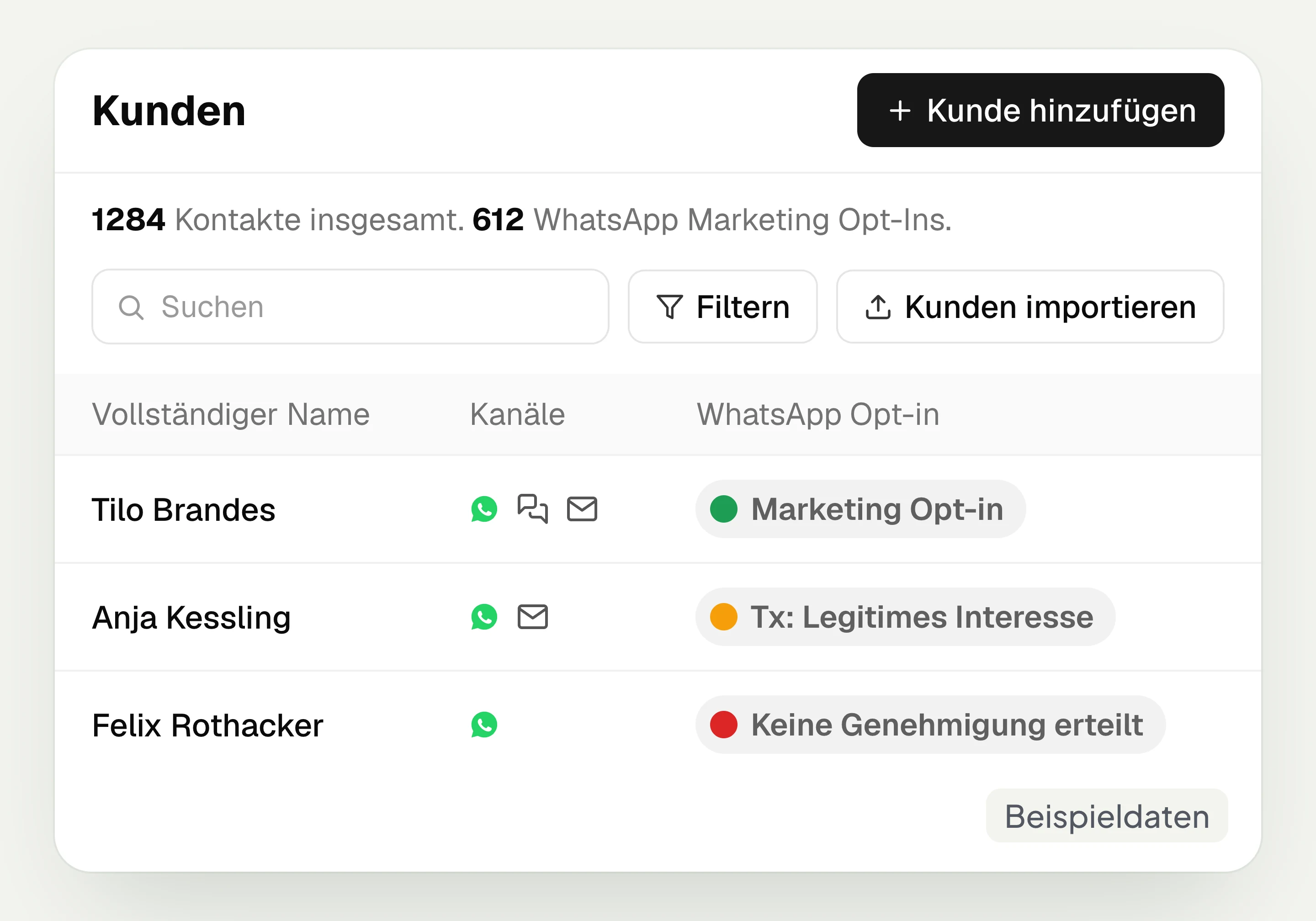
Customer and contact management
hellomateo connects contact data, conversations and consent per channel. You read notes on the contact and build recipient lists with your own filter rules.
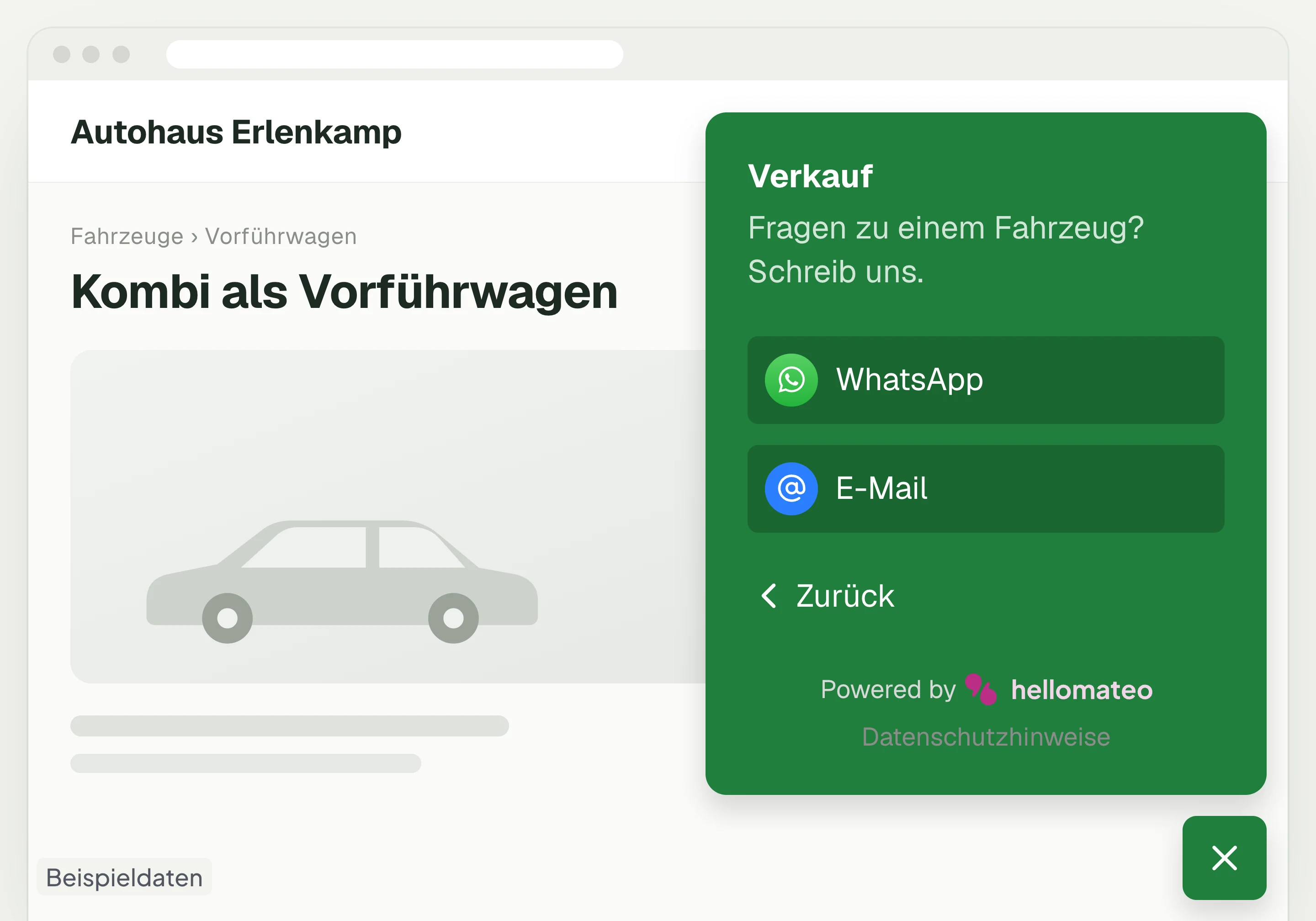
Contact through your website
A hellomateo button on your website takes visitors to WhatsApp and other channels. For connected channels, your team replies in the Central Inbox.
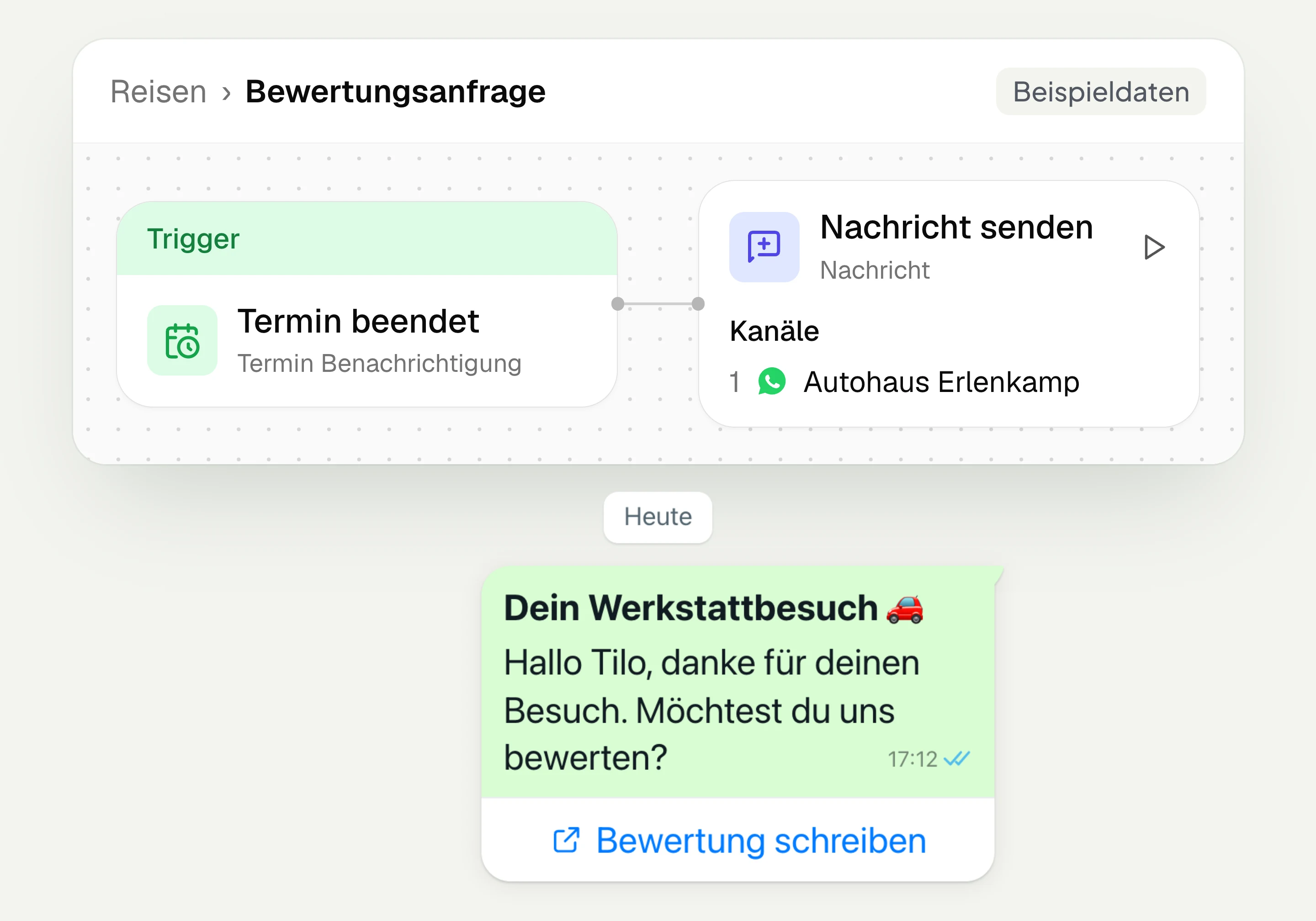
Review management
With hellomateo you request Google reviews, read reviews and reply to them. In the Business package and above, customer journeys send the review request automatically.
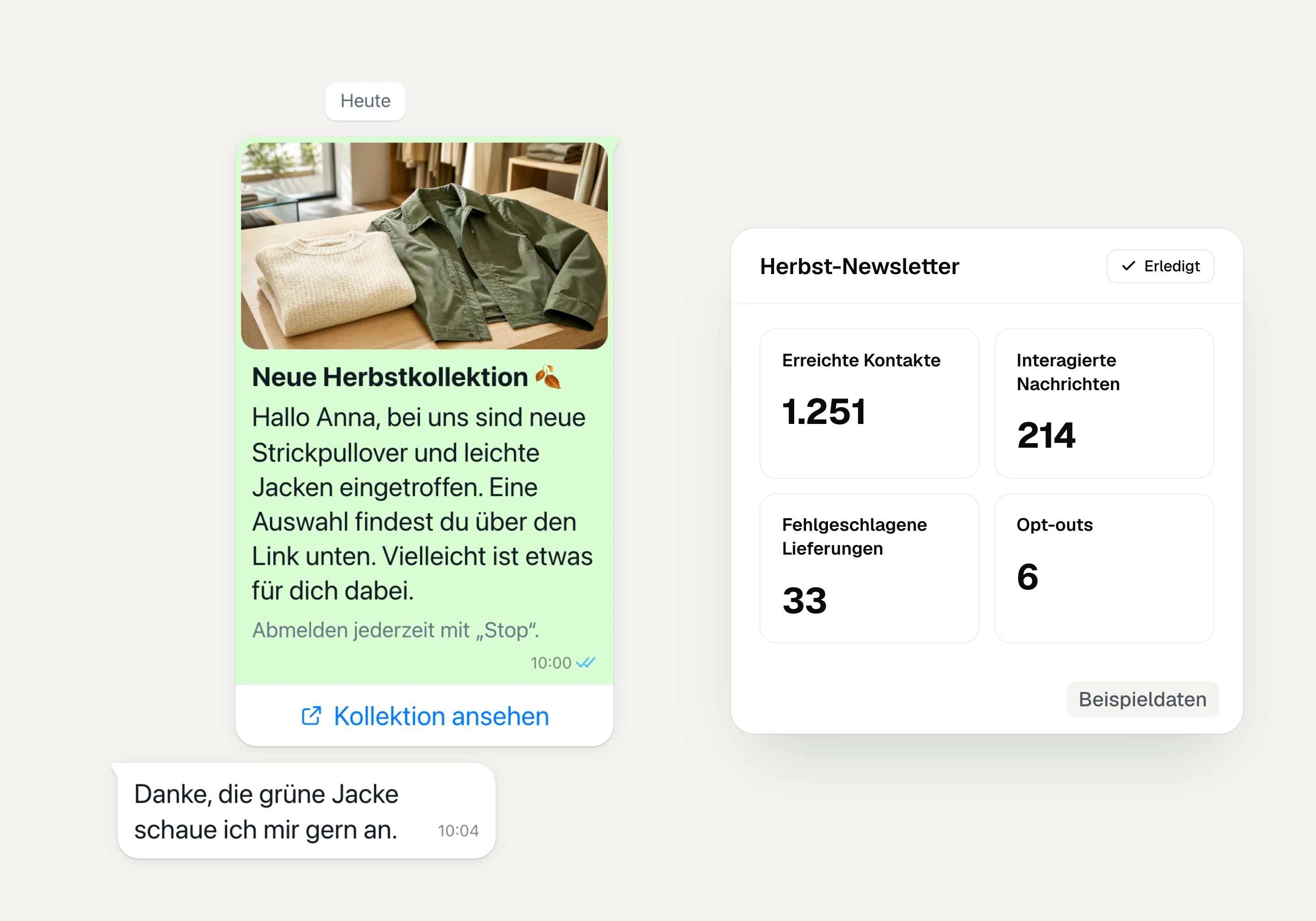
WhatsApp newsletter
With hellomateo you send WhatsApp newsletters to customers who have given consent. You choose recipients, schedule the send and see per recipient whether the message was read.
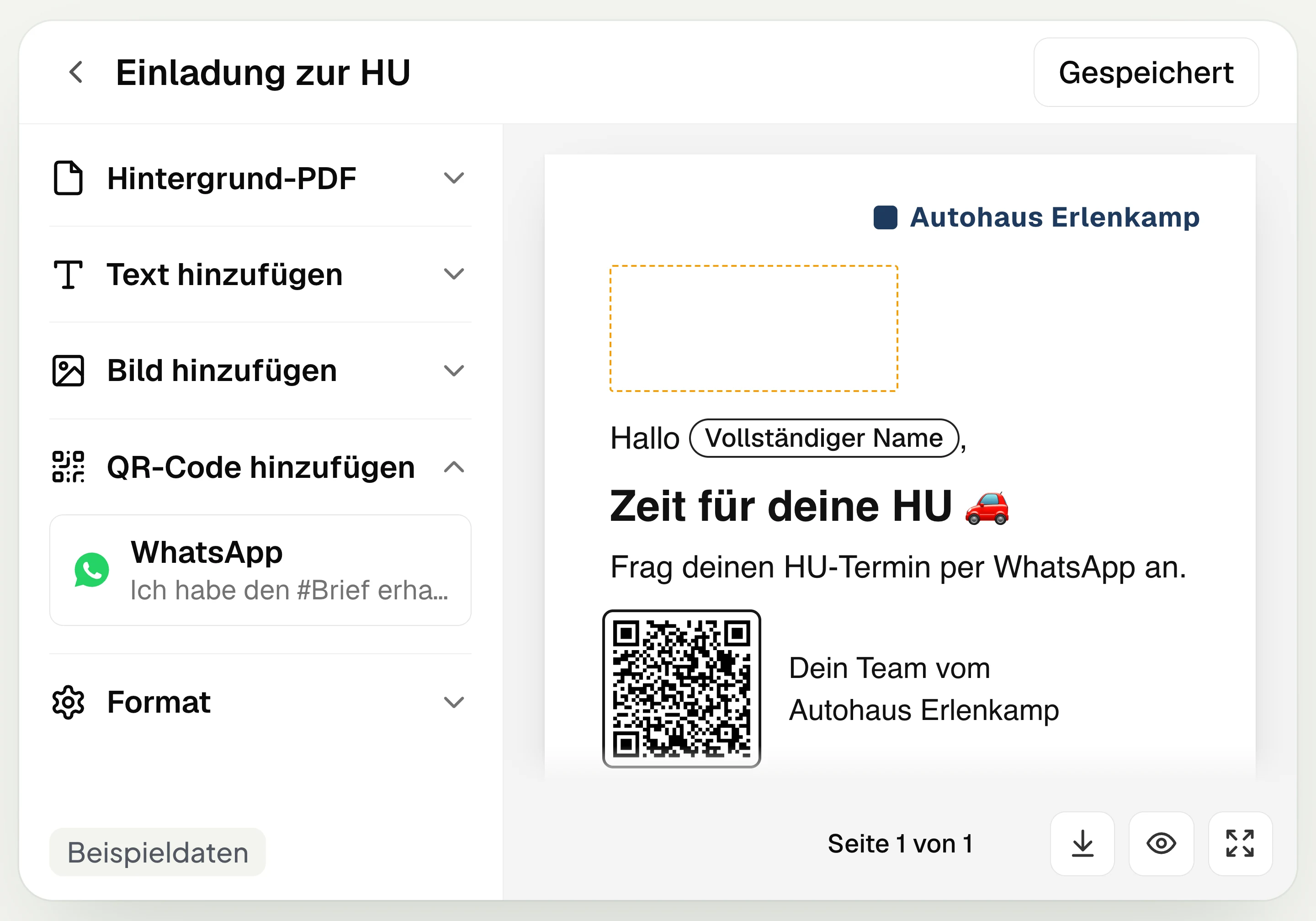
Postal mailing
With hellomateo you design and send letters with a WhatsApp QR code. Can be added in Business, selectable in Business Plus, included in Enterprise.
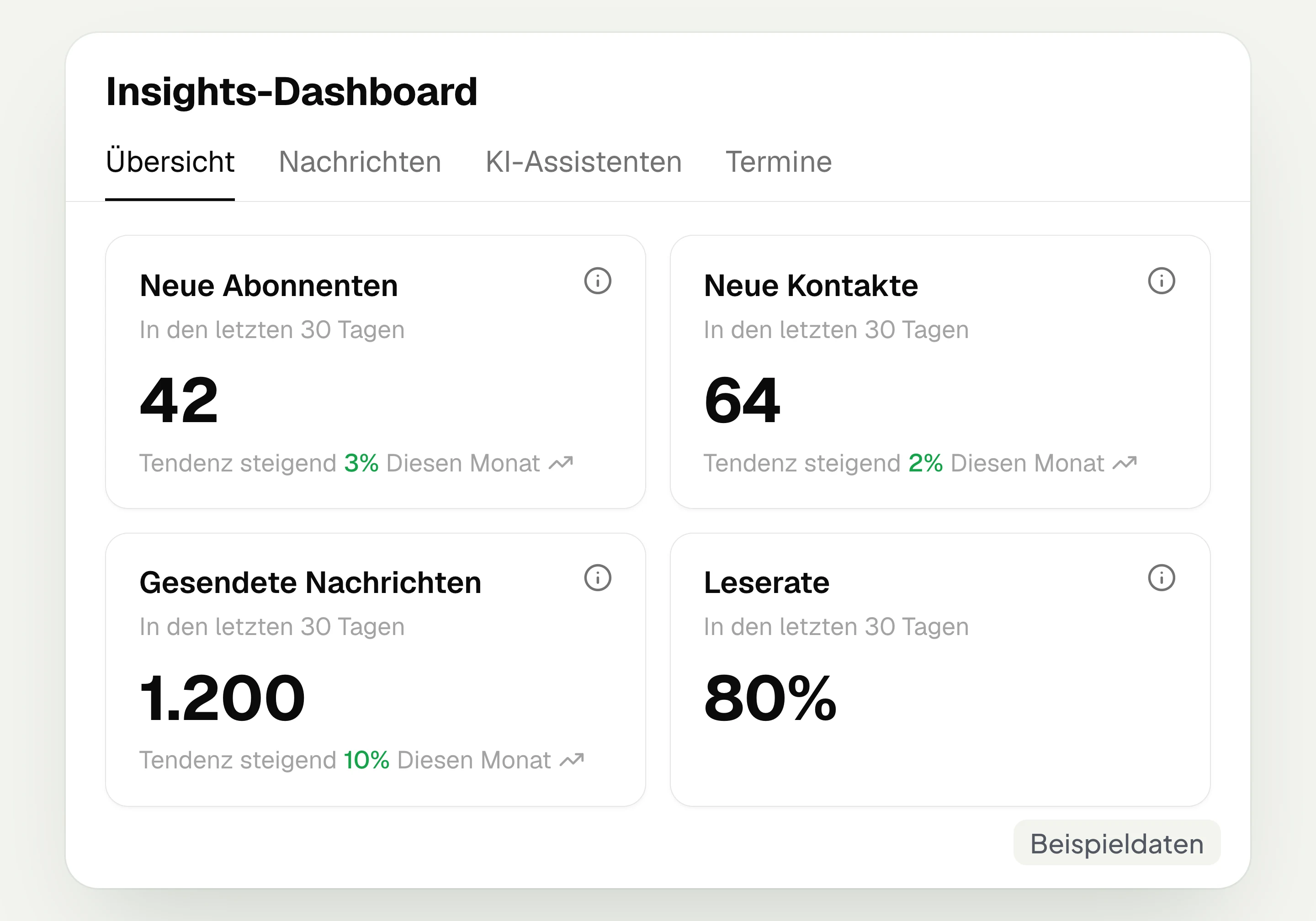
Insights
hellomateo Insights shows messages, read rate, contacts and reviews. With the respective modules, analytics on AI inquiries and appointments are added.
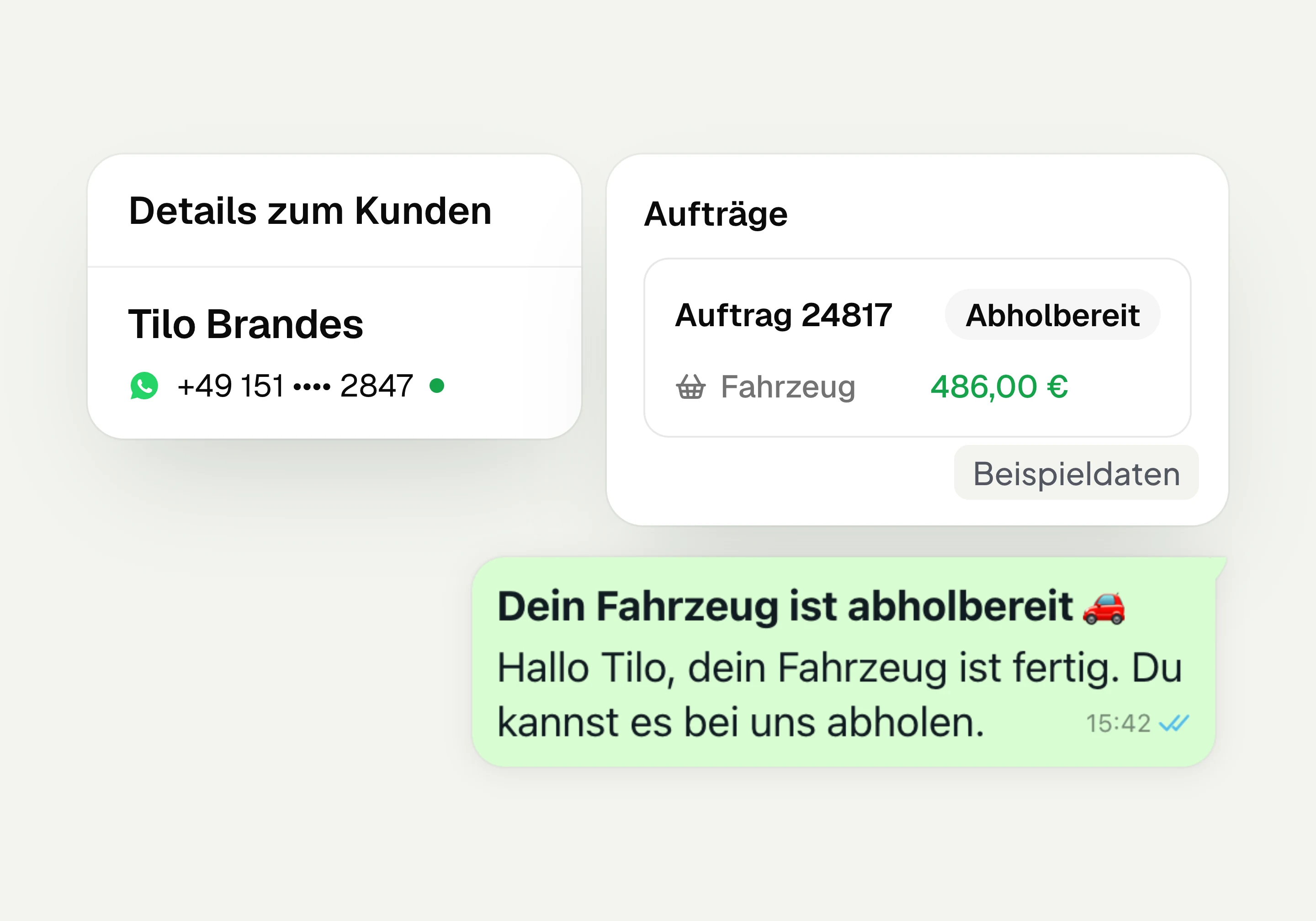
Integrations
Depending on the connection, hellomateo transfers contacts, orders and appointments from your industry software. More than 70 direct integrations are available in Business and above.
Frequently asked questions about the WhatsApp newsletter




Book a non-binding consultation
We would be happy to introduce hellomateo to you in a personal call.
Or send us an email:
What is a WhatsApp Business newsletter?
How does hellomateo support GDPR-compliant newsletter sending?
How do I win subscribers for my WhatsApp newsletter?
How can customers unsubscribe from my WhatsApp newsletter?
How much does a WhatsApp newsletter with hellomateo cost?
How often can I send a WhatsApp newsletter?
Can my WhatsApp newsletter contain images and buttons?
How do I see what my WhatsApp newsletter achieved?
Should I send my newsletter via WhatsApp or email?
Can I send WhatsApp newsletters automatically?