Postal mailing: letters with QR code
With hellomateo postal mailing, you design and send letters right from your customer communication. This also lets you reach contacts without a suitable WhatsApp number. A WhatsApp QR code with a prepared start message takes the recipient from paper into your chat.
Design letters in hellomateo
Reach contacts without WhatsApp by letter
From the letter to the WhatsApp chat via QR code
Last updated: 30 October 2026
More than 2,000 customers use hellomateo























From your postal template to the conversation
Design a letter
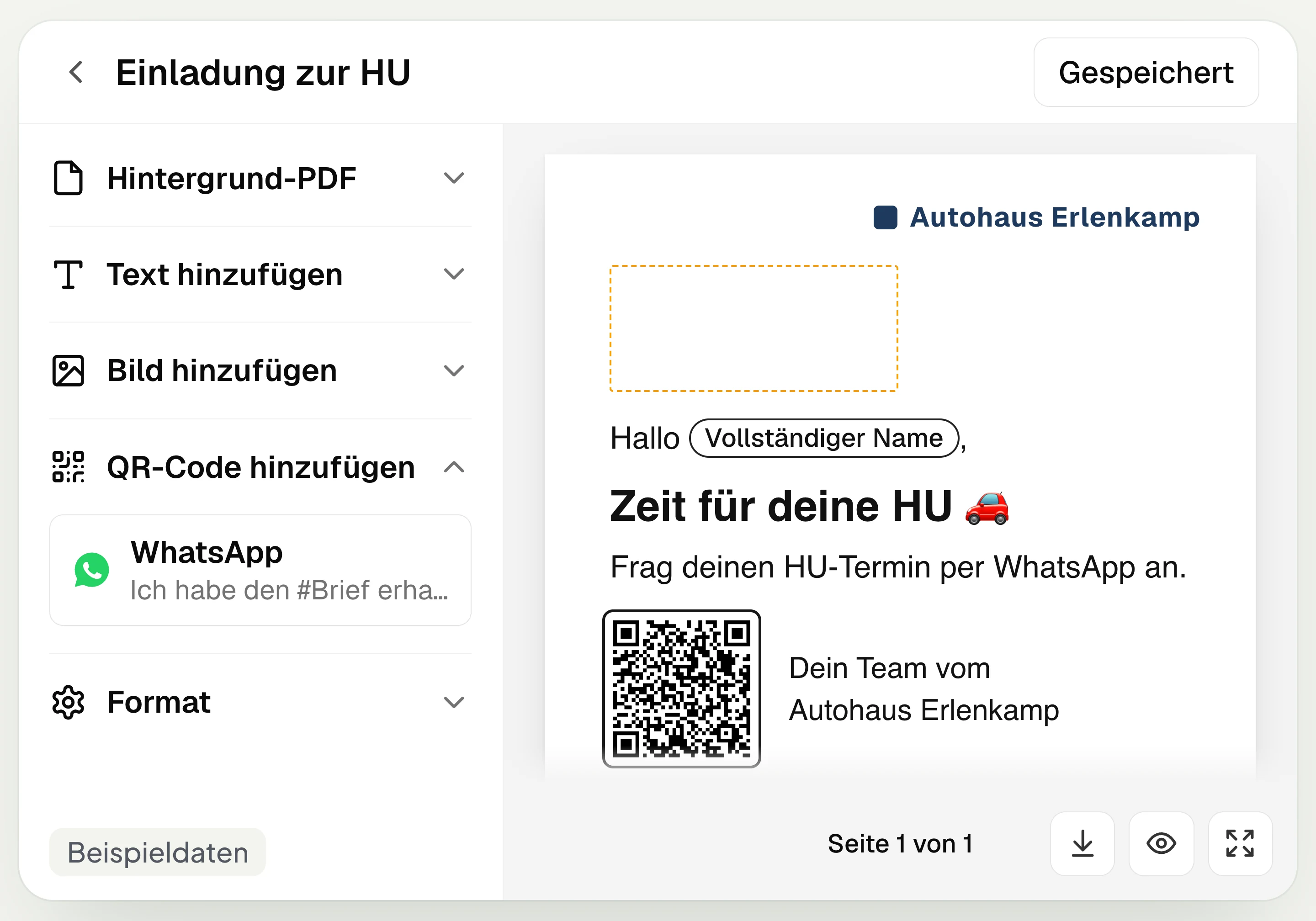
In hellomateo you design an appointment invitation as a letter, for example. You upload a background PDF and add text, images or a WhatsApp QR code.
Set recipients and channel
In your hellomateo campaign you choose recipients and the postal template. If WhatsApp should take priority, you place the WhatsApp sender before the postal sender.
Hand over printing and mailing
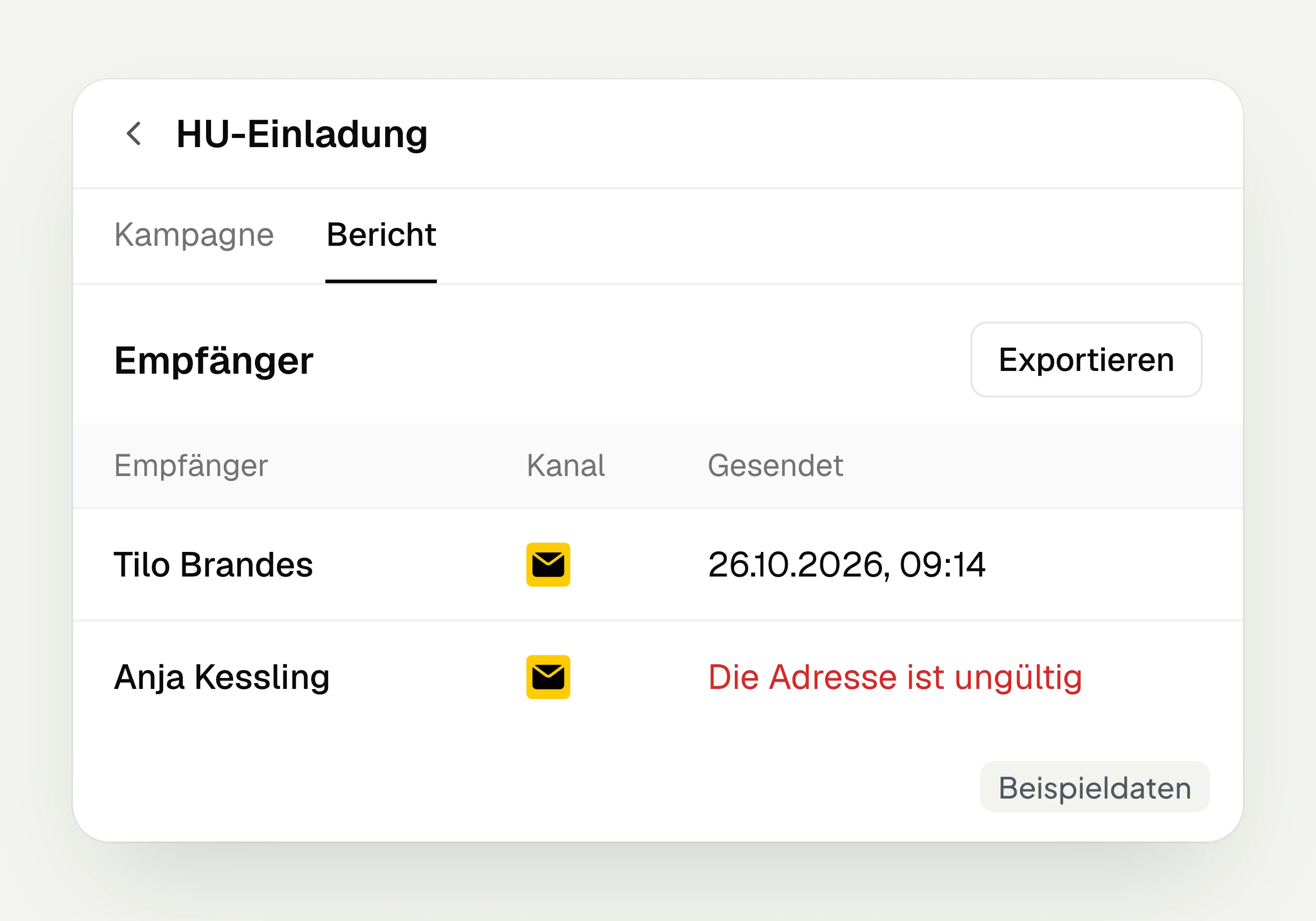
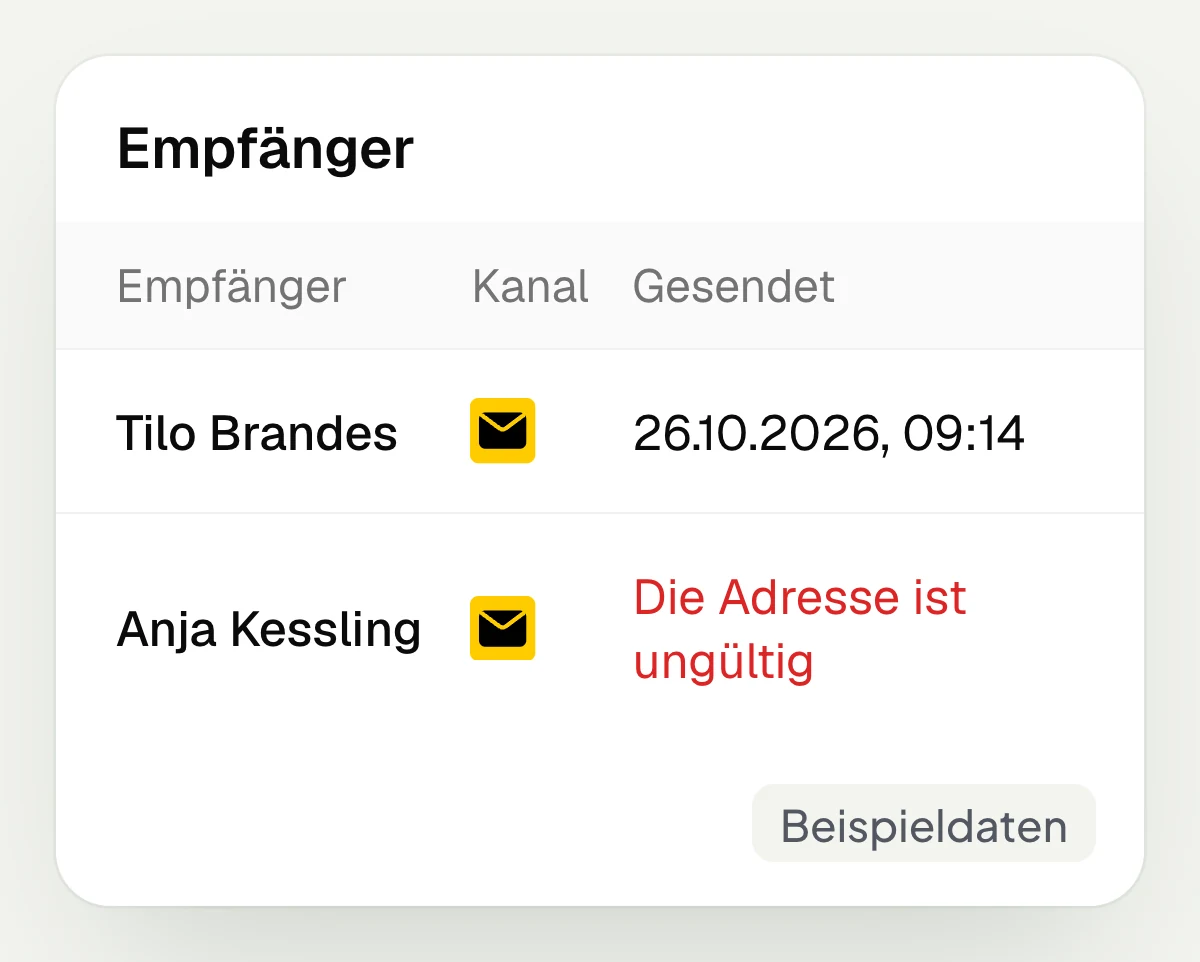
hellomateo takes care of printing, packaging and mailing your post. In the campaign report you see which letters were sent and which could not be sent.
Start the conversation in WhatsApp
The hellomateo WhatsApp QR code opens the chat with a prepared start message. Your customer sends it and can, for example, request an appointment there.
Design letters and follow up in the WhatsApp chat
In hellomateo you design your post, set the channel order and then check the mailing.
Your invitation becomes a letter
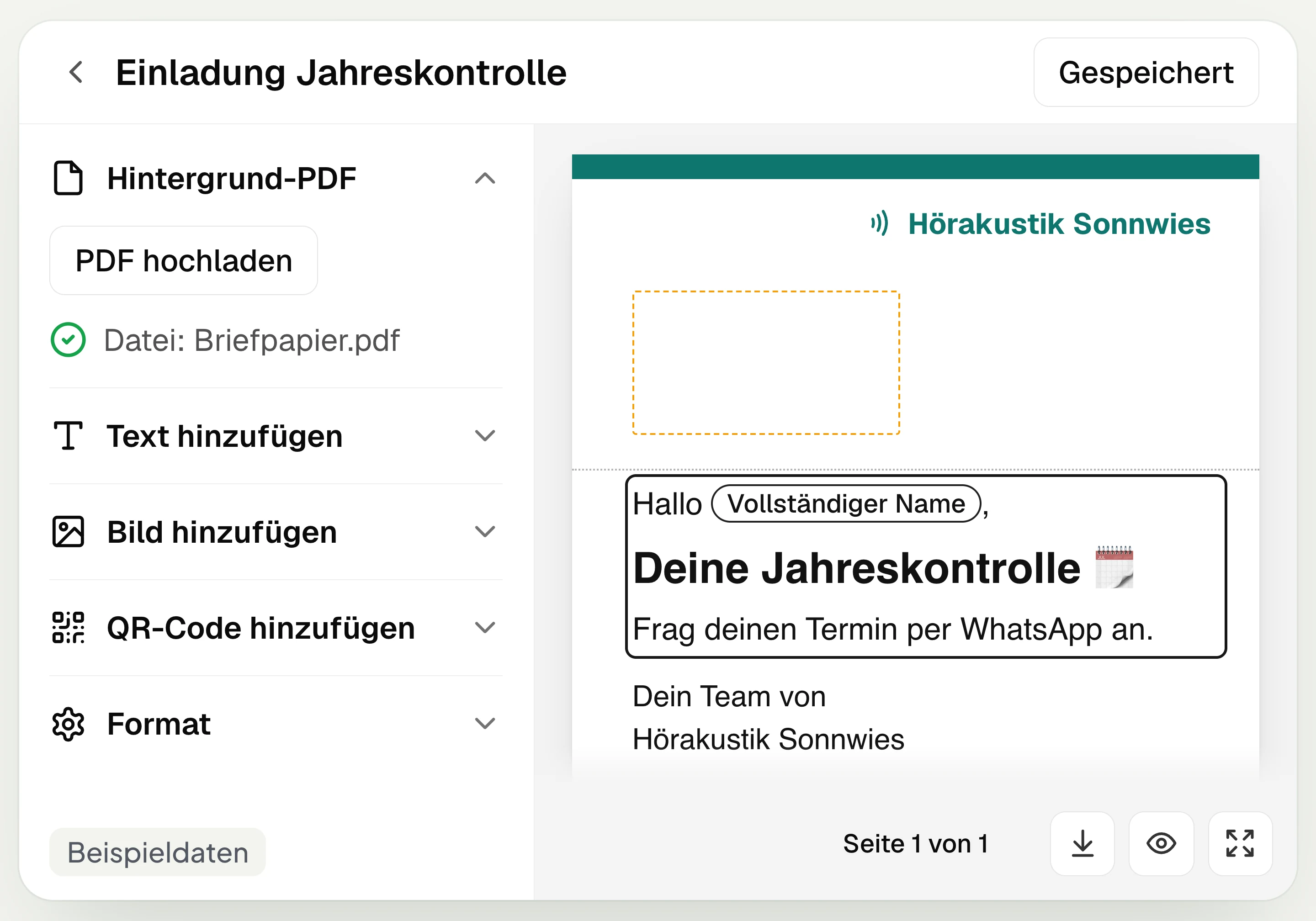
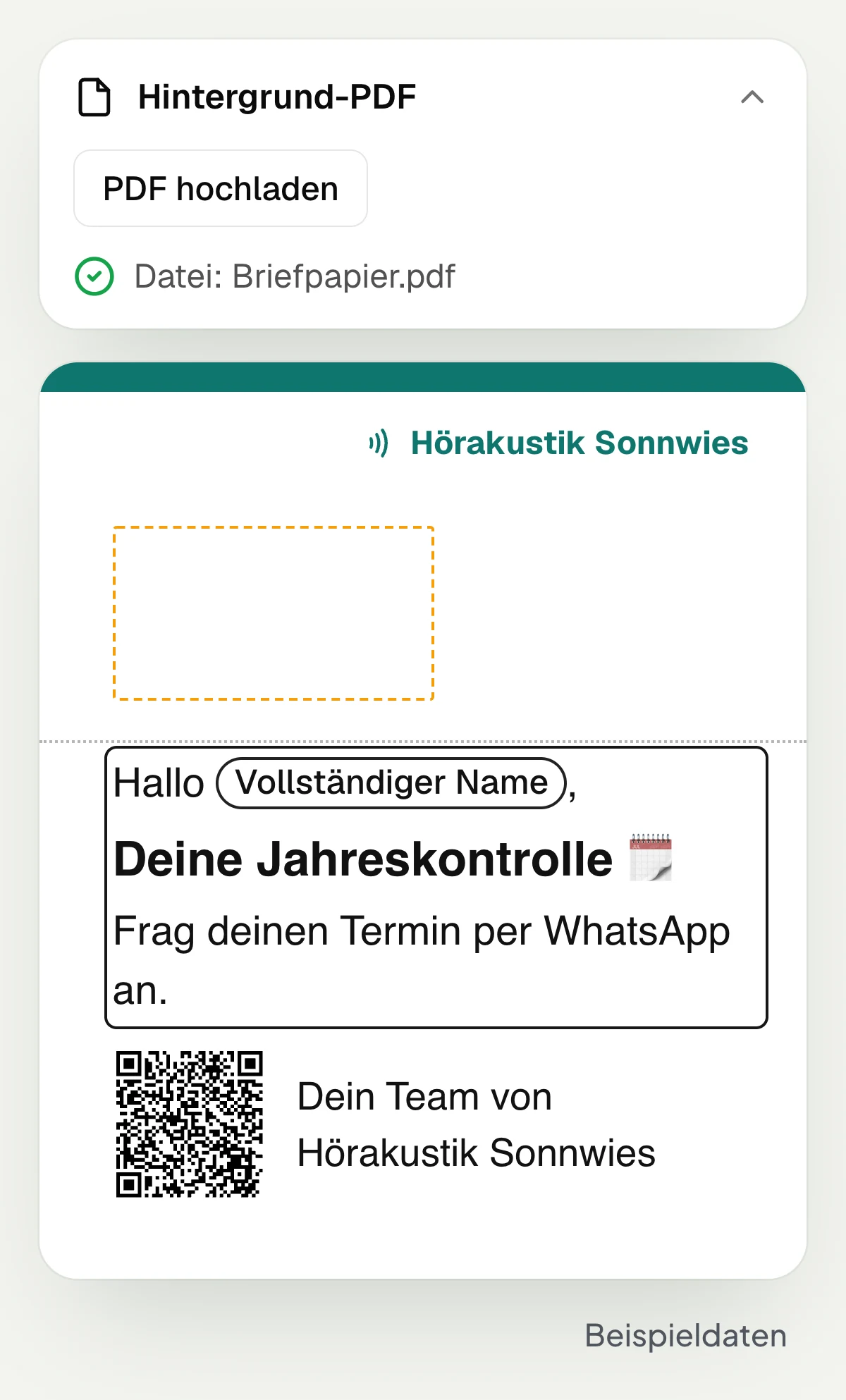
In the hellomateo postal templates you design A4 letters. You can upload an existing background PDF and add text, images and a QR code. Placeholders such as “Full name” adapt the text to the recipient. Guide lines mark the area kept free for the address. With “Download PDF” you check the preview of the saved template before mailing.
Upload your own design as a background PDF
Add text with names from the contact
Insert images and a WhatsApp QR code
Download the saved template as a PDF
WhatsApp first, letter for other contacts
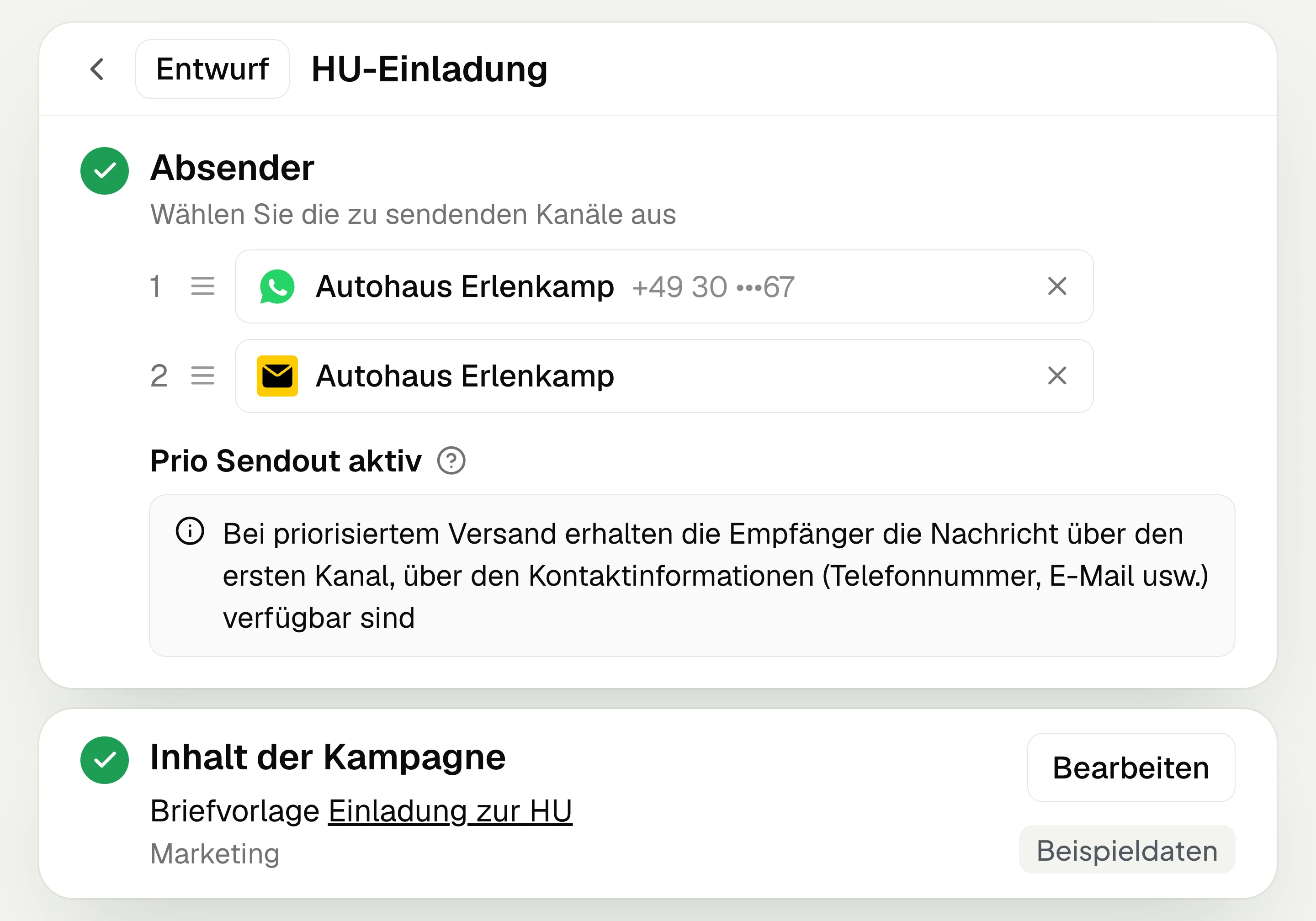
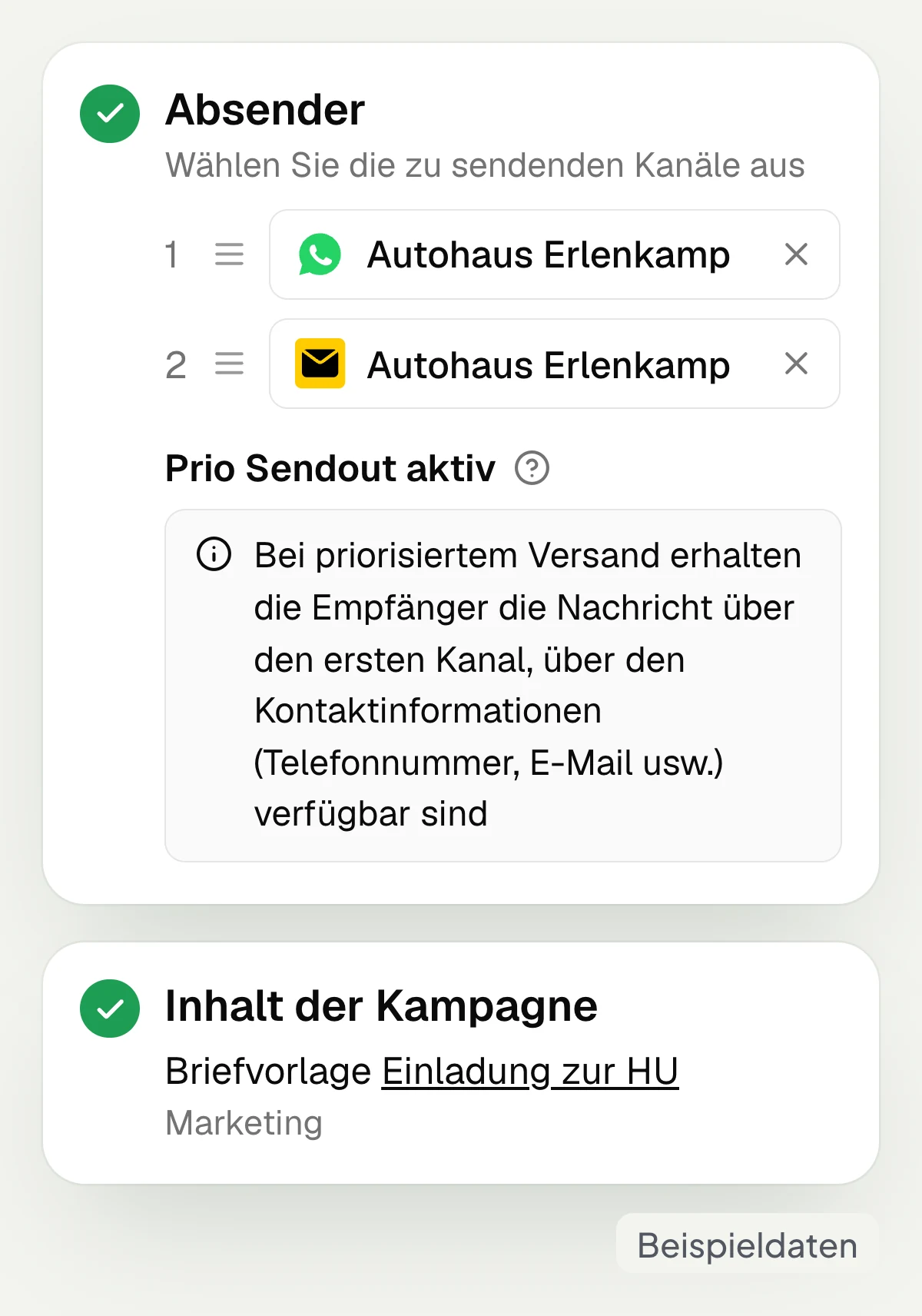
In hellomateo you set the order of senders for a campaign. If WhatsApp comes before postal, the message goes via WhatsApp first when a suitable number and consent are available. Each contact receives the campaign message via the first suitable channel. For the letter, hellomateo needs a valid postal address and, in marketing mode, marketing consent for postal on the contact.
Place WhatsApp before postal in the order
Choose a postal template for the postal channel
Reach contacts without a suitable WhatsApp number
Use one suitable channel per contact
The customer journey also sends your letters
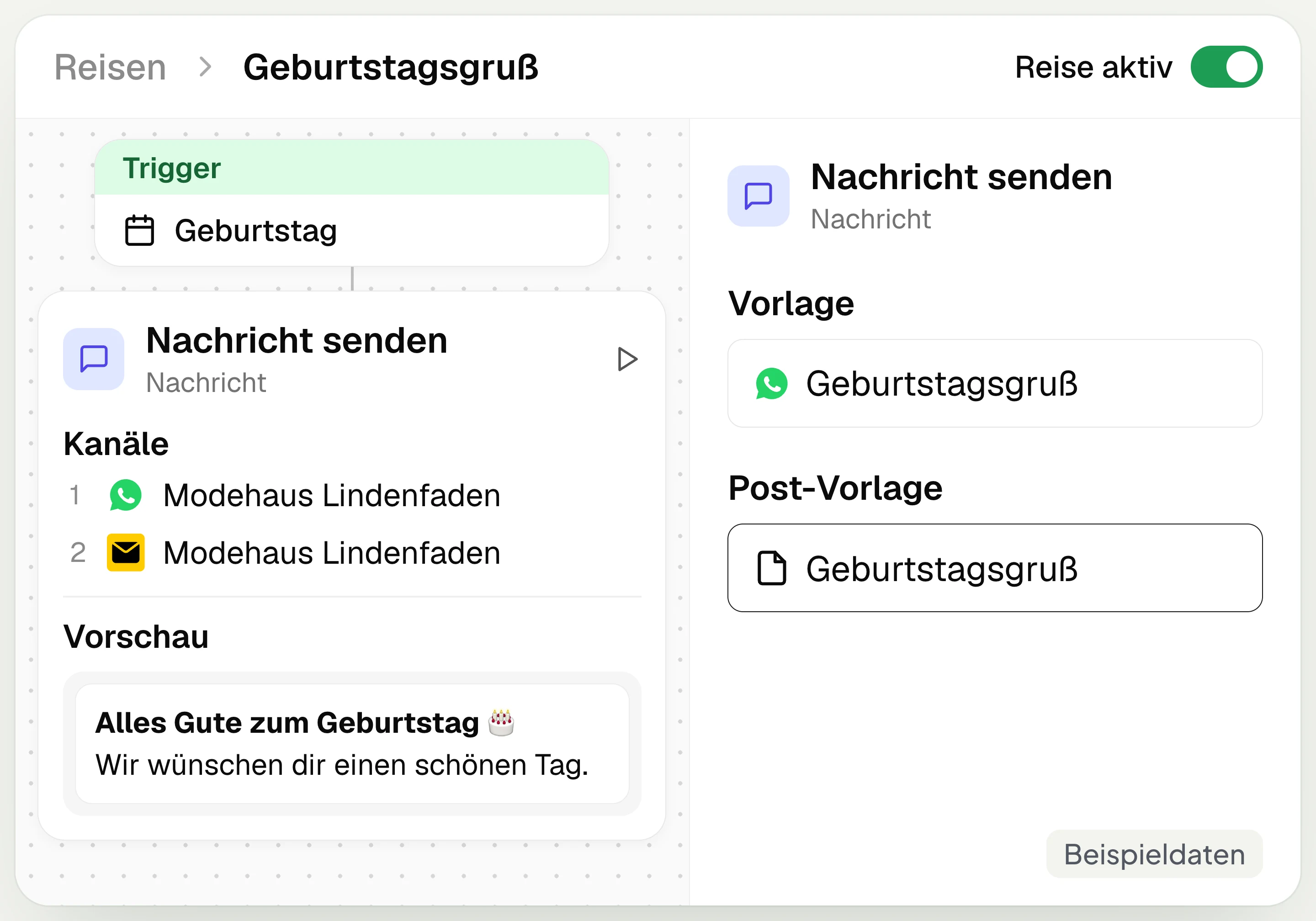
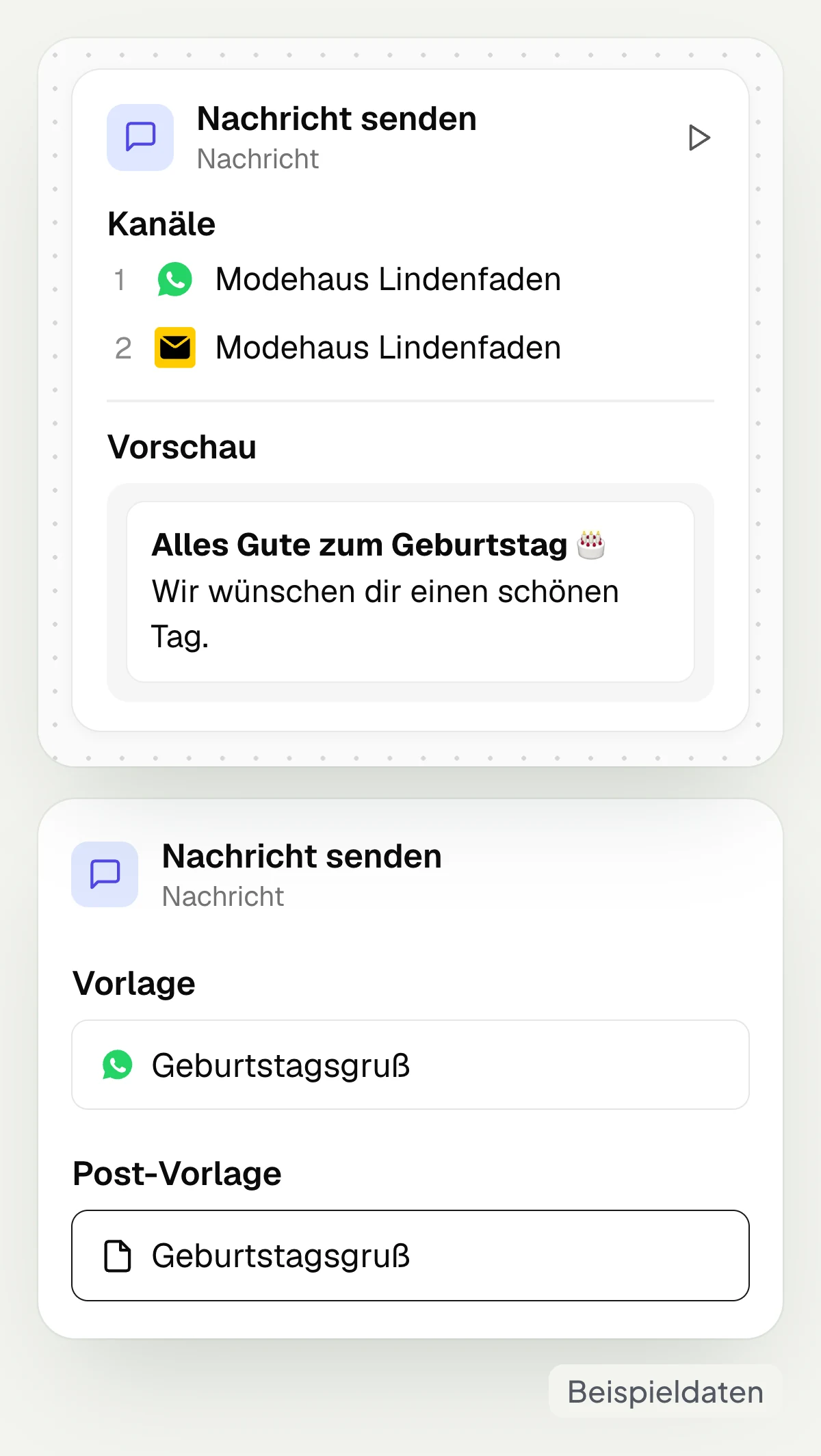
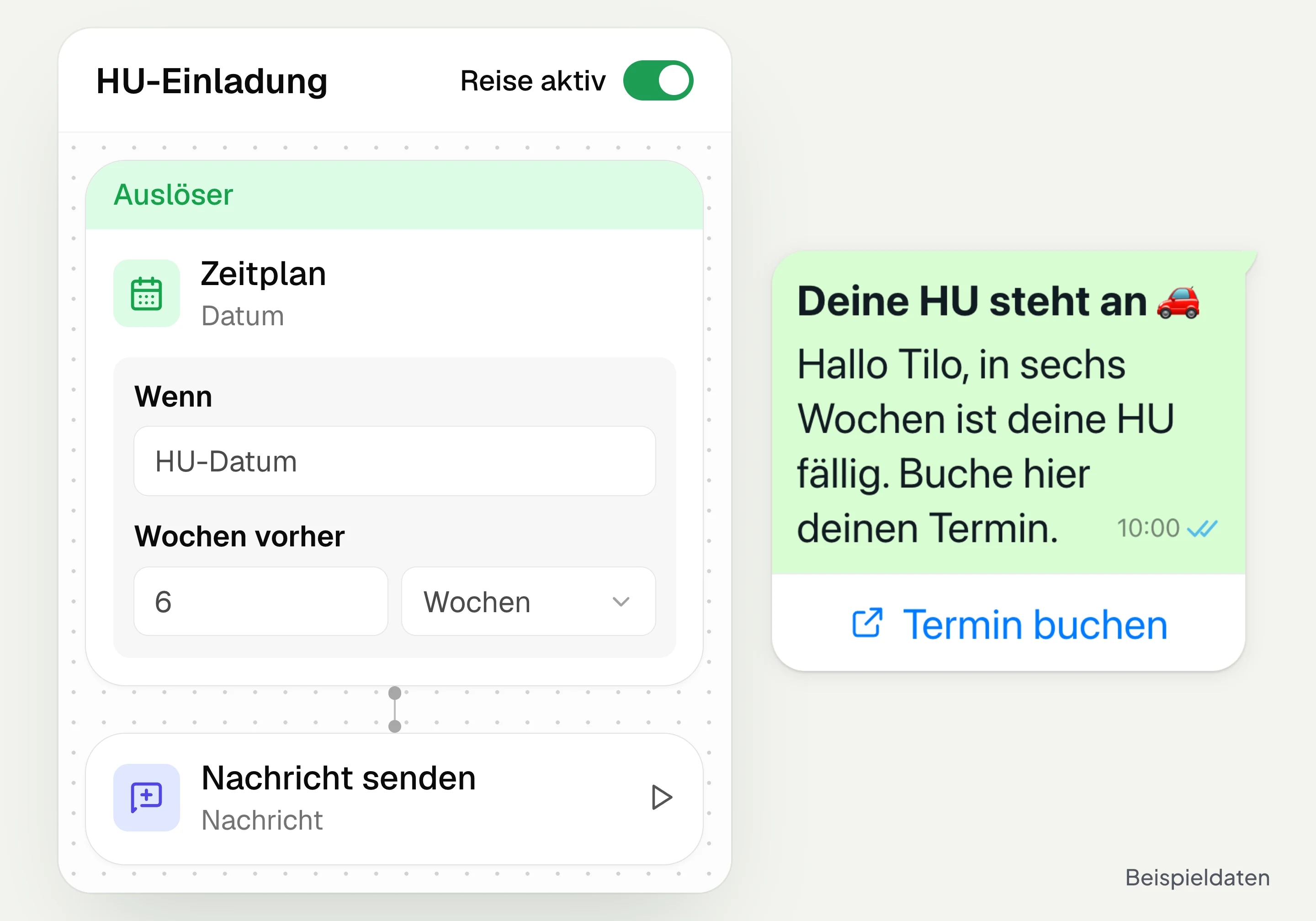
In hellomateo, customer journeys can send letters automatically from Business Plus with postal mailing selected. In the “Send a message” step you set the sender order and choose a postal template for postal. The letter goes to a contact with a postal address and consent for postal, for example “Consent granted”. If “Require marketing opt-in” is checked, it must be marketing consent.
Select postal in the “Send a message” step
Put WhatsApp and postal in an order
Store the postal address and consent for postal
Use from Business Plus with postal mailing
From the letter straight into your WhatsApp chat
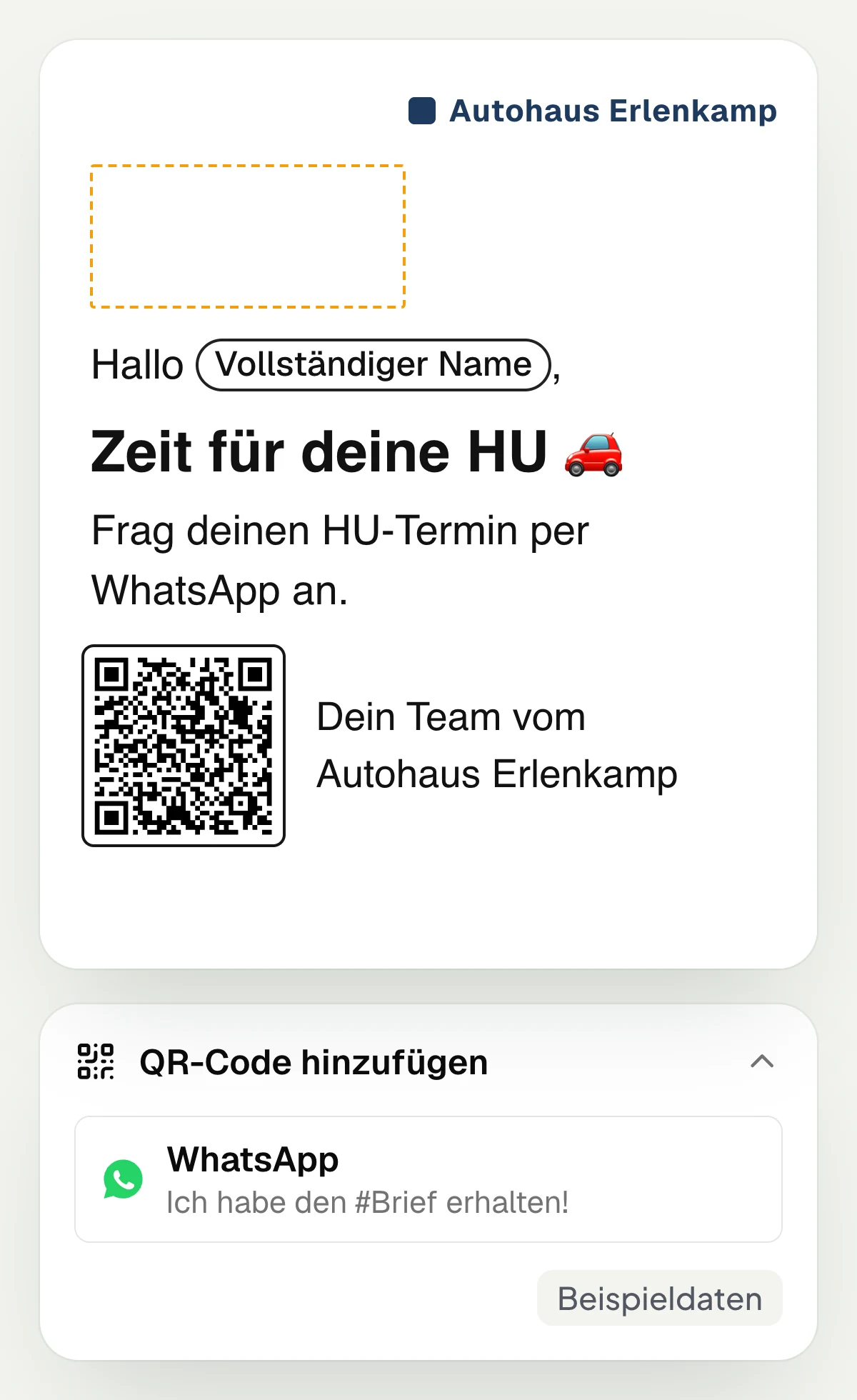
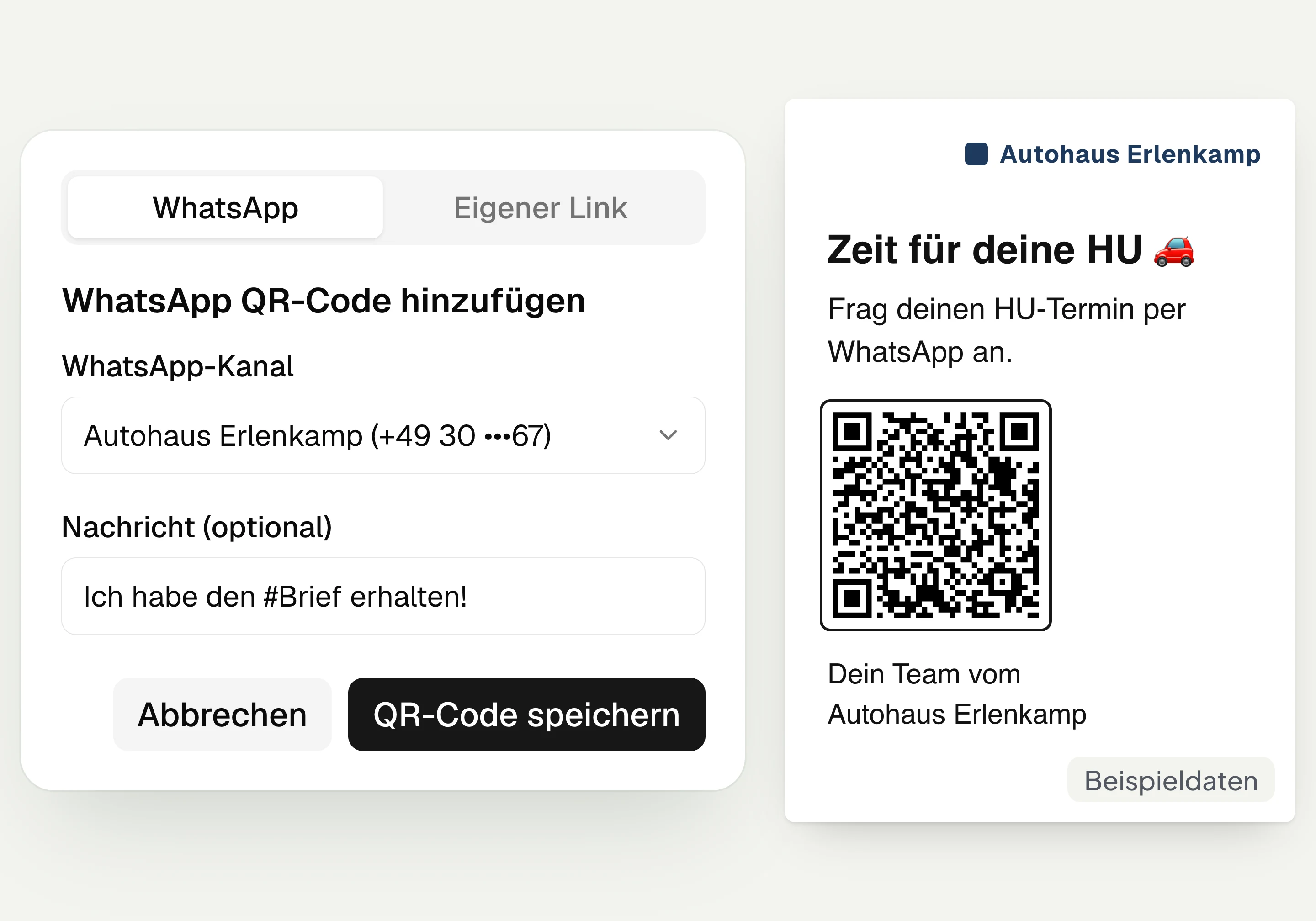
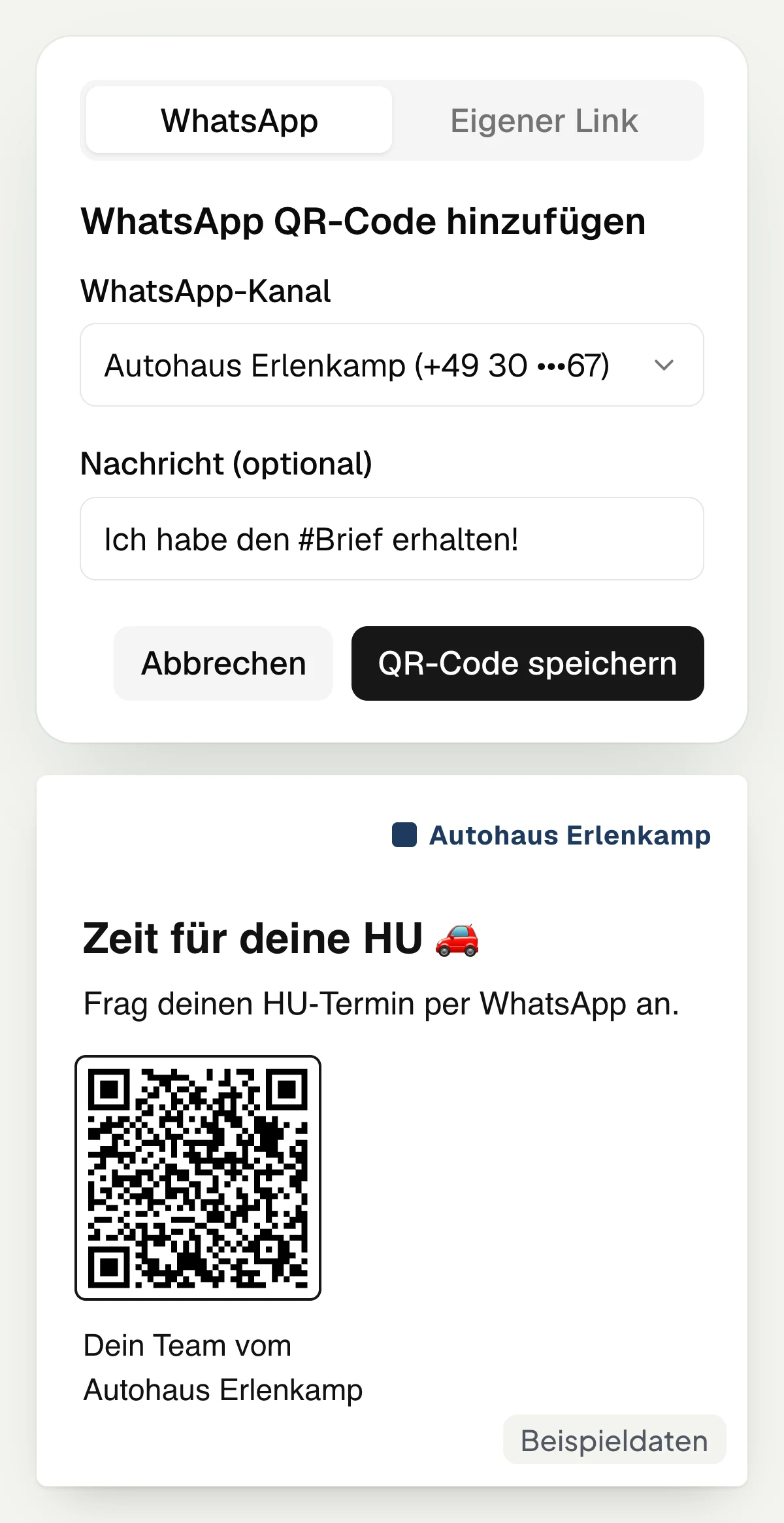
A WhatsApp QR code from hellomateo takes the recipient into your chat and prepares a start message. You insert the code into the postal template and enter, for example, “I received the #letter!”. Your customer scans the code and sends the message themselves. A suitably set up keyword can then start the sign-up process for your WhatsApp newsletter.
For the WhatsApp newsletter, the customer confirms their consent in the chat. The scan alone is not yet a sign-up.
Choose the WhatsApp channel for the QR code
Prepare a start message for the customer
Take appointment requests in the WhatsApp chat
Start the sign-up via a defined keyword
See mailing status and WhatsApp replies per letter
In the hellomateo campaign report you see which letters were sent and which could not be sent. You can check the status per recipient and, in case of an error, the error reason. If a recipient sends the prepared WhatsApp message including the letter number, hellomateo matches the reply to the letter. The report does not show whether the letter arrived or was read, or whether the QR code was scanned.
View the mailing status per recipient
Identify letters that were not sent
Check the error reason in the campaign report
Match WhatsApp replies to the letter
Let us show you how to design a postal template in hellomateo and combine WhatsApp with postal mail in one campaign.
When do you want to reach your customers by post?
With hellomateo you combine postal invitations and greetings with a direct path into your WhatsApp chat.
Hearing care
hellomateo sends your invitation to the annual check or to a replacement fitting consultation by letter if you cannot reach the customer via WhatsApp.
Opticians
With hellomateo you also send eye test invitations to customers without a mobile number and add a QR code for appointment requests in WhatsApp.
Car dealership and workshop
With a suitable DMS connection, hellomateo also sends main inspection and inspection invitations by letter; the QR code leads to the appointment request in your WhatsApp chat.
Fashion retail
With hellomateo you send birthday greetings and reach out to long inactive regular customers by post; a QR code with a keyword starts the sign-up in the WhatsApp chat.
Your customer communication around the letter
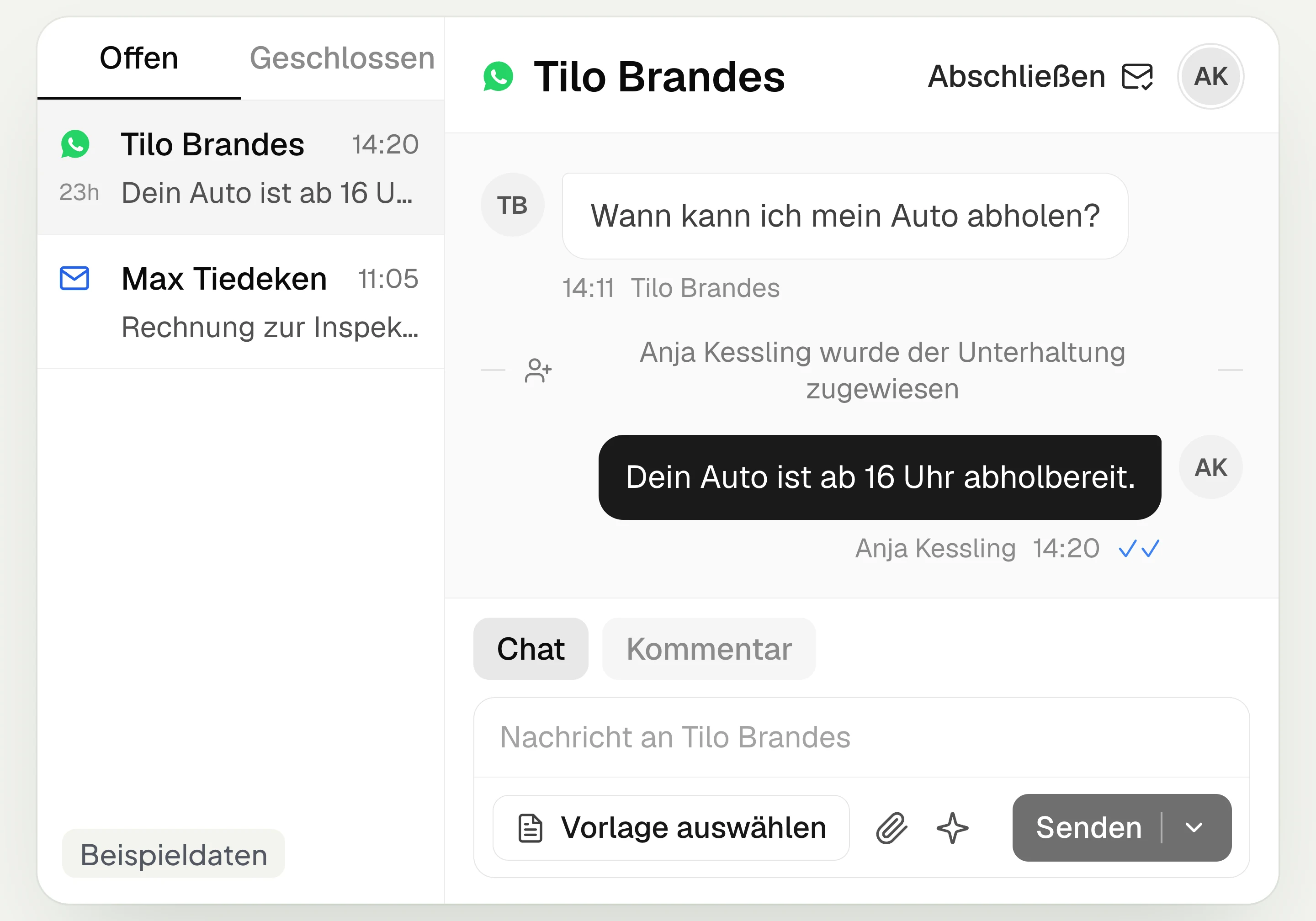
hellomateo connects postal mailing with campaigns and customer journeys. Your team handles replies to WhatsApp invitations in the Central Inbox.
Central Inbox
hellomateo brings together WhatsApp, email, Instagram and Facebook Messenger in one inbox. Multiple staff members write via the same WhatsApp number and assign conversations.
Automated customer journeys
Customer journeys in hellomateo send invitations automatically based on a date or event. You set the message and follow-up steps and check the progress per contact. Business and above.
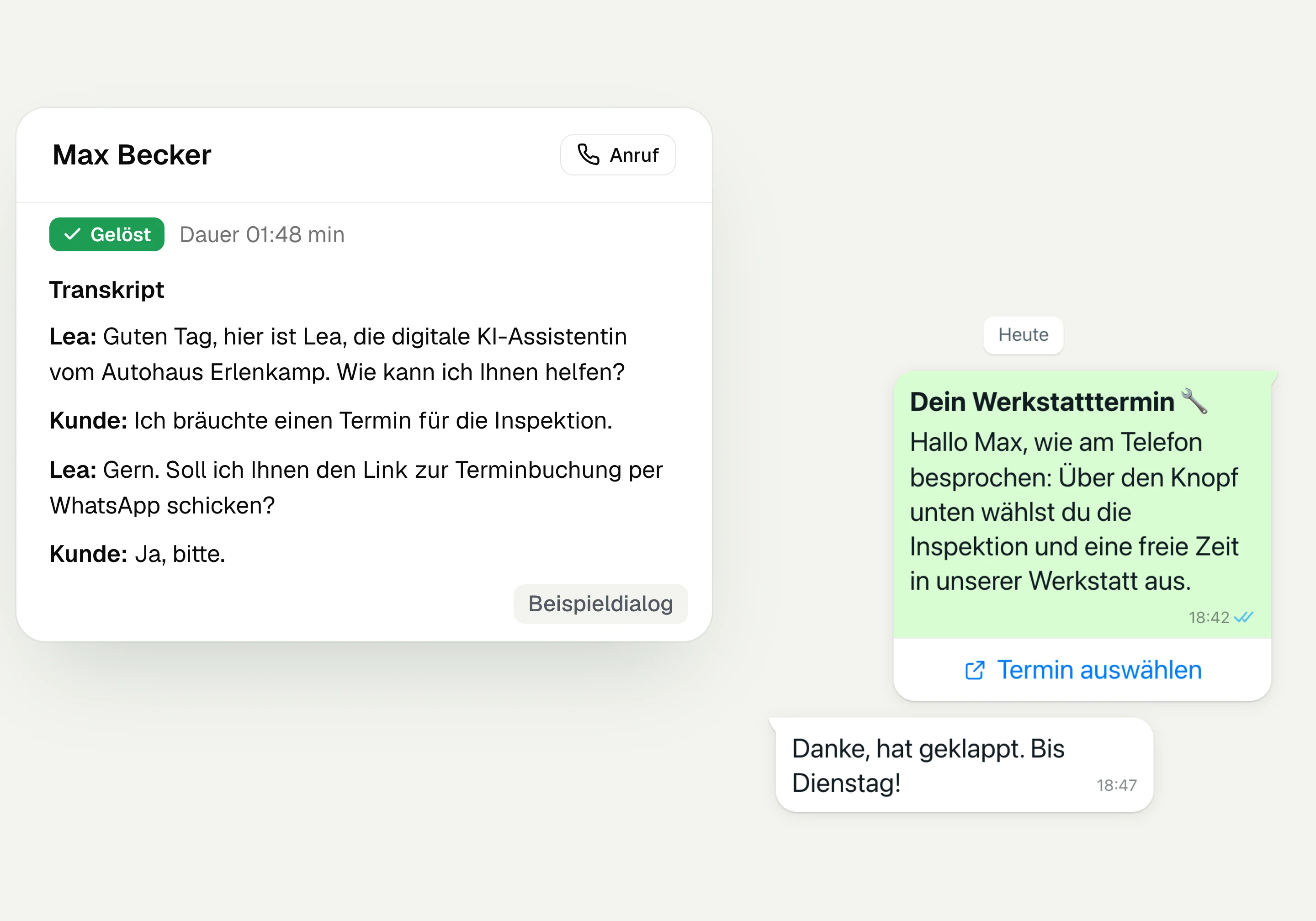
AI Telephony
hellomateo AI telephony takes calls, answers questions and sends the booking link via WhatsApp after consent. From €80 per month with 500 free minutes; additional minutes are charged on top.
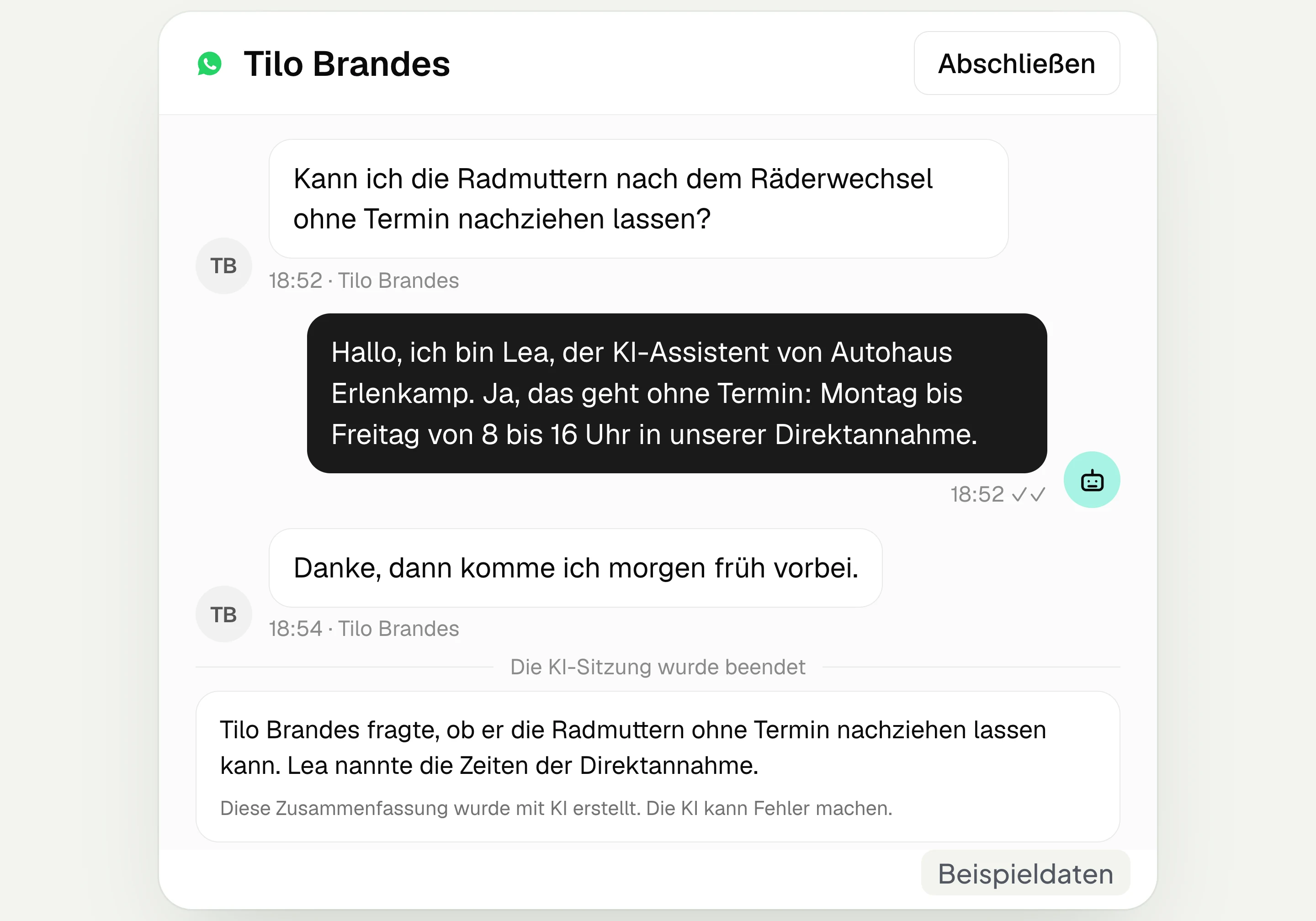
AI assistant in chat
The hellomateo AI assistant answers questions in WhatsApp, Instagram and Facebook Messenger with your knowledge. Can be added, selectable in Business Plus, included in Enterprise.

Appointment booking
With hellomateo, customers book appointments themselves on your booking page. You set services and calendars. Add-on module: €25 per month, regardless of the number of locations.
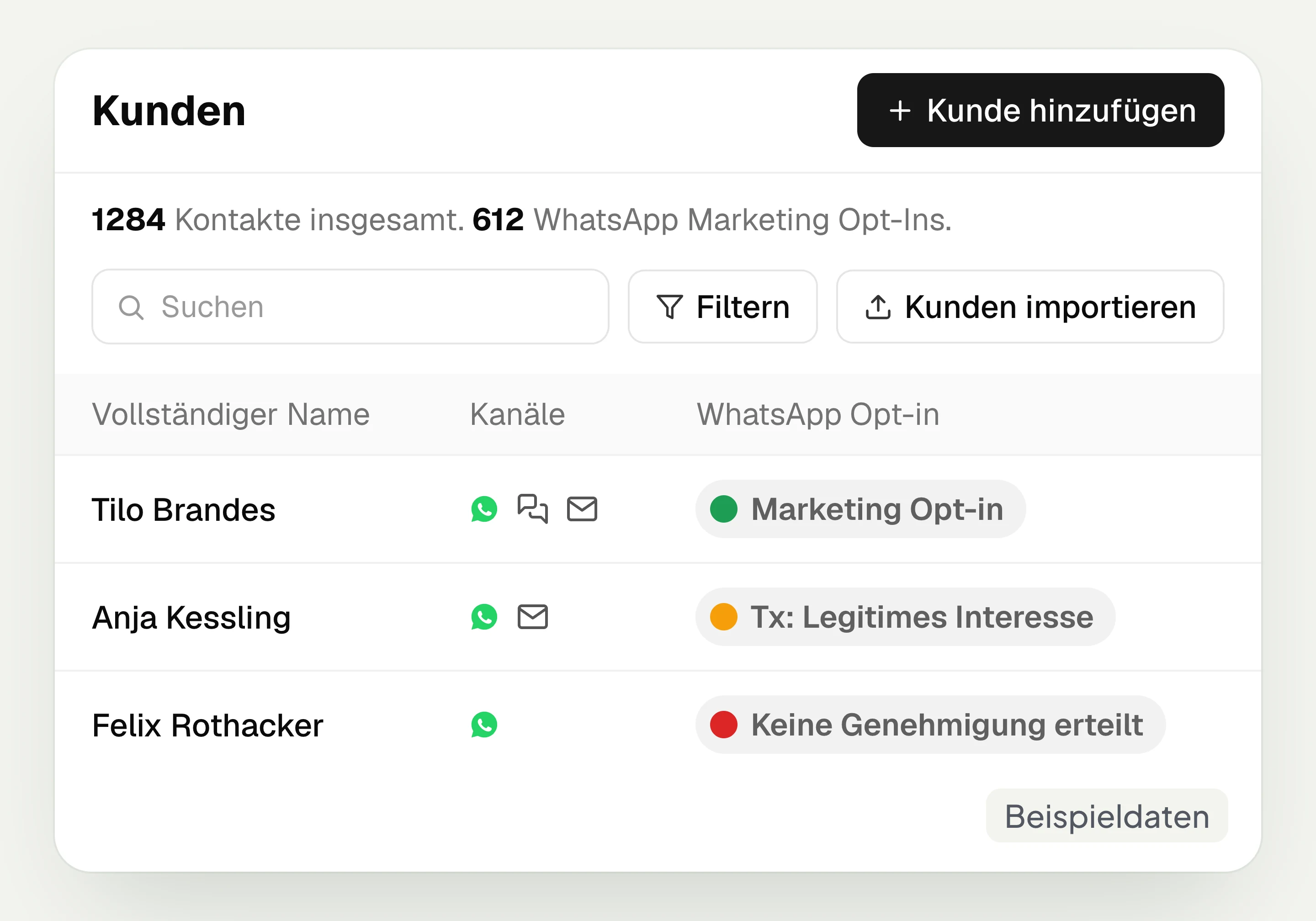
Customer and contact management
hellomateo connects contact data, conversations and consent per channel. You read notes on the contact and build recipient lists with your own filter rules.
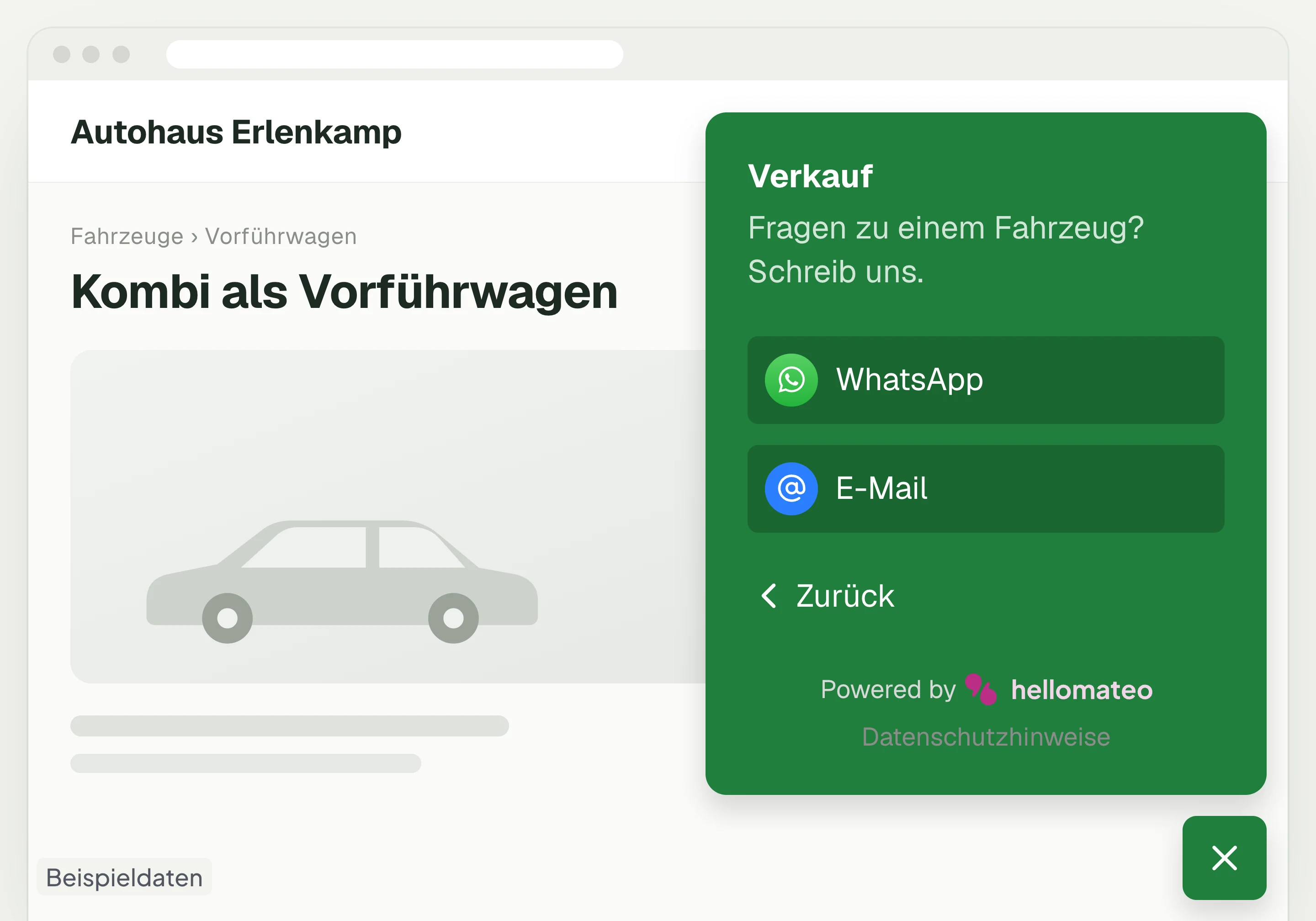
Contact through your website
A hellomateo button on your website takes visitors to WhatsApp and other channels. For connected channels, your team replies in the Central Inbox.
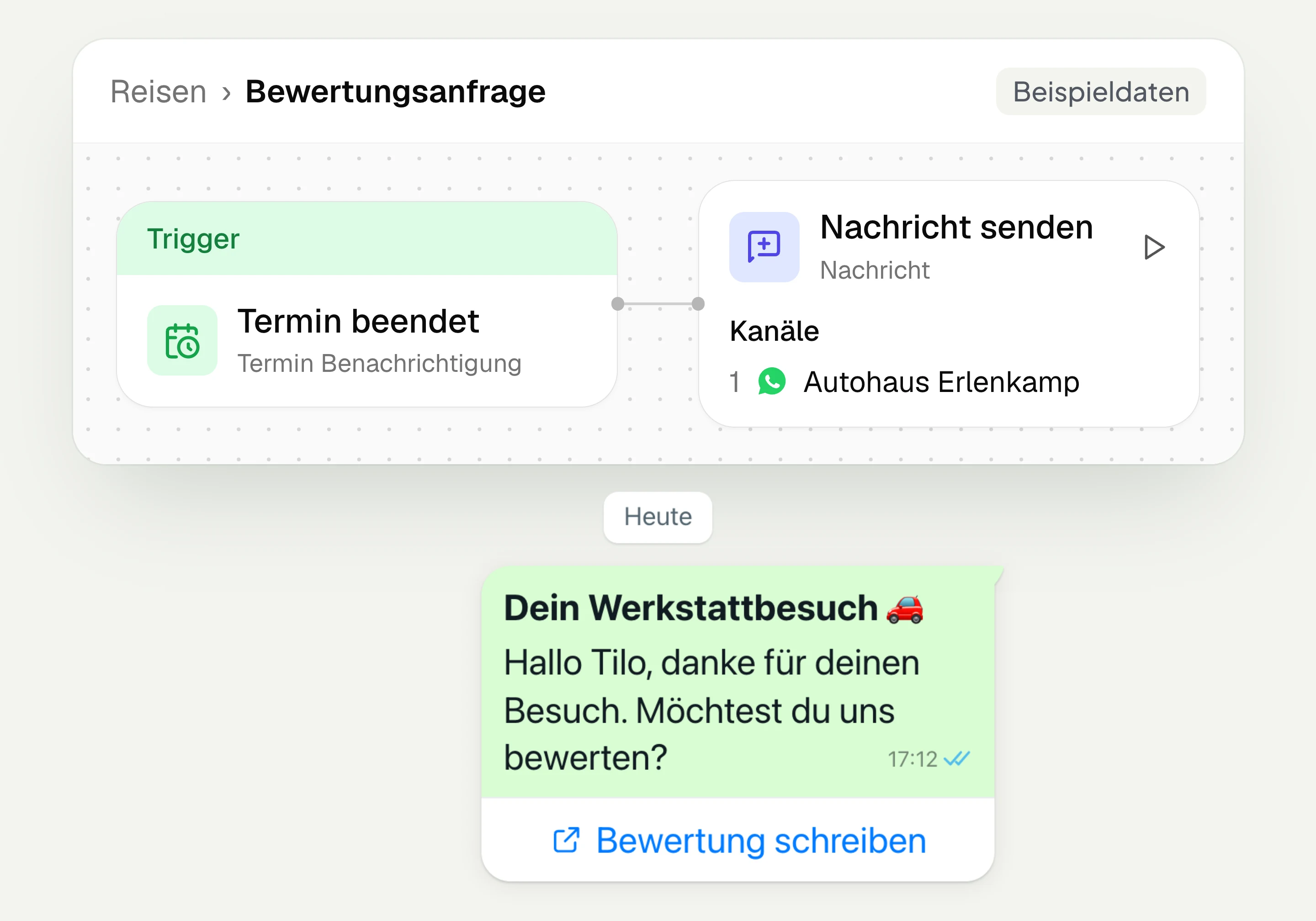
Review management
With hellomateo you request Google reviews, read reviews and reply to them. In the Business package and above, customer journeys send the review request automatically.
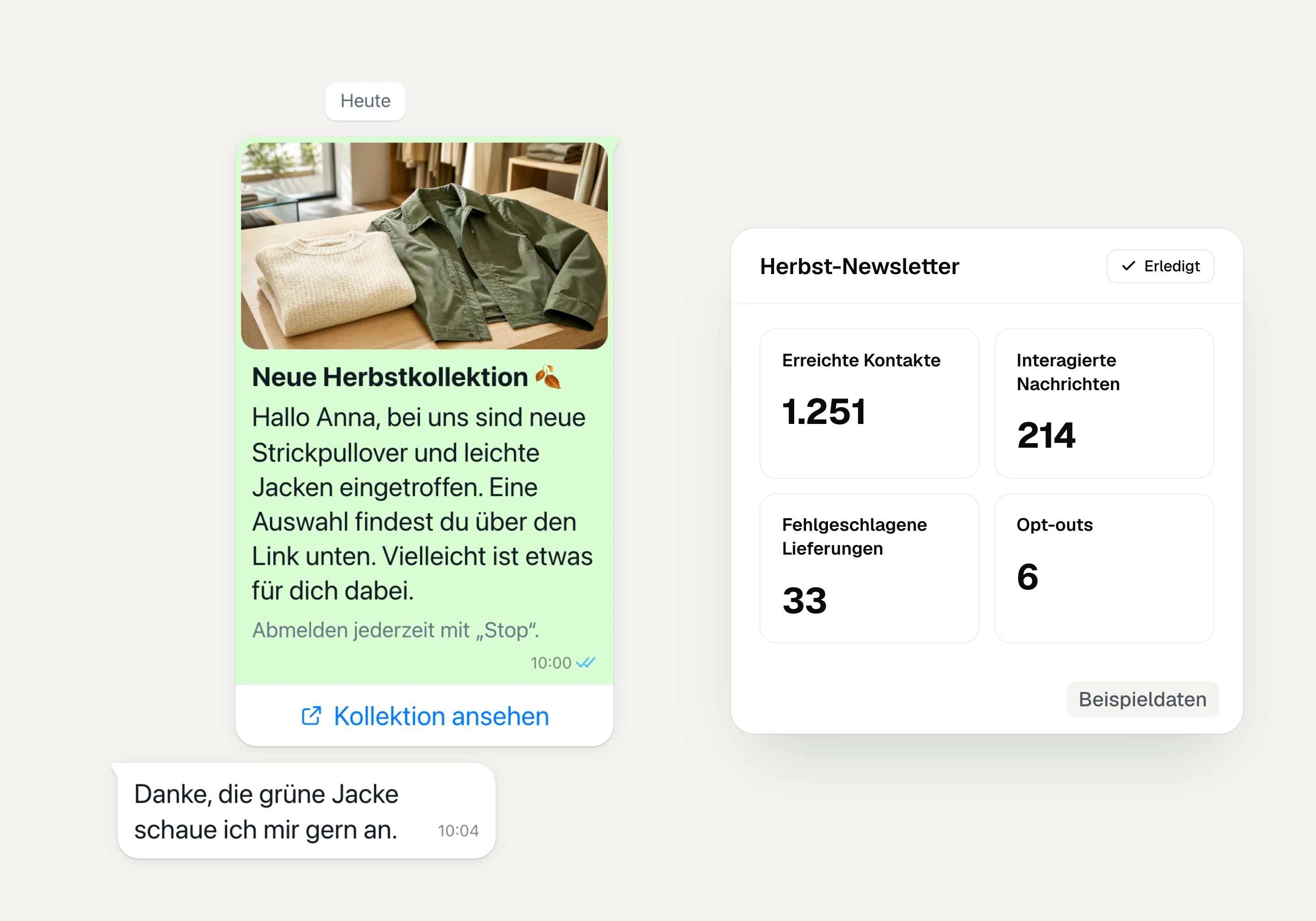
WhatsApp newsletter
With hellomateo you send WhatsApp newsletters to customers who have given consent. You choose recipients, schedule the send and see per recipient whether the message was read.
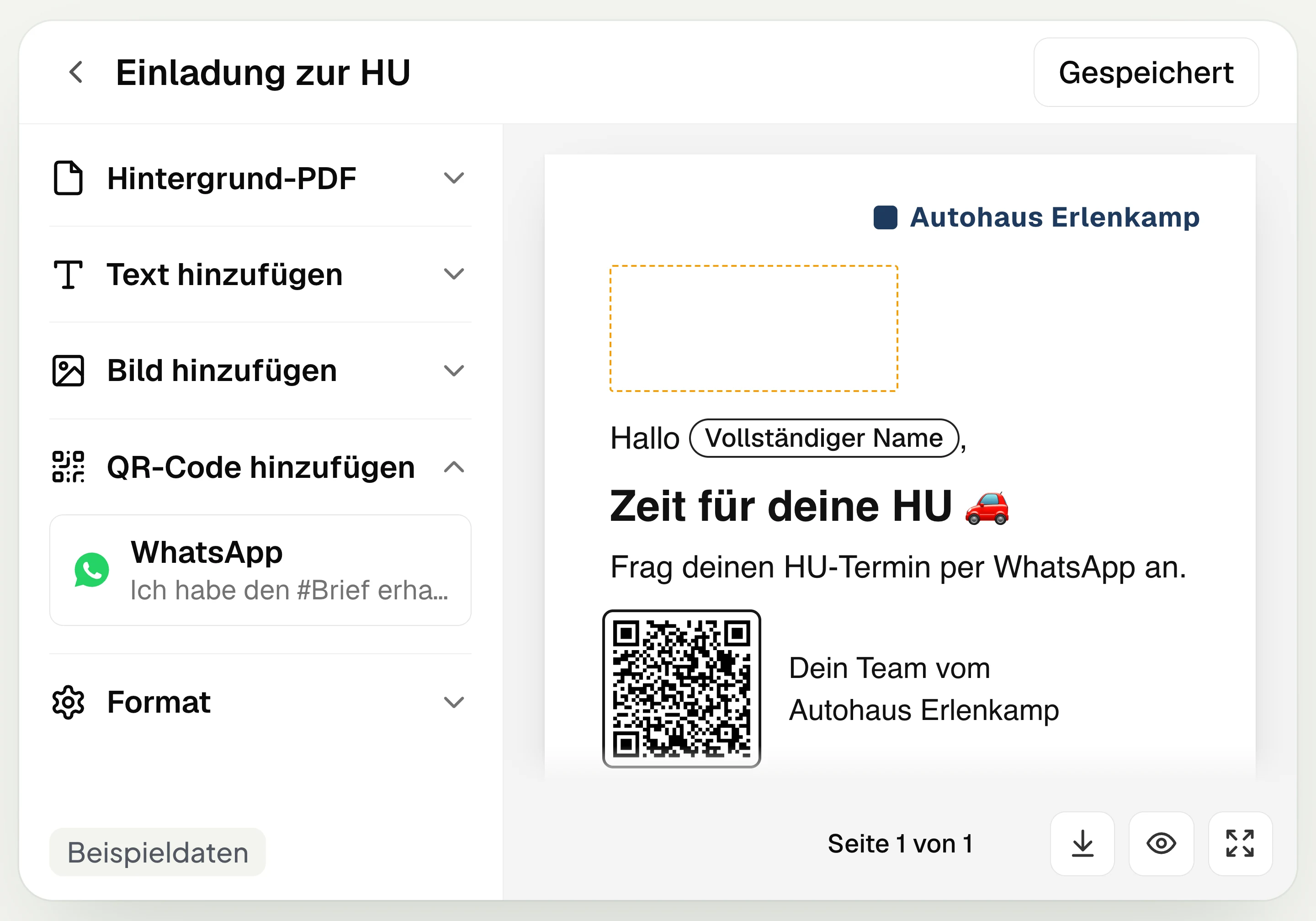
Postal mailing
With hellomateo you design and send letters with a WhatsApp QR code. Can be added in Business, selectable in Business Plus, included in Enterprise.
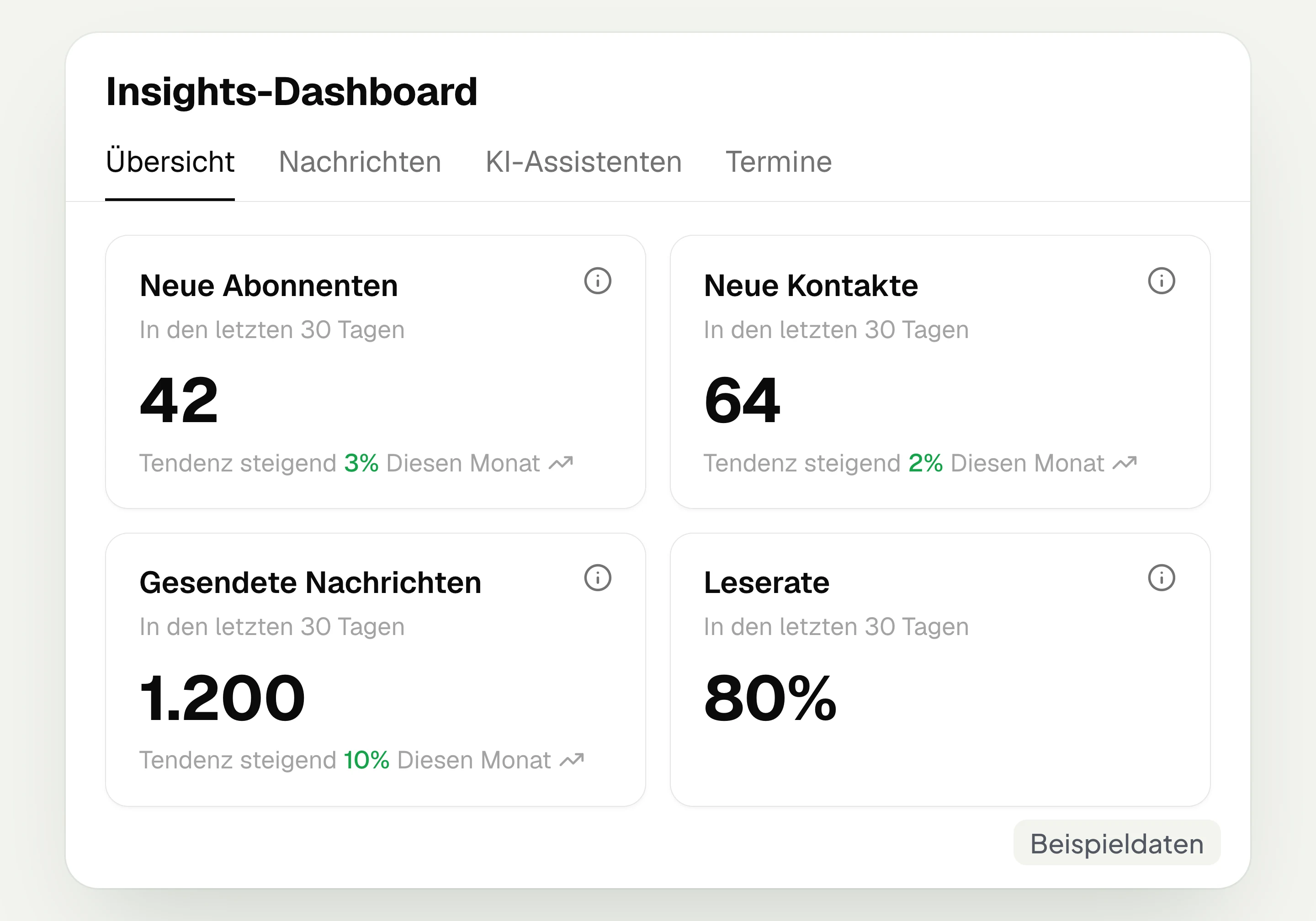
Insights
hellomateo Insights shows messages, read rate, contacts and reviews. With the respective modules, analytics on AI inquiries and appointments are added.
Integrations
Depending on the connection, hellomateo transfers contacts, orders and appointments from your industry software. More than 70 direct integrations are available in Business and above.
Frequently asked questions about postal mailing




Book a non-binding consultation
We would be happy to show you hellomateo in a personal demo.
Or send us an email:
What is hellomateo postal mailing?
Can a campaign go by WhatsApp or by letter depending on the customer?
What happens with customers without WhatsApp?
What does letter mailing cost, and which package includes it?
Who takes care of printing, enveloping and mailing?
Can I use my own letter designs?
Which letter format does hellomateo offer?
Can hellomateo send a letter automatically?
How does the QR code lead from the letter into WhatsApp?
Can I see whether my letter has arrived?
What happens if a postal address is wrong?
Can I use hellomateo with a sender in Switzerland?
Why use letters if I already have WhatsApp?