Appointment booking that automatically brings in more revenue
With hellomateo online appointment booking, your customers book their appointment themselves on a booking page, around the clock. You send the booking link with your invitation via WhatsApp and decide which services, staff and rooms can be booked. Appointment booking is available as an add-on to your hellomateo plan and costs €25 per month, regardless of the number of locations.
Send the booking link with the invitation
Offer appointments for staff and rooms
Bundle multiple locations on one booking page
Last updated: 26 October 2026

More than 2,000 customers use hellomateo
























From the invitation to the appointment in the calendar
Invite with a booking link
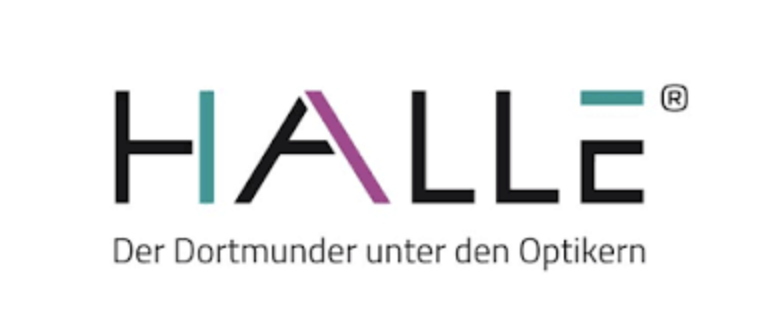
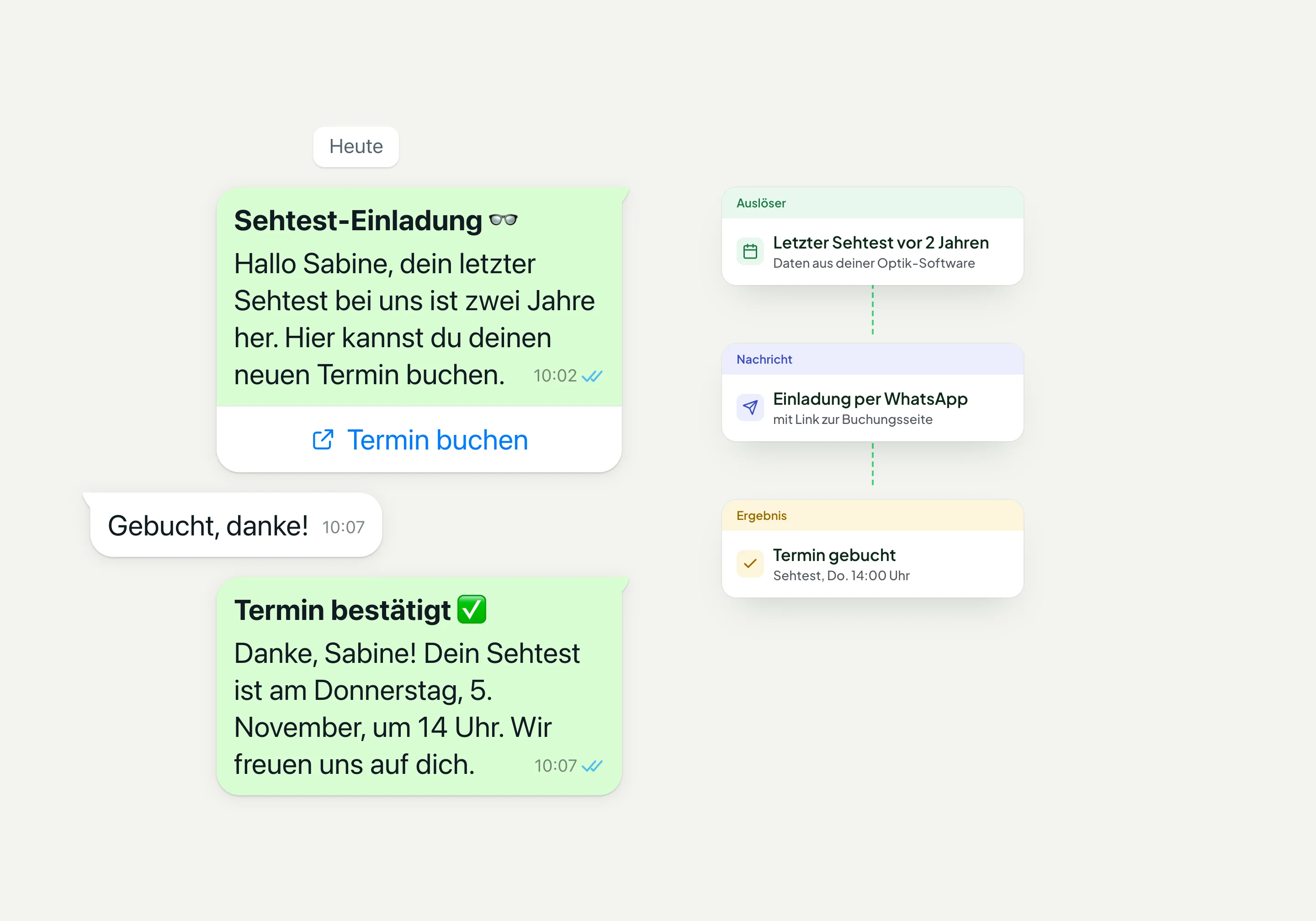
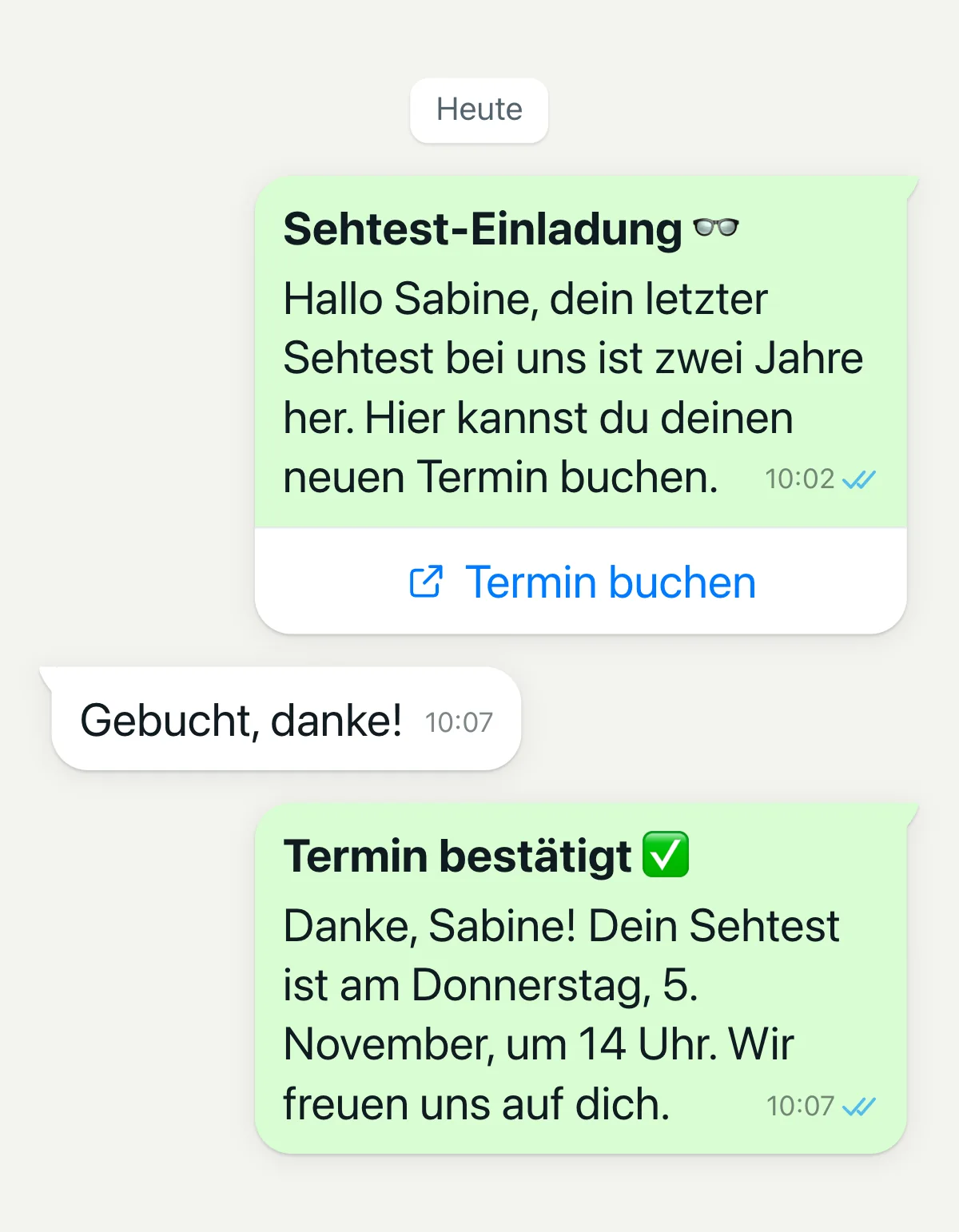
With an automated customer journey in hellomateo, you send invitations with a booking link, for example for an eye test or the main inspection (HU). If a customer asks for an appointment on the phone, AI telephony can send the link.
Choose location and service
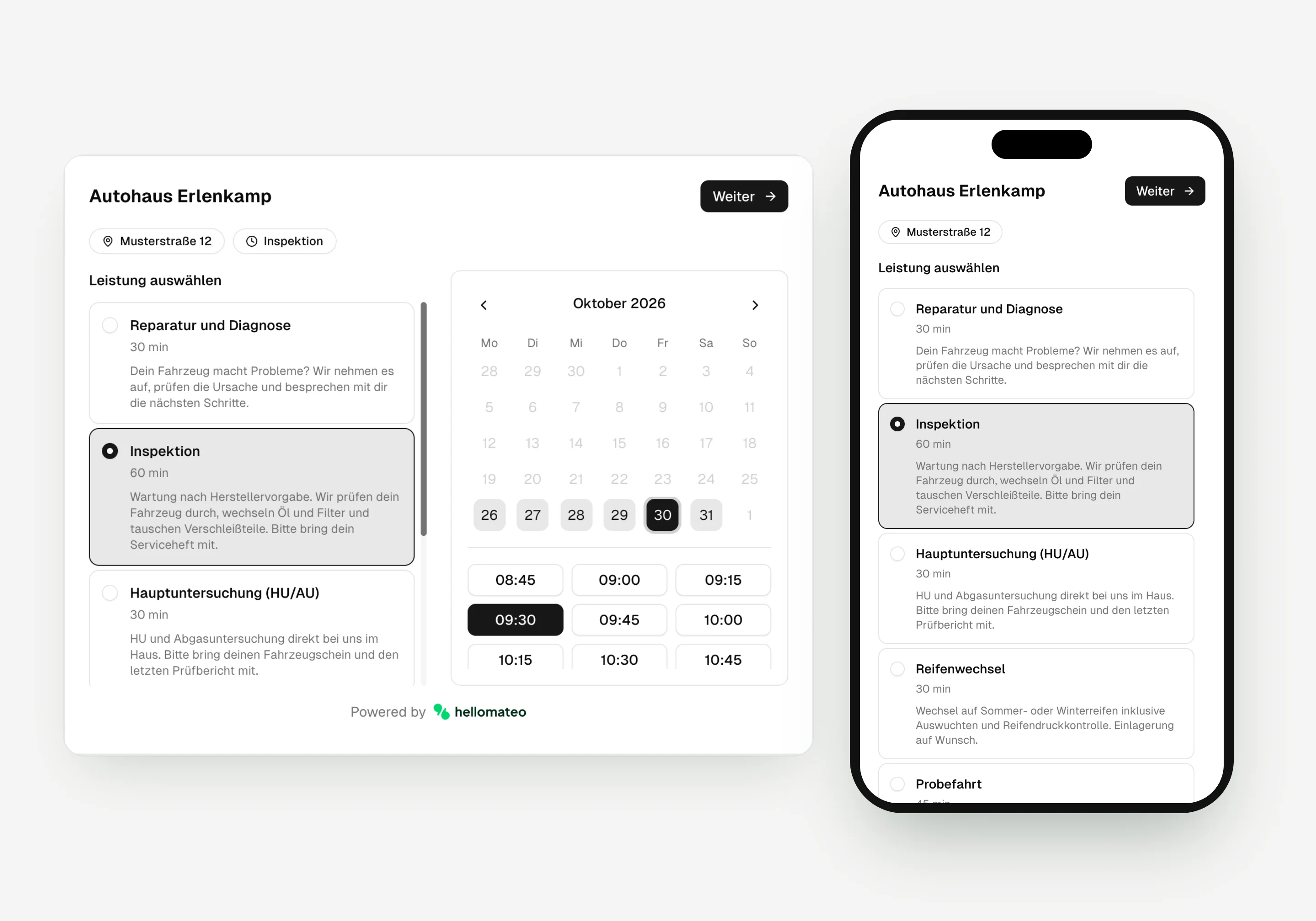
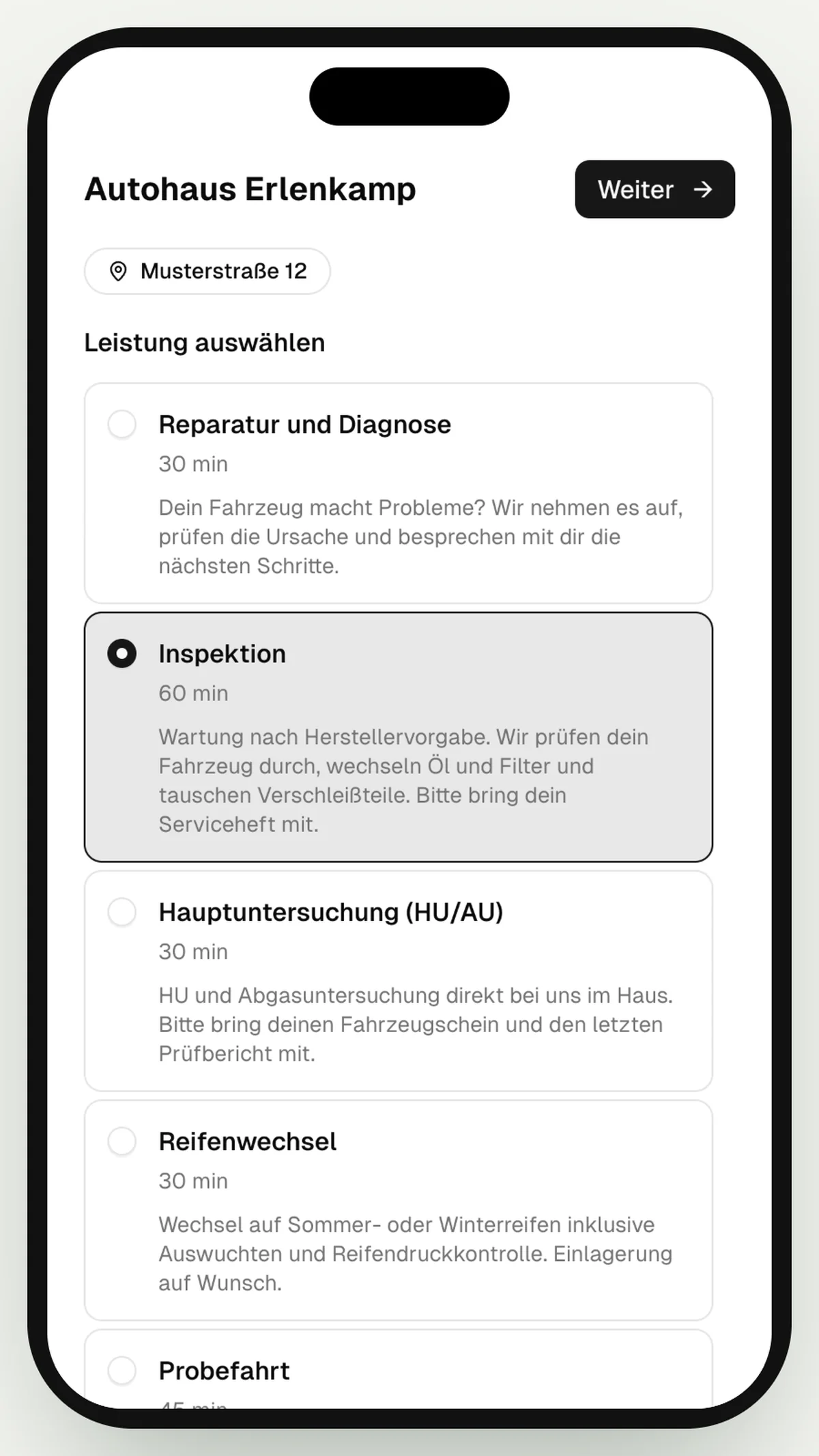
On the booking page, your customer chooses the location and the desired service. They then pick an offered day and a time or a time window.
Add details and book
Your customer enters their contact details and answers your additional questions. Then they submit the booking.
The appointment is in the calendar
The appointment appears in your team's calendar in hellomateo and, if you have connected a calendar, also in Google Calendar or Outlook. Confirmation and reminder can be sent automatically via WhatsApp.
Learn more: Guide to online appointment booking, What does appointment booking mean?, Automated customer journeys and AI telephony from hellomateo
Appointment organization that works for you in the background
The hellomateo appointment booking system connects the invitation, the booking page, your calendars, the messages about the appointment and the reporting.
Appointment booking perfectly integrated into your customer journeys
With hellomateo, appointment booking becomes part of your automated customer journey, not just an isolated tool.
after purchase
When replenishment is pending
for consultation or follow-up
to reactivate inactive customers
Central control for appointments, locations and services
The hellomateo booking page guides your customers from choosing a location to booking. You decide which services are offered and which details your customer provides. The booking page always asks for first and last name, plus email address or mobile number, with at least one of them as a required field; it does not accept landline numbers. You set salutation, address and additional information to required, optional or hidden. You can design the page in your brand color, share it as a link or embed it in your own website.
Multi-location with a central booking interface for all branches
Location-specific services with freely definable services per location
Design the booking page in your brand color
Flexible booking rules such as Round Robin for optimal utilization
Your own calendars for staff and rooms
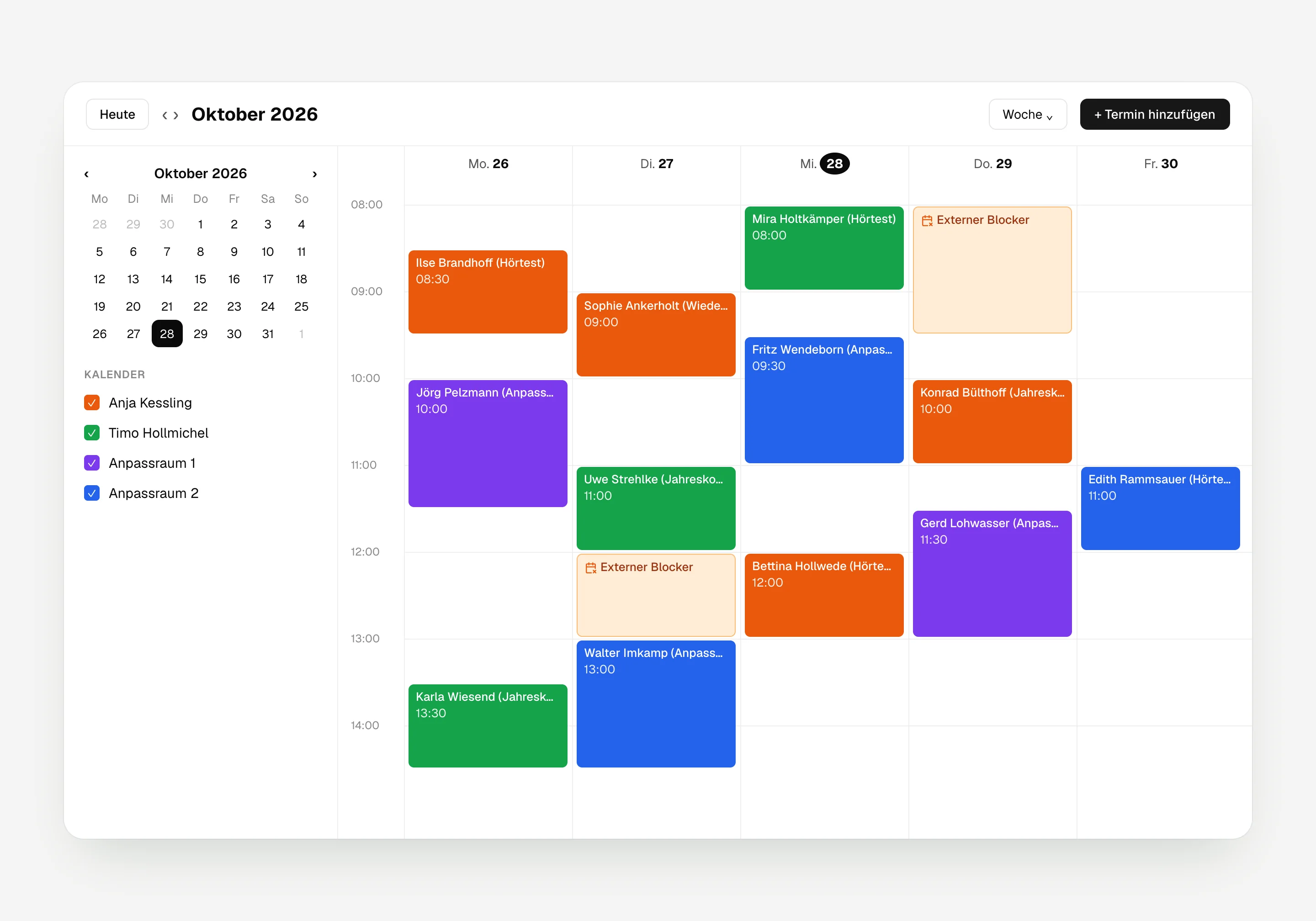
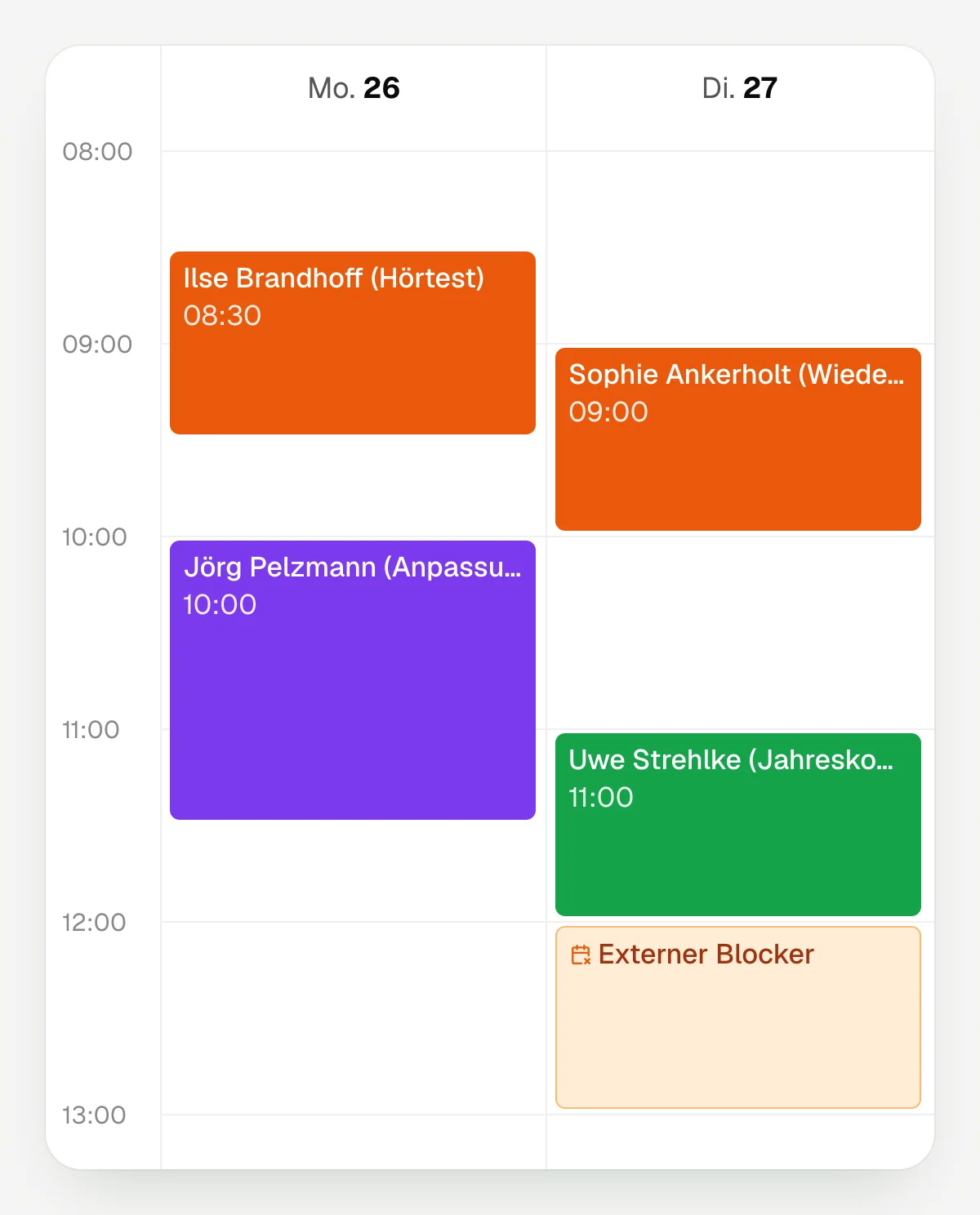
In hellomateo you can create calendars for staff and rooms and set opening hours and closing days for each calendar. You use an internal calendar or connect a Google or Microsoft 365 calendar. hellomateo syncs both sides: booked appointments appear in the connected calendar, and appointments that are already there block the time on the booking page when you offer fixed times.
Have eye tests and hearing tests booked automatically
Manage workshop or service appointments efficiently
Automatically block busy times from Google or Outlook for fixed times
Automatically invite customers to be replenished
Decide how your business assigns appointments
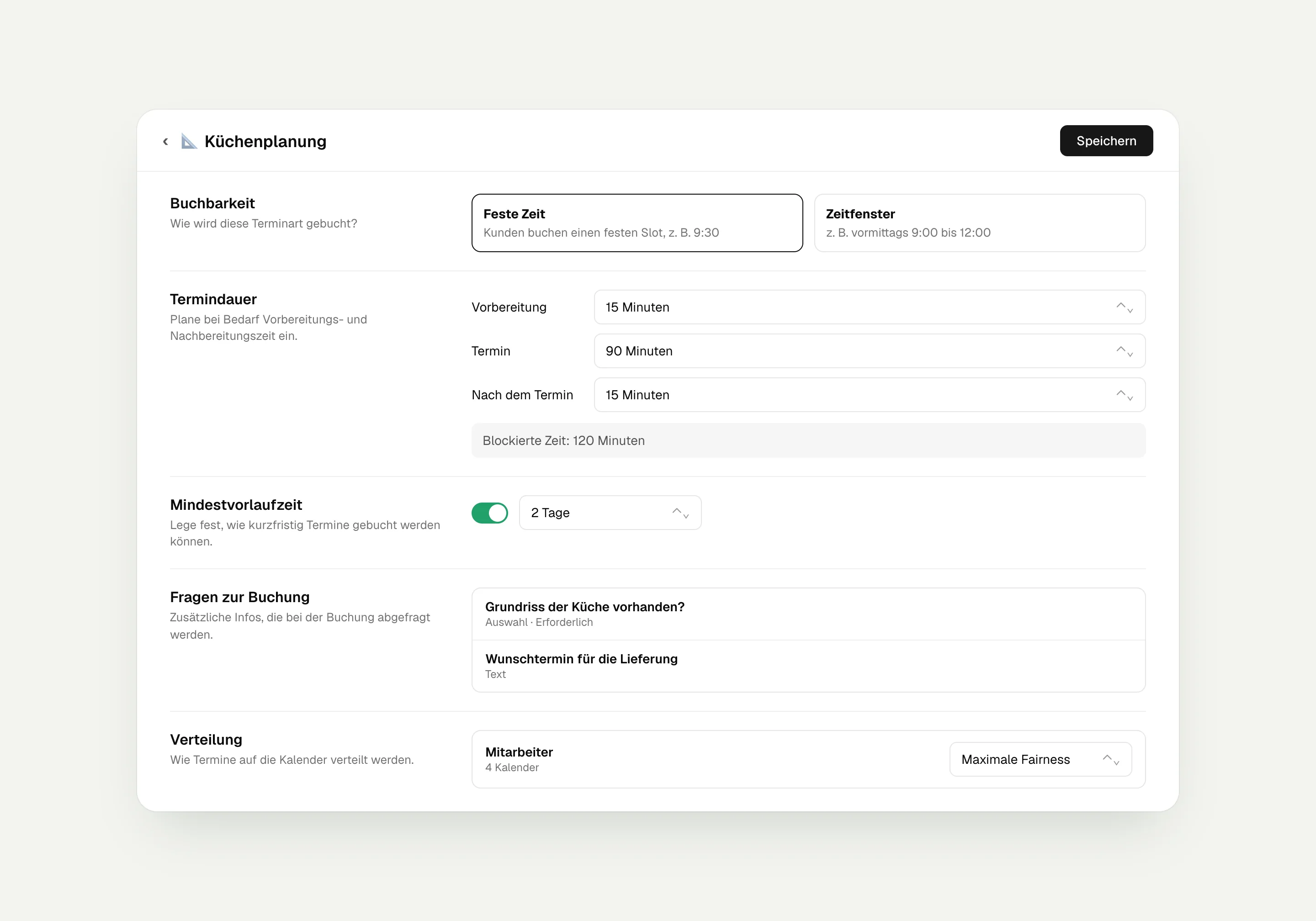
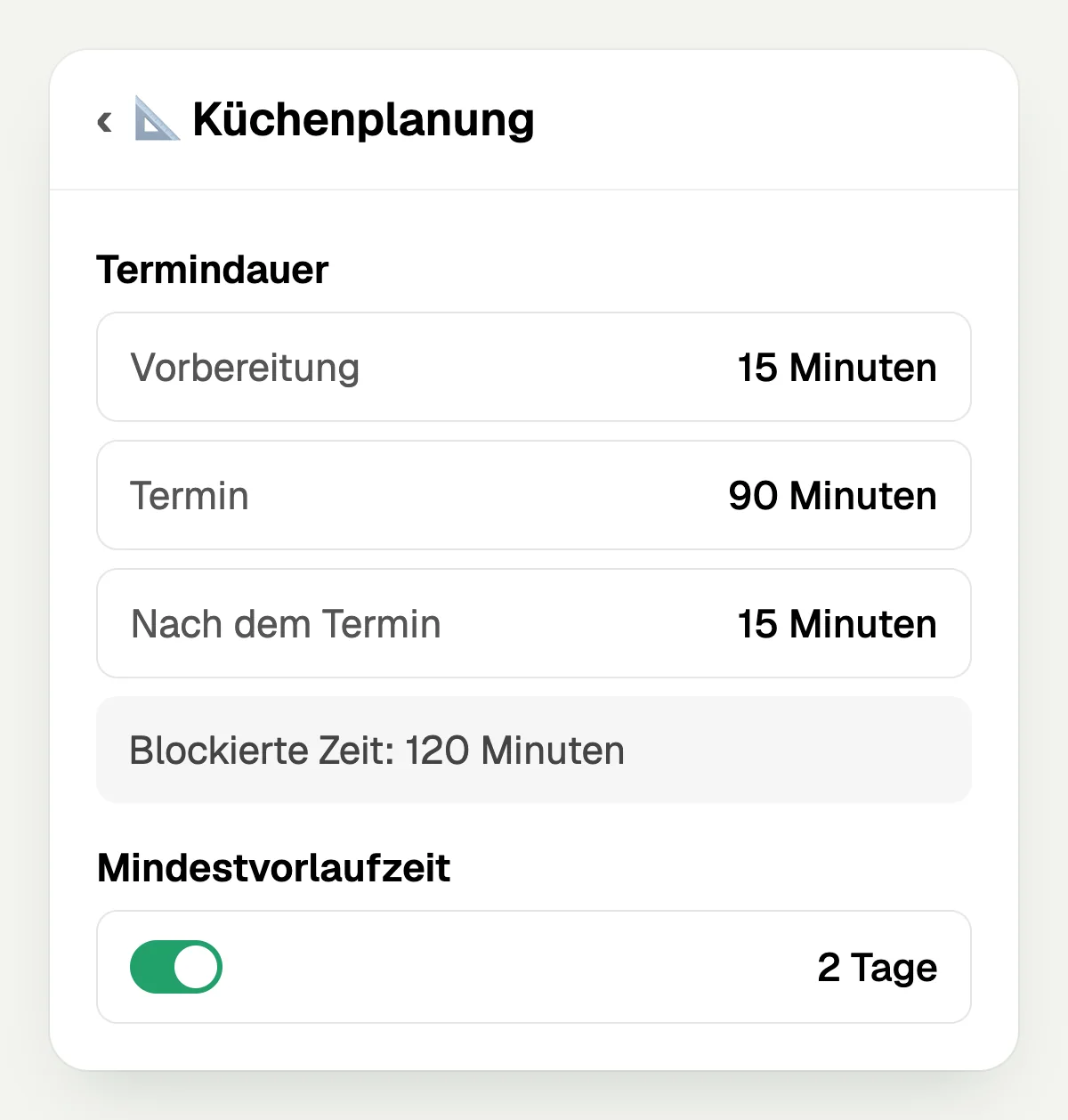
For each appointment type you set the duration, preparation time, follow-up time and the required booking notice in hellomateo. You can offer fixed times or time windows and ask additional questions, for example for the license plate. For time windows you set how many appointments each window can take, for example four vehicle inspections in the morning.
You also decide how appointments are distributed: by greatest availability, evenly across staff, by shared availability or by customer choice.
Limit the booking period and minimum notice
Offer fixed times or time windows with limited places
Add your own questions as required fields
Offer online appointments with Google Meet or Microsoft Teams when a calendar is connected
Send messages about the appointment and analyze bookings
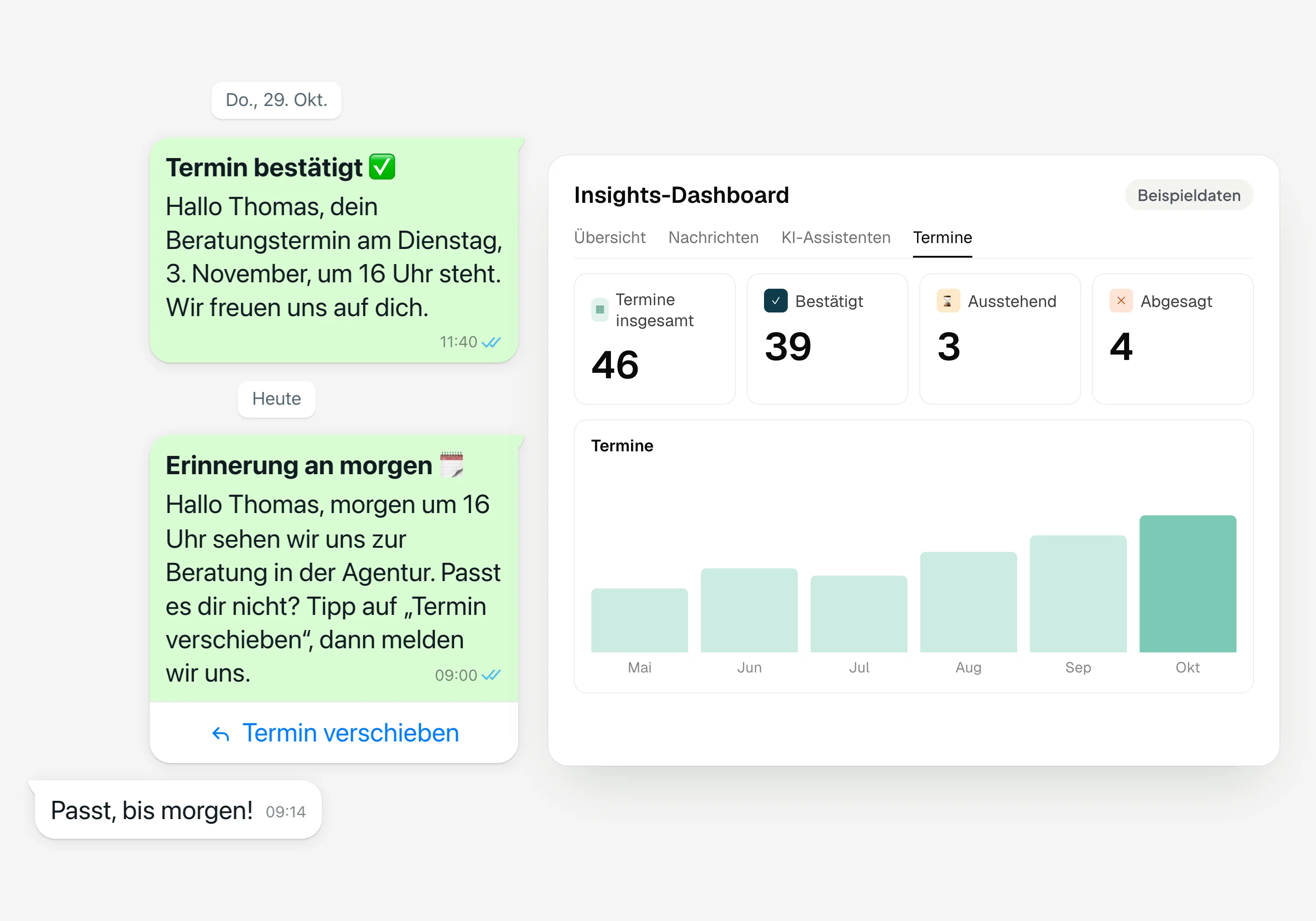
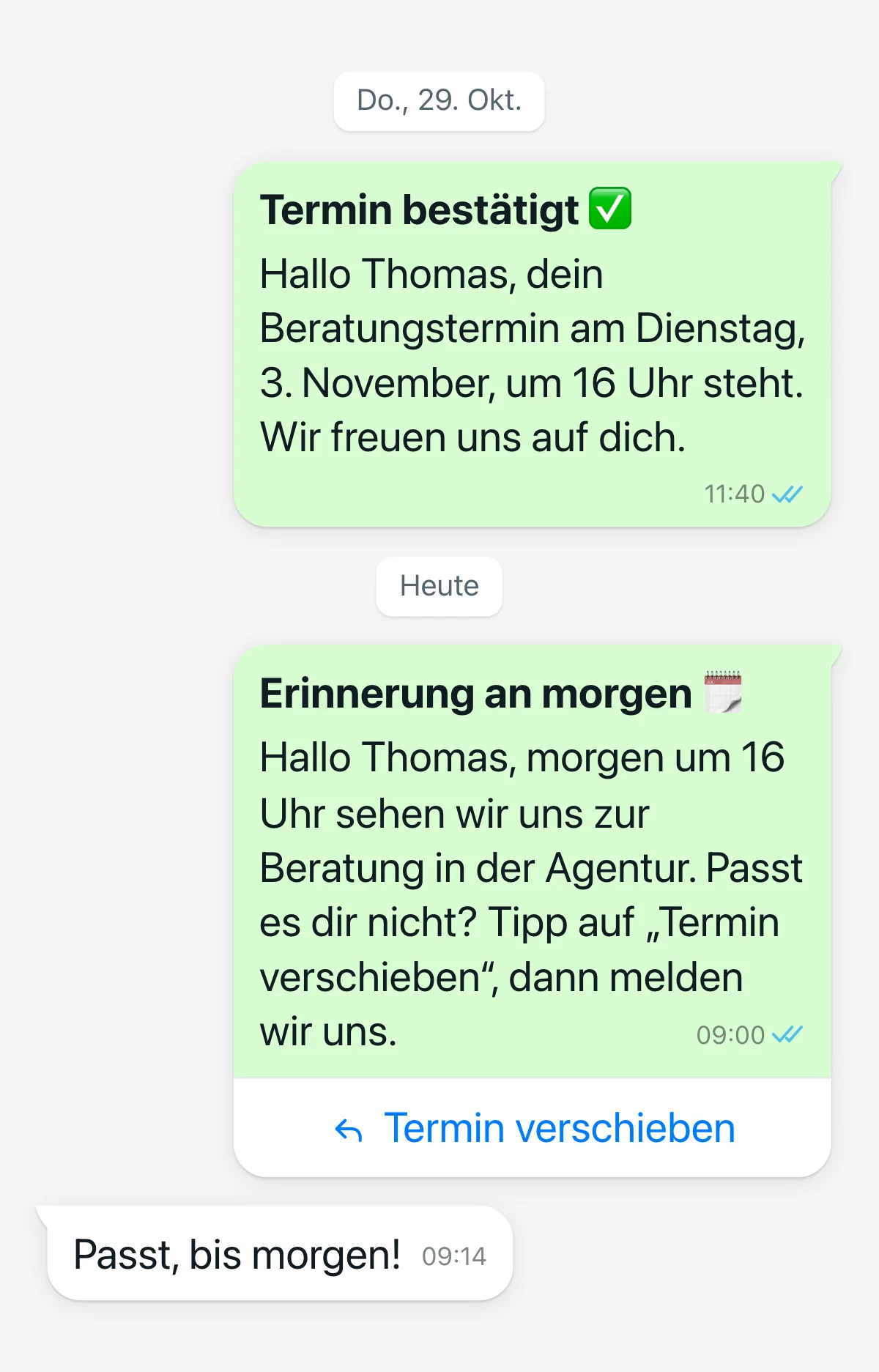
In hellomateo, you set up automatic messages for the booking, confirmation, change and cancellation of an appointment. For confirmed appointments, you also decide when a reminder is sent, for example via WhatsApp with email as a fallback. The appointment report shows you the bookings by booking page, appointment type, calendar and status.
Set up messages for the individual appointment steps
Set when the reminder is sent before the appointment
Set up WhatsApp with email as a fallback channel
Analyze confirmed, pending and canceled appointments
See hellomateo appointment booking in a consultation.
Which appointments should your customers book?
In hellomateo, you create appointment types with their own names, descriptions and booking rules, for example for these occasions.
Car dealership
Invite your customers to their next workshop appointment and ask for the license plate directly when they book.
Opticians
You send an invitation to an eye test with a link your customer uses to choose the appointment themselves.
Hearing care
You invite your customer to a replacement fitting consultation and include the booking link.
Insurance
Offer consultation appointments at your agency or as online appointments with a video link.
Furniture and kitchens
Plan a separate appointment duration and additional preparation time for the kitchen consultation.
Medical supply store
Create separate appointment types with a suitable duration for measuring and the subsequent fitting.
Our satisfied customers report on these successes

Augenoptik Hauptsache Scharf: Mit hellomateo Zeit sparen und Kunden durch WhatsApp-Automatisierung begeistern
- 24/7 availability
- Stress-free weekend planning
- Full schedules
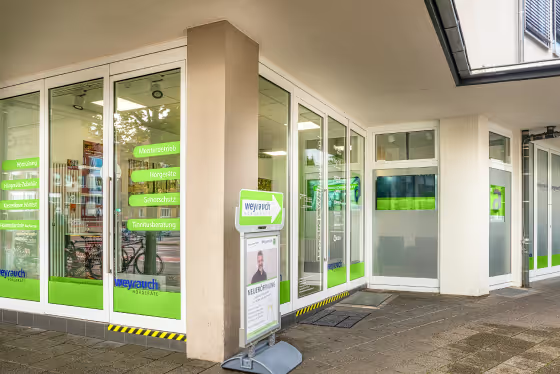
auric digitizes the customer journey and is already relieving 45 locations with automated WhatsApp communication via hellomateo
- 4.9 Google rating
- 88% opening rate
- 45 active locations
Features for all your customer communications
hellomateo combines messaging, automation and omnichannel strategies in one platform, a platform that was developed specifically for industry-specific requirements.
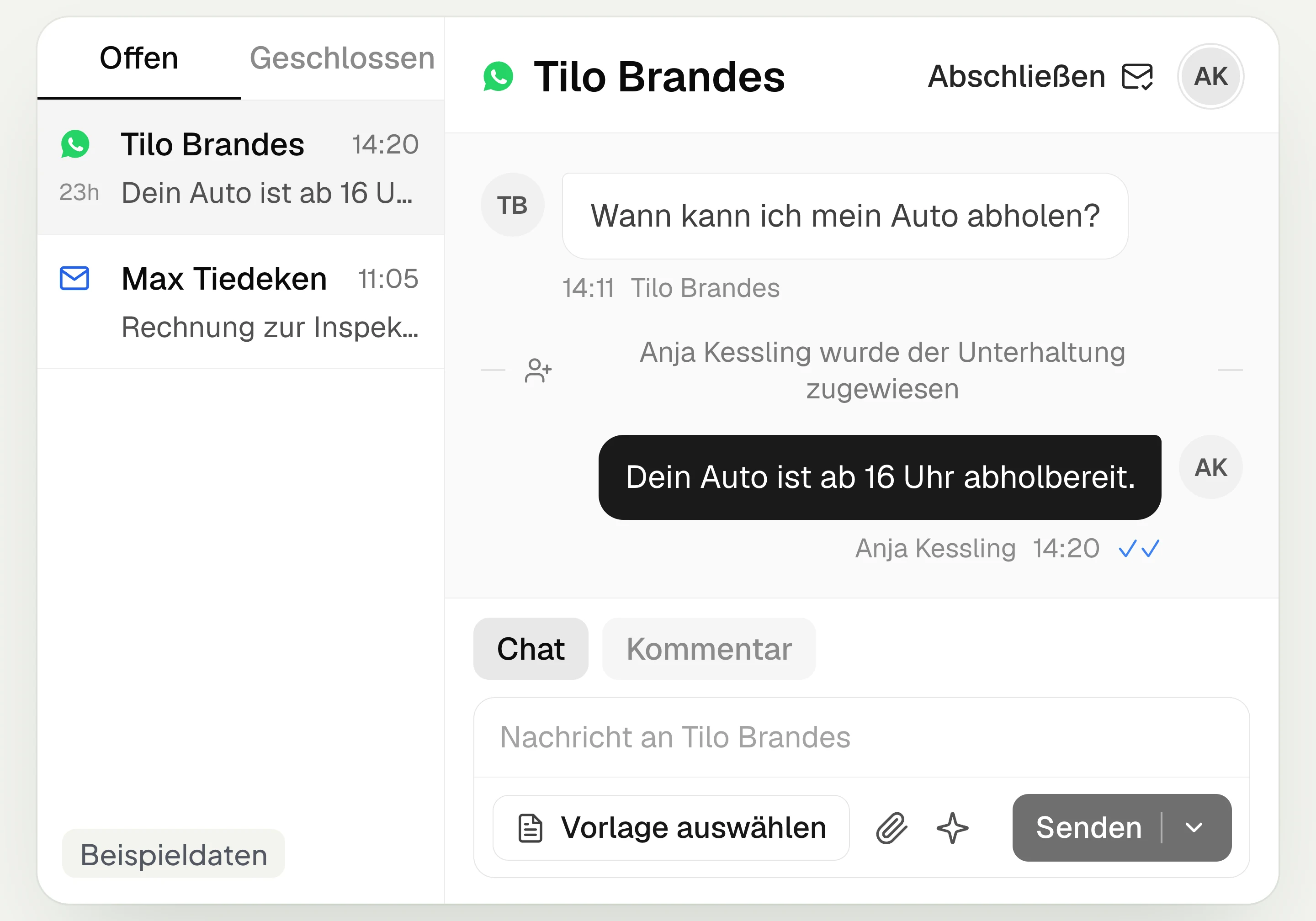
Central Inbox
hellomateo brings together WhatsApp, email, Instagram and Facebook Messenger in one inbox. Multiple staff members write via the same WhatsApp number and assign conversations.
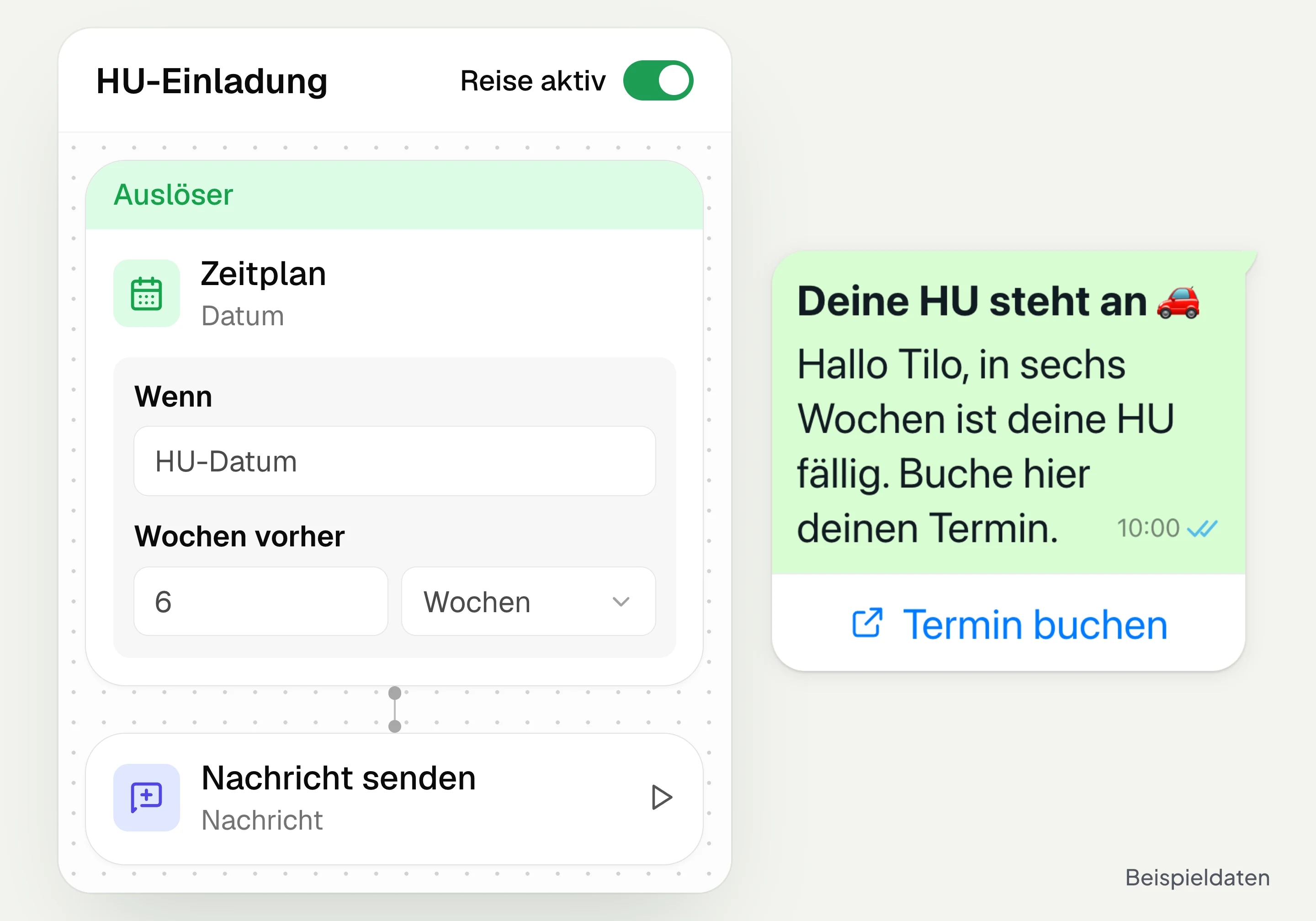
Automated customer journeys
Customer journeys in hellomateo send invitations automatically based on a date or event. You set the message and follow-up steps and check the progress per contact. Business and above.
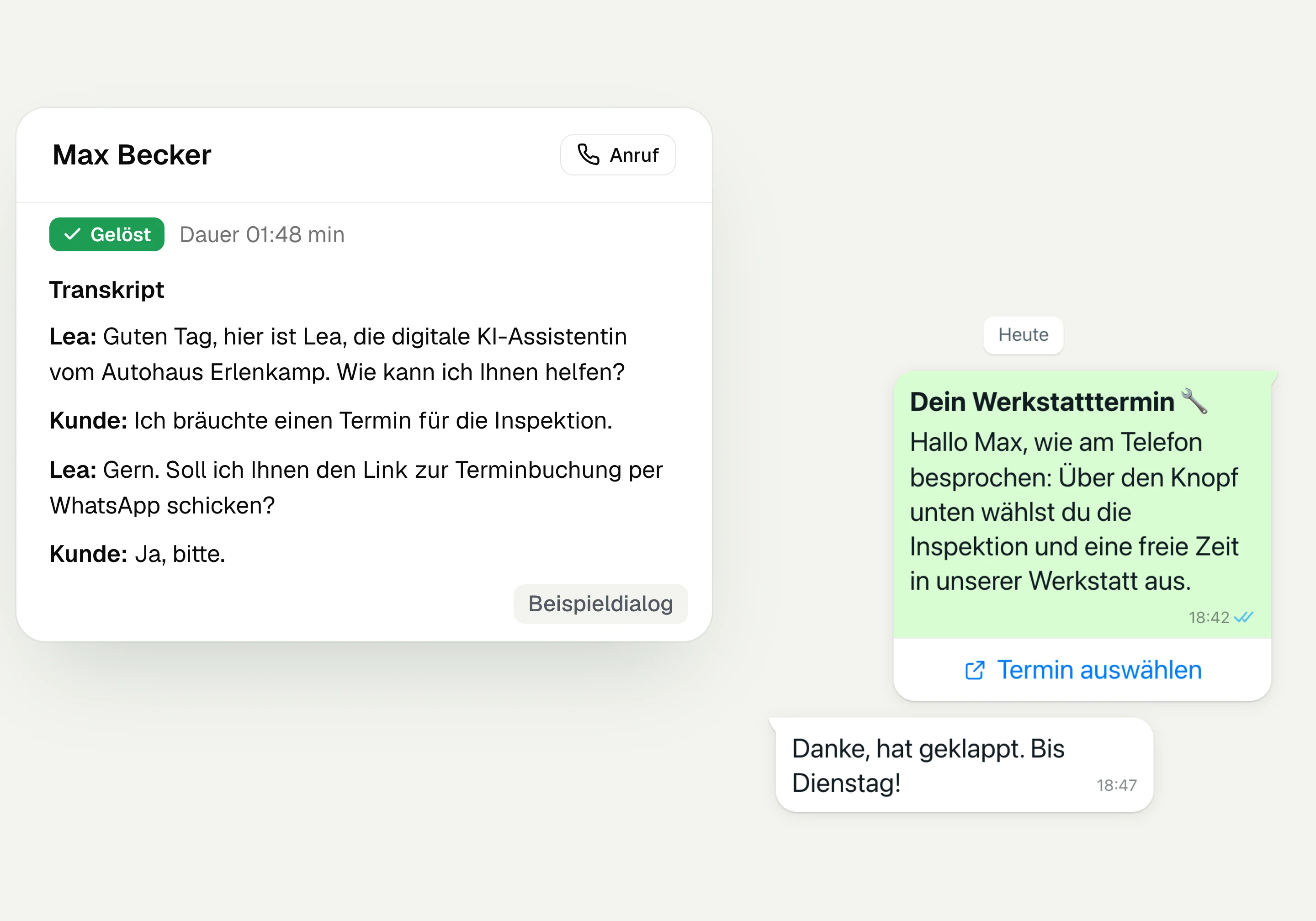
AI Telephony
hellomateo AI telephony takes calls, answers questions and sends the booking link via WhatsApp after consent. From €80 per month with 500 free minutes; additional minutes are charged on top.
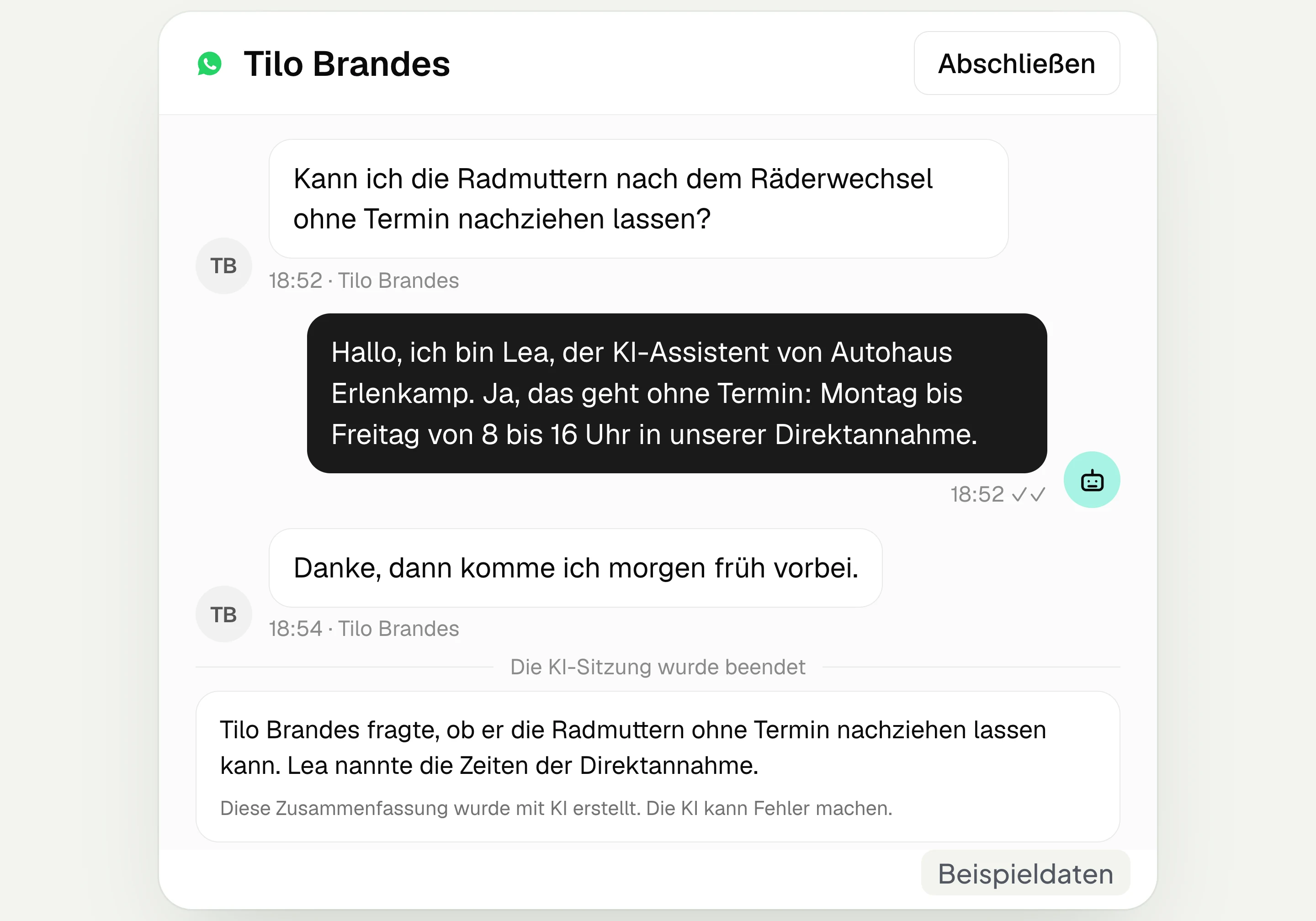
AI assistant in chat
The hellomateo AI assistant answers questions in WhatsApp, Instagram and Facebook Messenger with your knowledge. Can be added, selectable in Business Plus, included in Enterprise.

Appointment booking
With hellomateo, customers book appointments themselves on your booking page. You set services and calendars. Add-on module: €25 per month, regardless of the number of locations.
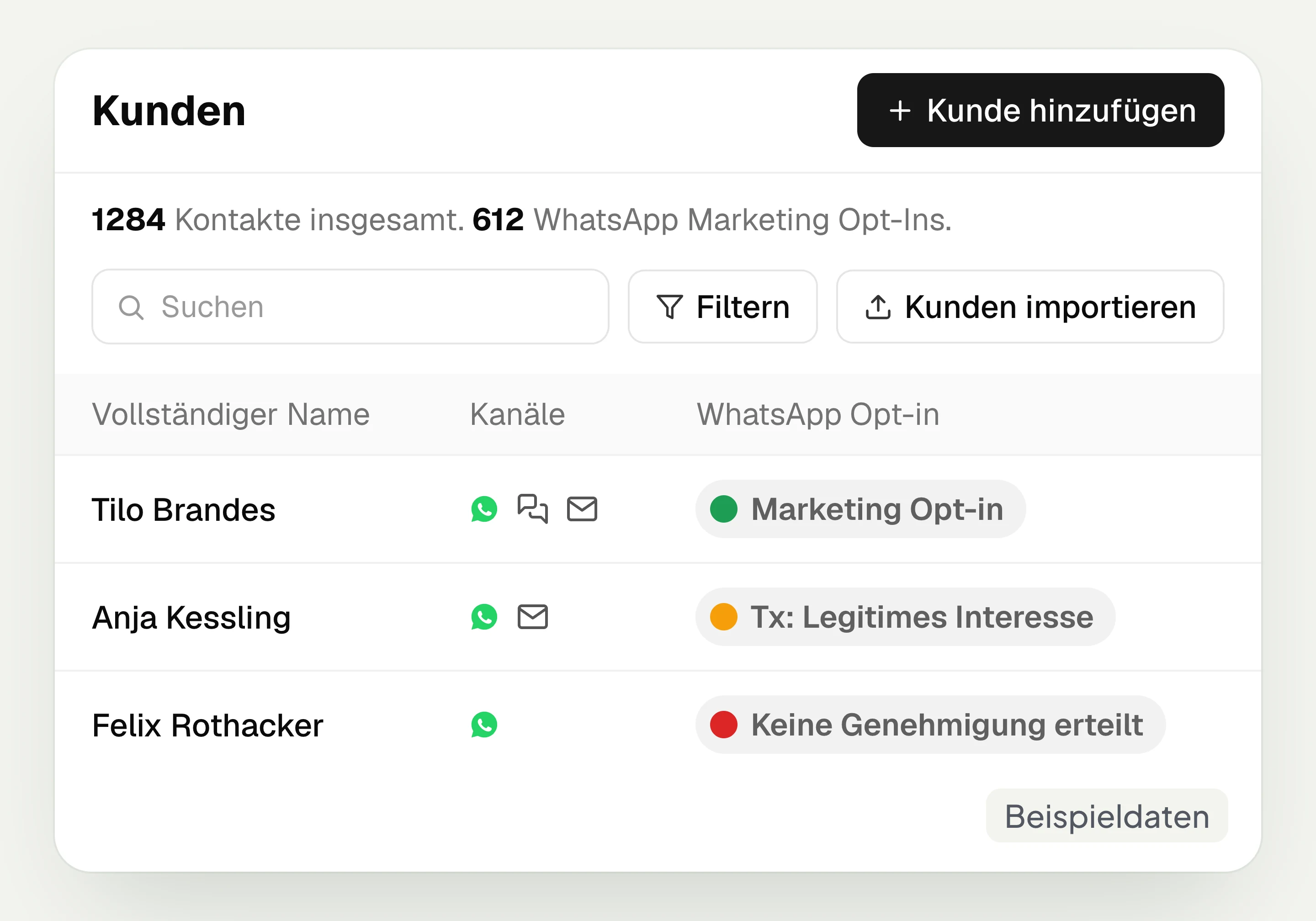
Customer and contact management
hellomateo connects contact data, conversations and consent per channel. You read notes on the contact and build recipient lists with your own filter rules.
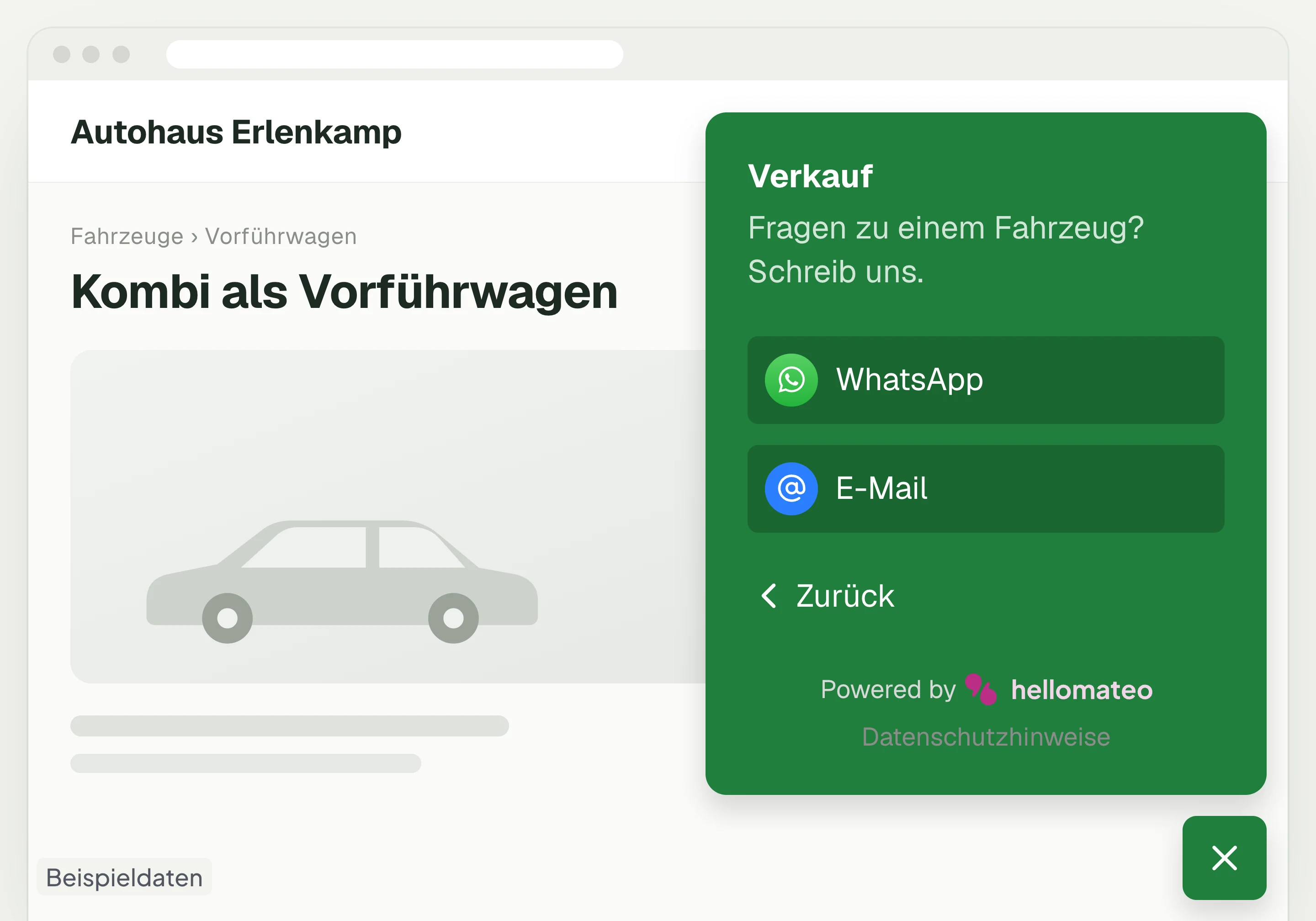
Contact through your website
A hellomateo button on your website takes visitors to WhatsApp and other channels. For connected channels, your team replies in the Central Inbox.
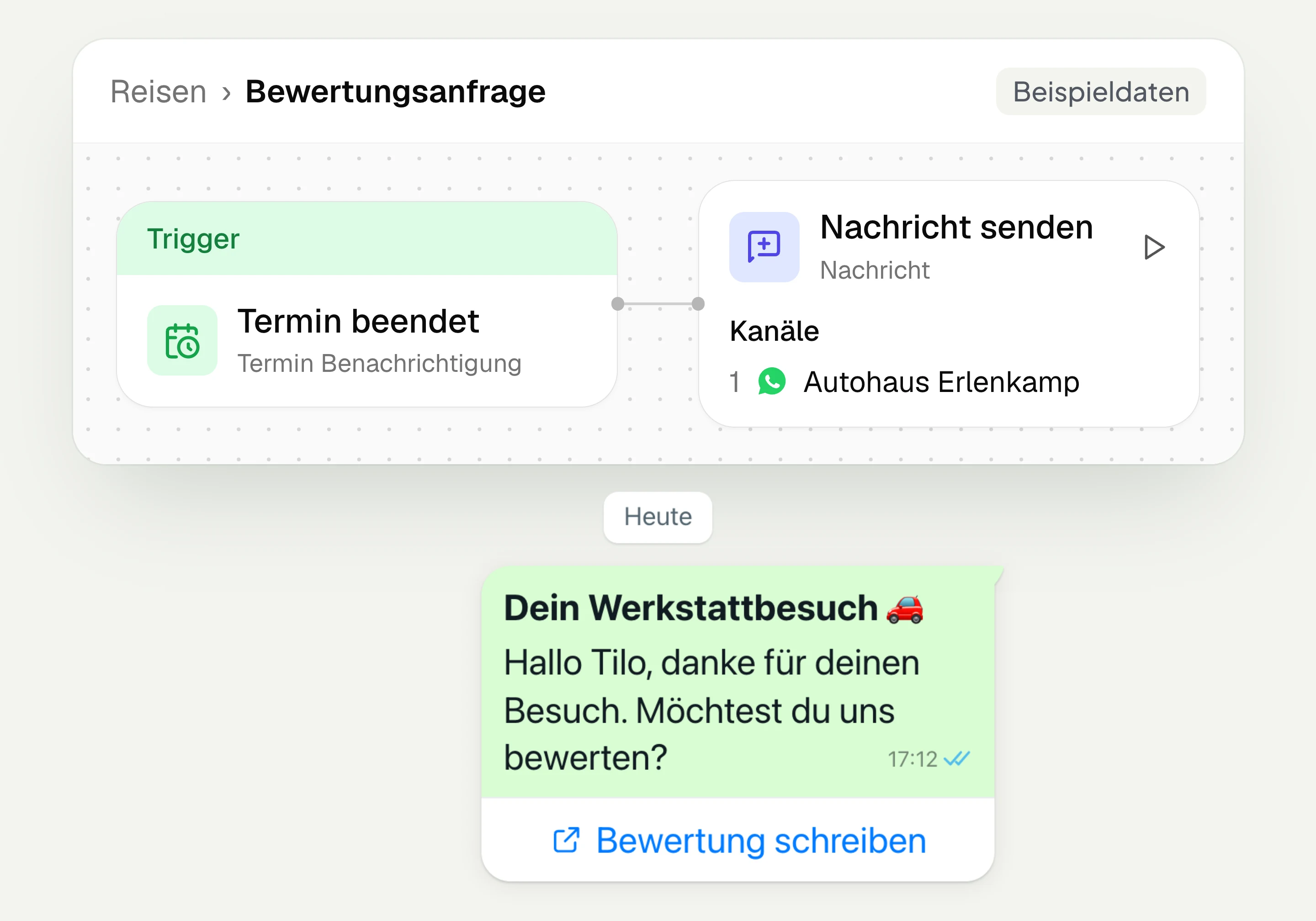
Review management
With hellomateo you request Google reviews, read reviews and reply to them. In the Business package and above, customer journeys send the review request automatically.
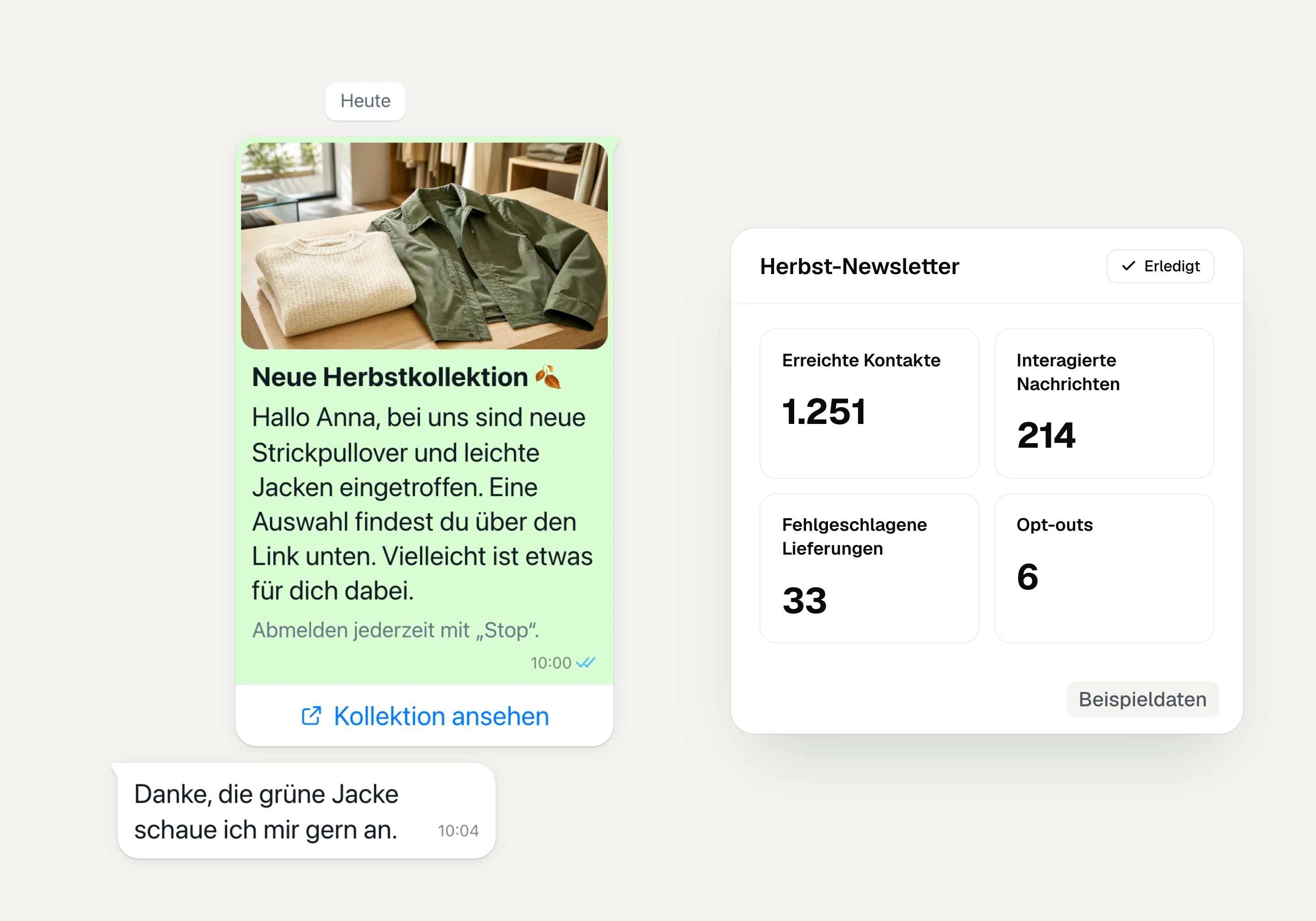
WhatsApp newsletter
With hellomateo you send WhatsApp newsletters to customers who have given consent. You choose recipients, schedule the send and see per recipient whether the message was read.
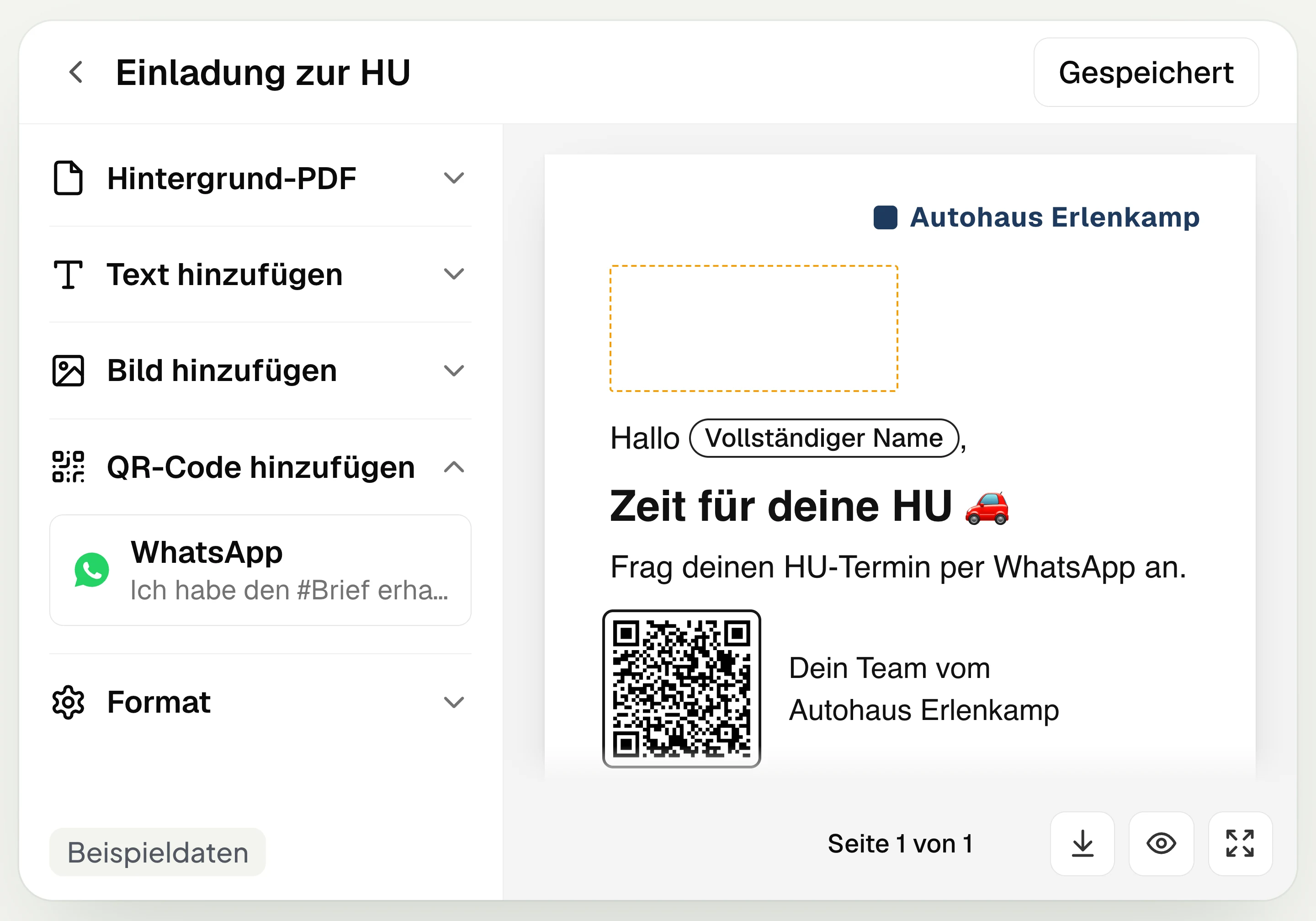
Postal mailing
With hellomateo you design and send letters with a WhatsApp QR code. Can be added in Business, selectable in Business Plus, included in Enterprise.
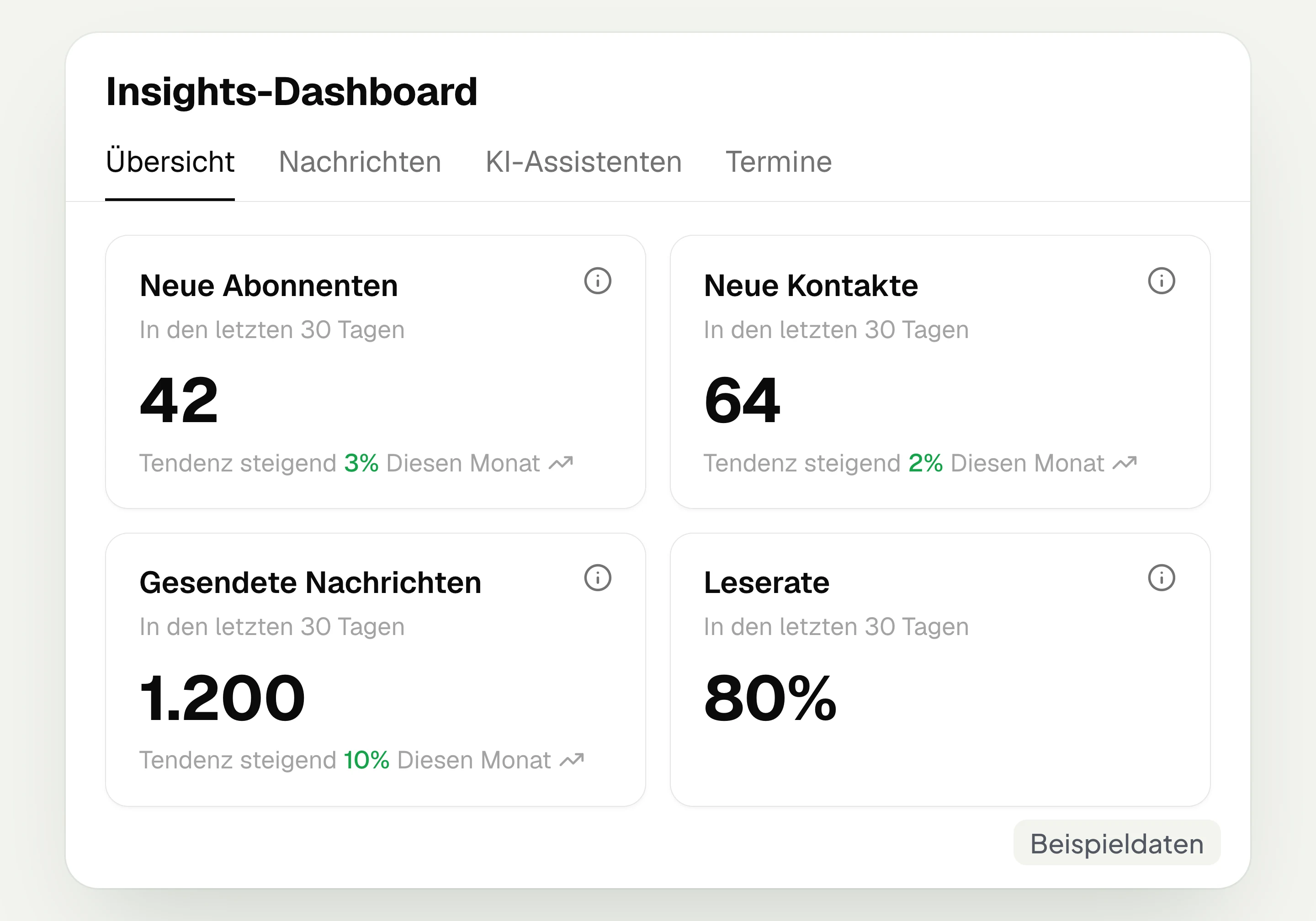
Insights
hellomateo Insights shows messages, read rate, contacts and reviews. With the respective modules, analytics on AI inquiries and appointments are added.
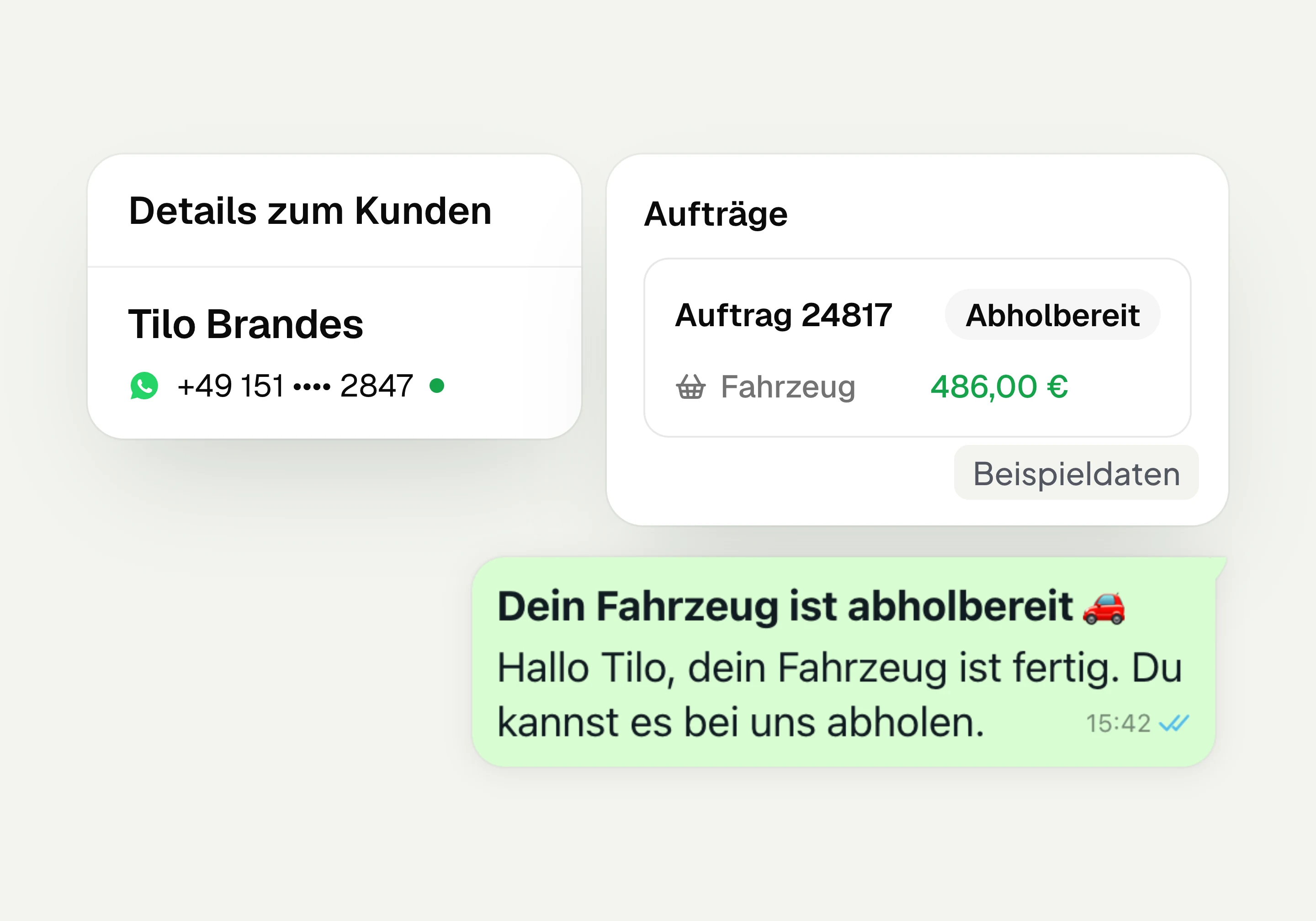
Integrations
Depending on the connection, hellomateo transfers contacts, orders and appointments from your industry software. More than 70 direct integrations are available in Business and above.
Frequently asked questions about online appointment booking




Book a non-binding consultation
We would be happy to introduce hellomateo to you in a personal call.
Or send us an email:
How do my customers book an appointment online?
Can I send appointment reminders via WhatsApp?
Can I connect Outlook or Google to appointment booking?
Can each location get its own booking link?
How do I assign appointments to my employees?
Can I embed the booking calendar in my website?
Can my customers reschedule or cancel their appointment themselves?
How does hellomateo protect data in appointment booking?
Can hellomateo AI telephony book appointments?
How much does hellomateo online appointment booking cost?