How to integrate WhatsApp with Zendesk [August 2023]
10.08.2023
Arrange a non-binding consultation now
In a non-binding conversation, we'll show you how to use messenger communication in compliance with GDPR, automate processes and achieve measurably more revenue and efficiency with WhatsApp. Clear, practical and tailored to your company.

What is Zendesk?
Before we dive deeper into how to integrate WhatsApp with Zendesk, it's important to provide an overview of Zendesk itself. Zendesk is a leading customer care platform that helps companies manage and optimize their customer interactions.

Zendesk offers a wide range of features and tools to help companies make their customer relationships more effective. Here are some of Zendesk's key features:
Ticket management: With Zendesk, you can centrally manage customer inquiries in the form of tickets. You can track requests, monitor their status, and ensure that no request goes unanswered.
Customer portal: Zendesk allows customers to access information and make inquiries via an easy-to-use portal. This increases transparency and allows customers to pursue their concerns themselves.
Multi-channel support: Zendesk supports various communication channels, including email, chat, and social media. This allows customers to connect with you on their preferred channels.
Knowledgebase: You can create a knowledge base to answer frequently asked questions and allow customers to search for answers themselves.
Analytics and reports: Zendesk provides tools to analyze support requests and generate reports. This allows you to identify trends and improve your support team's performance.
Mobile Support: Zendesk provides mobile apps that allow support agents to access customer inquiries from anywhere. This enables quick response and efficient processing.
The integration of WhatsApp extends Zendesk's functionality by adding another communication option that is used by many people around the world. WhatsApp integration allows you to conduct automated customer communication directly from Zendesk and to store and manage all relevant data in a central system.
WhatsApp integration for Zendesk: benefits and use cases
Integrating WhatsApp with Zendesk offers companies a variety of benefits and expands customer communication options. Here are the key aspects to consider:
Efficient communication and optimized customer service: Linking WhatsApp and Zendesk allows you to simplify your communication across various channels and offer your customers a convenient way to contact them. By integrating WhatsApp with Zendesk, you can answer customer inquiries, share information, and provide support directly and in a timely manner. This contributes significantly to increasing customer satisfaction.
Highly effective marketing with WhatsApp newsletter: Thanks to WhatsApp API interface Is it possible automated marketing newsletters to ship to pre-segmented customer groups The advantage of this: WhatsApp newsletter have an opening rate of over 95% and consumers' emotional purchase decision process can be influenced much better on such a personal platform as WhatsApp than with emails.
Central data storage and optimized processes: The integration allows you to store customer data and communication flows centrally within the Zendesk platform. As a result, you have all relevant information in one place and can set up automated workflows to optimize business processes and respond quickly to inquiries.
Team collaboration and support improvement: Connecting WhatsApp and Zendesk makes it easier for teams to collaborate and support customer support. Team members can share information via WhatsApp, assign tasks, and track the progress of support requests. This strengthens team communication and improves customer support.
Individual customer service and personal support: Integrating WhatsApp with Zendesk makes it possible to offer personalized customer service. The personal atmosphere of WhatsApp allows you to respond to the individual needs of your customers and build closer customer relationships.
Effective event communication and rapid interaction: When organizing events, you can use WhatsApp to communicate with attendees, send invitations, and share important details. The integration also enables quick interaction and effective customer support via the familiar messaging platform.
Connecting WhatsApp and Zendesk opens up numerous opportunities to optimize communication, collaboration, and efficiency in your organization. From effective customer interaction to targeted marketing and improved team collaboration, the combination of both platforms creates added value for your Zendesk based business.
How do you connect WhatsApp to Zendesk?
There are several ways to integrate WhatsApp with Zendesk. We will now briefly present them to you.
Option 1: Standalone implementation
If you have in-depth programming skills, you can set up the integration yourself. However, this requires access to the WhatsApp API interface. However, this is only withheld from selected companies. So if you own a large and well-known e-commerce company and have the necessary resources to implement it, you can contact Meta Platforms, the parent company of WhatsApp, and request access to the WhatsApp API interface.
Option 2: hellomateo as a WhatsApp API provider
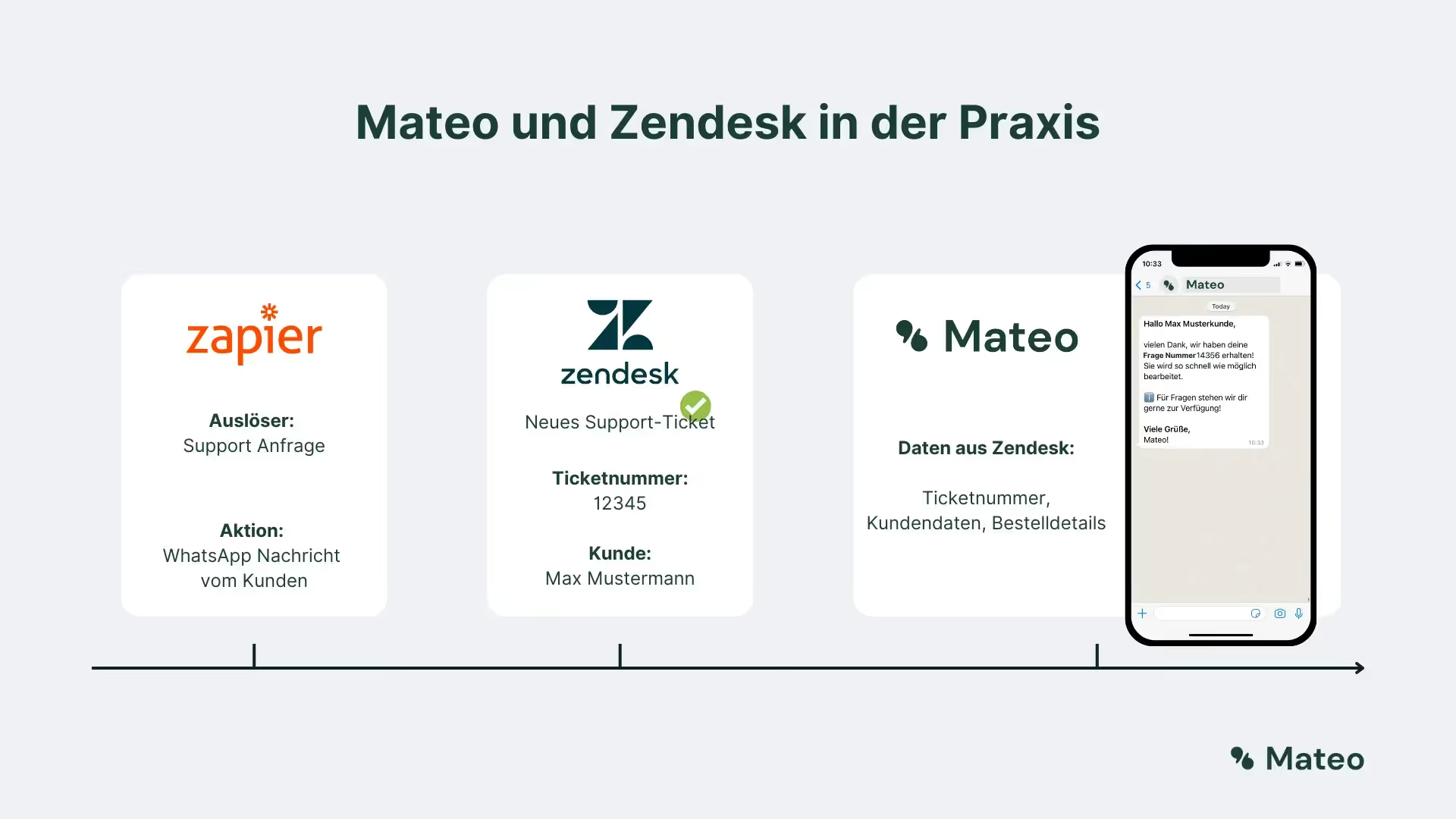
The easiest and cheapest way is to integrate WhatsApp and Zendesk via a professional third-party provider such as hellomateo with appropriate WhatsApp API access. With hellomateo, you can use all features: You can Do WhatsApp newsletter marketing, provided that your customers have given their consent to receive messages. In addition, in hellomateo central inbox In addition to WhatsApp, it also integrates various other message channels such as Facebook, Instagram, e-mail and SMS. You can also use the automated assessment management Significantly improve your Google ratings and over 6,000 away from Zendesk Integrate additional apps into hellomateo's communication software. WhatsApp and Zendesk are linked to hellomateo via the Zapier software. You can find out how this works in the following paragraph!

Here is an overview of all applications that can be linked to hellomateo using Zapier. If you have any questions, please feel free to contact us or contact us directly Book a free consultation appointment.
Connect and use WhatsApp and Zendesk with hellomateo and Zapier
A small digression: What is Zapier and how does it work?
Zapier is a powerful software tool that enables the automation of repetitive tasks between different applications. With Zapier, you can over 6,000 apps connect with each other and create workflows without the need for extensive programming knowledge. This automation saves you time and resources as you can eliminate manual tasks and seamlessly share data between different platforms. Zapier supports a wide range of apps and services and allows you to share data between your favorite tools to make your workflows more efficient. You can automate various actions, such as sending emails, entering data into spreadsheets, sending notifications in messaging apps, or scheduling social media posts. Zapier thus enables you to focus on more important tasks by automating repetitive and time-consuming tasks. A particularly interesting feature is the ability to automates sending WhatsApp messageswhen predefined events occur in other software applications.

WhatsApp requirements - Zendesk integration
- There is access to the WhatsApp API interface, about the professional messaging tool from hellomateo
- You have a Zendesk account that is connected to your business processes
- You have access to a Zapier account with permission to edit Zaps
- You have formulated WhatsApp message templates for the intended purpose, submitted to Meta and received approval
Requirements not met? We are happy to assist you! Just write to us via our web widget or arrange a free consultation.
How to: Connect WhatsApp and Zendesk
Meets all requirements? Then you can start linking WhatsApp, hellomateo and Zendesk
- Sign in to Zapier.
- Create a new “Zap” using the button in the left corner.
- Select Zendesk as the “trigger” if you want to send a WhatsApp message for specific events in Zendesk, or as an “action” if you want to take action in Zendesk on incoming WhatsApp messages (such as creating a new ticket).
- Accordingly, select your WhatsApp Business API provider as an “action” or as a “trigger.”
- Confirm the new Zap and make it live.
- Congratulations! Fully automated WhatsApp messages are now being sent. Or, if you have set up the link the other way around, if you receive an incoming WhatsApp message from an unsaved number, a new customer contact is created in Zendesk or a new ticket is opened.
More benefits of hellomateo
hellomateo has much more to offer than just the integration of WhatsApp into Zendesk. Our customers particularly appreciate the following benefits:
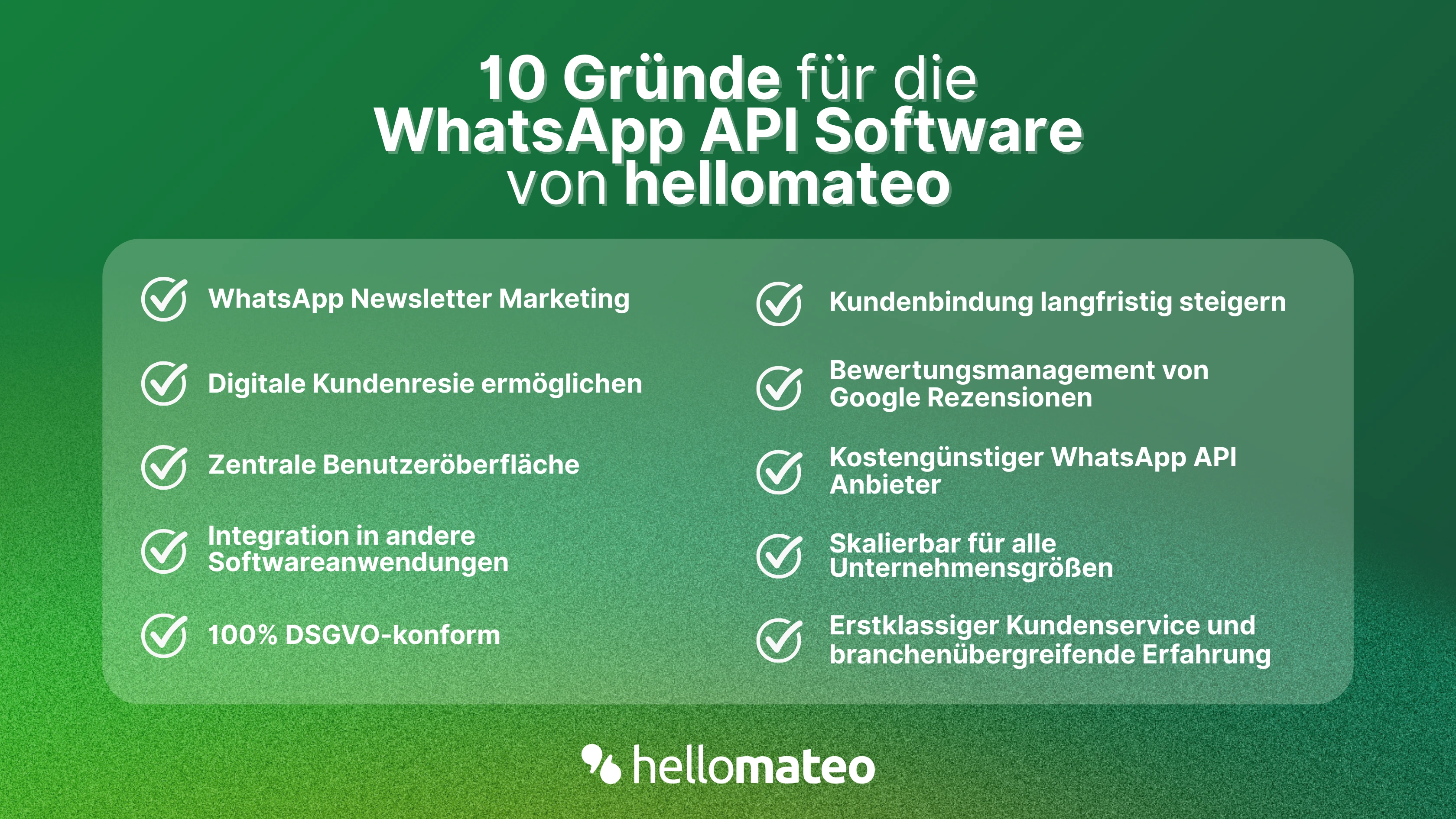
- Central user interface: hellomateo combines WhatsApp Business Platform, email, Instagram, SMS and Facebook Messenger in one central inbox. The intuitive user interface includes various tools for efficient customer communication and saves you valuable working time.
- integrations: With hellomateo, you can use WhatsApp in integrate over 6,000 software programs and fully automated Customer trips create with invitations, order confirmations, shipping information, invoices, and reminders.
- Newsletter marketing: Send GDPR-compliant Newsletter via WhatsApp or SMS and benefit from opening rates of over 95%.
- Assessment management: hellomateo can Automatically request online reviews from your customers, which boosts your Google ranking and trust in your company.
- Data protection: hellomateo meets all German and European Data protection requirements and offers end-to-end encryption for secure customer communication.
- scalability: Our software is suitable for Businesses of all sizes and can be extended indefinitely depending on the package.
- Diverse AI features: Our AI agent can automatically answer customer inquiries in chat, answer calls, help with the formulation of messages and much more.
Arrange a non-binding and free consultation and we'll show you how hellomateo covers your communication needs! Simply book an appointment here or write to us via our web widget.

About the author
Domenik Fox
CEO and Co-Founder
Domenik Fox is co-founder and CEO of hellomateo. He is responsible for Customer Success, Customer Engineering, Finance and Product. A particular focus of his work is on the continuous development of the product and the design of new features. In terms of content, he focuses primarily on automated and personalized customer communication, multichannel marketing and digital customer journeys. Together with Christian Strauch and Philipp Steinrötter, he is continuously developing hellomateo into a central platform for modern customer experience in SMEs.
More interesting articles
WhatsApp Business Data Processing Agreement— all information for companies
WhatsApp is an integral part of customer communication for many companies. High opening rates and quick responses make the channel attractive. But as soon as you use WhatsApp Business, you process personal data — and therefore there are clear GDPR requirements. In this article, you will find out what role the order processing contract plays and why it is indispensable for companies.

![Set up WhatsApp Business Auto Reply — Quick Guide [2025]](https://cdn.prod.website-files.com/68b19e5233a4641b9e2e4f95/692dd05228900f9fa9834bd4_whatsapp-automatische-antwort.avif)
Set up WhatsApp Business Auto Reply — Quick Guide [2025]
With automatic Reply messages Is there for them in the WhatsApp Business App provides a practical way to your customers in the digital chat channel automatically greet And in a flash one first reaction to show. Because day-to-day business is often stressful; you can't always respond personally to incoming messages and write back to the customer immediately.
But there are also many other reasons why it makes sense to use automatic reply messages when using the WhatsApp Business app. With this Quick guide Automatic answers are set up in a flash!

![Grüner Haken in WhatsApp – So bekommen Unternehmen die Verifizierung [Oktober 2025]](https://cdn.prod.website-files.com/68b19e5233a4641b9e2e4f95/692dcf56fb67605603b34297_gruener-haken.avif)
Grüner Haken in WhatsApp – So bekommen Unternehmen die Verifizierung [Oktober 2025]
WhatsApp hat eine neue Funktion eingeführt: Unternehmen können Ihr Konto verifizieren lassen und bei erfolgreicher Legitimation einen grünen Haken in dem WhatsApp Business Unternehmensprofil erhalten. Das sorgt für mehr Vertrauen bei Kaufinteressenten Ihres Unternehmens und steigert Ihre Umsätze! Zudem können Sie sich durch einen grünen Haken in WhatsApp Business von Ihren Wettbewerbern abheben. Doch wie funktioniert die Beantragung des beliebten Symbols? In diesem Beitrag zeigen wir es Ihnen!