WhatsApp corporate account — All information about setup, features and benefits [August 2024]
19.08.2024
Arrange a non-binding consultation now
In a non-binding conversation, we'll show you how to use messenger communication in compliance with GDPR, automate processes and achieve measurably more revenue and efficiency with WhatsApp. Clear, practical and tailored to your company.


What is a WhatsApp company account?
“WhatsApp company account” is in principle a Umbrella term for an account in one of the two WhatsApp solutions “WhatsApp Business” and “WhatsApp Business API”. These products are specifically designed for commercial use tailored and offer companies access to advanced features. For end users and customers, a WhatsApp corporate account is relatively easy to distinguish from a private WhatsApp account. Company accounts are explicitly marked as such in their WhatsApp profile.
What are the benefits of a WhatsApp corporate account for customers and companies?
Benefits for customers
Especially when compared with emails, it becomes clear how convenient communication via WhatsApp is for customers. The email inbox must be actively checked for an answer and the communication is often very formal with salutation and large formulae. On the other hand, using WhatsApp is already part of everyday life and therefore the The most convenient way to communicate with companies. The average WhatsApp user opens The app anyway via 23 times a day, meaning that the additional costs for customers are minimal (Source: textrequest.com).
Die Handling emails Takes time for most service departments of companies several days. In order to receive a response on the same day, customers usually need the Call the hotline. This procedure is downright hated by a large number of customers. Endless queues, voice harassment, agent-to-agent routing, and additional fees make this form of communication an ordeal for the customer. With whatsapp Is the company managed by the so-called service window (more on this in the next chapter) encouraged, within 24 hours to answer. Avoiding service hotlines is another major advantage for customers. Let your customers benefit from first-class Customer service via WhatsApp benefit!
For companies
In an increasingly competitive market environment, companies must increasingly position themselves on platforms where consumers are already located. The 2 billion users worldwide result in an enormous reach and therefore ultimately competitive advantages. Communication via WhatsApp can also be very flexible. In the event of acute problems, messages with the customer are exchanged every second, similar to live chat, and for less important or particularly complex inquiries, it is sufficient to answer after a few hours. In addition, the 98 percent result in Opening rate from WhatsApp messages, which, by the way, is significantly higher than for emails at around 20% (source: Aisensy.com) also in marketing area significant benefits. However, it should be noted that WhatsApp newsletter only via WhatsApp API GDPR-compliant can be shipped. A WhatsApp corporate account also offers numerous features for replying to messages in a highly efficient way. More about this in the next chapters.
Which companies are not allowed to use a WhatsApp corporate account?
There may be many good reasons to create a WhatsApp corporate account. However, it must be checked in advance whether the respective company is even allowed to use WhatsApp. All companies that use WhatsApp Business must WhatsApp Commerce Policy comply. According to the trade policy, the following are Sectors and services from using all WhatsApp business products precluded:
- Alcohol, tobacco products and accessories
- Drugs and medicines
- Illegal products and services
- Unsafe dietary supplements
- Weapons, ammunition, or explosives
- and much more
Accordingly, companies must ensure that, according to the trade policy, they are authorized to create an account and use WhatsApp Business or the WhatsApp Business API that when using the messenger app, they have the Terms of use be able to comply.
Basic features and functions of the WhatsApp Business app
One way to create a WhatsApp business account is with the WhatsApp business app. WhatsApp Business is a free, app available for Android and Apple smartphones, which is specifically for smaller companies was developed. WhatsApp Business makes it easy to interact with customers by providing tools to automate, sort, and respond to messages quickly. Die user interface and many features are similar to those of the WhatsApp Messenger app for private individuals, making it very easy for most employees to use WhatsApp Business.
WhatsApp Business includes the following features:
- company profile to list important information, such as a company's address, email and website
- Messaging tools to quickly answer customer inquiries, such as text modules and automated answers
- categorize of customer contacts and chats (e.g. new customer, interested party, service request, etc.) for a better overview
- Automated answers to customers (e.g. welcome messages or absence messages outside business hours)
- Preparation of product catalogs


WhatsApp Business can be used in Google Play Store and in App Store can be downloaded free of charge.
To keep WhatsApp free from excessive advertising and spam, there are a few restrictions that companies must be aware of when contacting users.
Service window for answers
When a user sends a request to the company via WhatsApp, the Response within 24 hours take place (“Customer Care Window”). As a result of the fact that customer inquiries are answered accordingly quickly, the user experience by WhatsApp users and contact (without opt-in) by the company is prevented.
Within ofthe service window Does it work communications with WhatsApp Business as well as with the application for private individuals. Messages with text, web links and emojis can be sent and, of course, images, videos and attachments such as PDF files can also be shared in the chat.
When that Service window closed Is must a special message template are sent to ask the user to contact you.
Message templates
Message templates (from WhatsApp”Template Messages“called) can make customer communication very efficient for the company. WhatsApp Business customers can use ready-made messages to send order confirmations, payment requests, and shipping information in seconds.
Technically speaking, a message template is a Text sequence, the wildcard used (e.g. for order numbers, dates and prices) to provide personalized information. In addition to the standard selection of frequently used templates provided by WhatsApp Business, you can also create your own message templates to cover all service situations for the individual use case. These must approved before using WhatsApp become. The Approval process lasts up to 24 hours. WhatsApp checks message templates to prevent companies from sending unwanted content, such as promotional messages, to consumers.

Setting up WhatsApp Business
It is possible to set up a WhatsApp company account with both a mobile and a landline number (more details about Hellomateo has WhatsApp with landline number in this article summarized) is possible and works as follows:
1st step: WhatsApp business app on the smartphone in the App Store (Google Play Store / App Store) download and install on your device for free.
2nd step: Open WhatsApp Business app and agree to the terms of use.
3rd step: Enter a mobile or landline number. In the first small field, the country code (“49" for Germany) must be entered after the “+”, which replaces the first 0 of the telephone number.
4th step: Tap Next, check the number, and tap OK.

5th step: WhatsApp now sends an SMS with an authentication code to the specified number by default. If a landline number has been entered, this will fail and the “Let me call” option must be selected.
6th step: The 6-digit authentication code, which was received either via SMS or by voice call to your phone number, must be entered in the app.
7th step: If the code has been entered correctly, the company profile can then be set up, a company name added and the WhatsApp account can be used.
By the way: Hellomateo has explained how to set up WhatsApp Business with the desktop app or the WhatsApp Web browser application in this article summarized.
What is the WhatsApp Business API?
For larger companies a secure, scalable and GDPR-compliant solution In August 2018, Facebook launched the WhatsApp Business API introduced. This so-called application programming interface is the second way to create a WhatsApp business account and allows companies to receive and answer unlimited WhatsApp messages from their customers.
In contrast to the WhatsApp business app, the API itself comes without a user interface off. The API connects WhatsApp to a professional messaging tool, as offered by Hellomateo, for example. Companies integrate the WhatsApp API endpoint with the software of an official WhatsApp business solution provider. Hellomateo offers corporate customers with its in-house softwares appropriate integration into a clear user interface.
What are the benefits of the WhatsApp API interface?
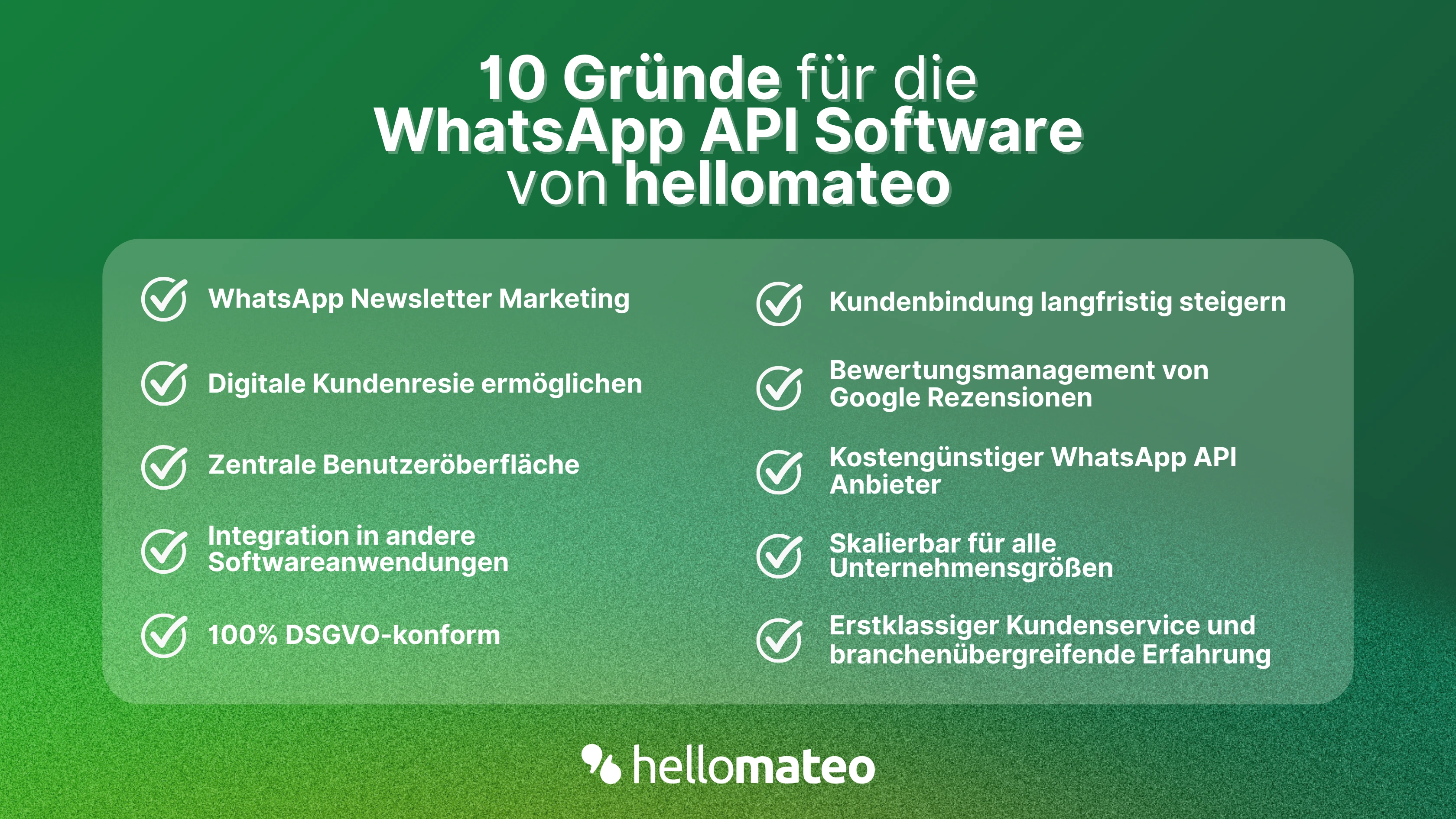
Especially when compared to WhatsApp Business, it becomes clear how valuable the WhatsApp API interface is for companies. Die benefits depends, of course, on how sophisticated the one you have selected or programmed independently software interface is. The following benefits therefore relate to the functions, the one with the API are theoretically feasible. By the way, we at hellomateo have integrated all of these functions into our software. Let's take a look at the benefits for companies:
- Integrations: Connect WhatsApp to via 6,000 software applications, such as your CRM system
- Automated messages: Order confirmations, shipping information, evaluation requests, reminders, etc. fully automated via WhatsApp to your customers
- WhatsApp newsletter: Highly effective marketing via WhatsApp, that is only possible with the API interface
- GDPR-compliant: In contrast to the traditional WhatsApp business app, the use of the WhatsApp API for companies is GDPR-compliant
- scalability: Unlimited number of users and devices with the WhatsApp API
With so many advantages, the question is, of course, whether there are also disadvantages. In principle, the WhatsApp API interface only has two drawbacks: First of all, she is chargeable And secondly, is the A bit more complex to set up as a simple download of the WhatsApp Business app. Further detailed information about the differences between WhatsApp Business, WhatsApp Messenger and WhatsApp API can be found in this Comparative table.
How much does the WhatsApp Business API cost?
With the WhatsApp API costs A distinction must be made between the Charges that your WhatsApp API provider has requires, and between the Costs directly from Meta Platforms be calculated. The fees for WhatsApp API software vary significantly between providers. Meta's costs are calculated in addition.
Meta in Germany charges up to 11.3 cents per conversation to use the WhatsApp Business Platform. The prices for messages in the “Management” and “Authentication” categories have been reduced several times in the past. And since November 2024 Are service conversations even completely free. Chats are divided into four categories:
- Service: Conversation started by a customer Complete since 01.11.2024 free of charge (previously 6.79 cents).
- Administration: Entertainment that was initiated by the company and contains important information for the customer. For example, information about orders, transactions and customer accounts. Costs in Germany: 4.56 cents
- Authentication: A conversation initiated by the company that includes verification codes to access the customer account. Costs in Germany: 4.56 cents
- marketing: Entertainment that was initiated by the company and includes promotional messages such as product announcements or discount campaigns. Costs in Germany: 11.31 cents
Since all conversations initiated by the company can only be started with a message template, the division into categories is based on this message template. Here you can find the latest prices directly from Meta.
Reading tip: In this article, we have explained for you why the free variants to do WhatsApp marketing are not recommended for companies.
How does setting up the WhatsApp API work?
WhatsApp only allows a very few large corporations den direct access to its API. For the most companies The path to WhatsApp Business API is via so-called Business Solution Provider. These are official partners of WhatsApp owner Facebook, who help companies access the API. Setting up the API therefore depends on the API provider.
In contrast to most other providers, this offers professional messaging tool from hellomateo not only the integration of WhatsApp Business via the API, but also a clear user interface And the integration from many more Communication channels such as email, Instagram, SMS and Facebook Messenger. Hellomateo offers a fully comprehensive service with professional customer service representatives when setting up the software including WhatsApp Business API.
Through a Inventory analysis is identified how the software can best be integrated. If not yet available, Hellomateo will then Company phone numbers applied for and set up the system. All communication channels are now combined and usable in the user interface provided by hellomateo. A dedicated contact person is always available to answer questions and provides further tips for highly efficient customer communication. All details are included in a free consultation discussed.

Arrange a non-binding and free consultation and we'll show you how hellomateo covers your communication needs! To do this, simply book here Make an appointment or write to us via our web widget.

About the author
Christian Strauch
Co-Founder and CEO
Christian Strauch is CEO and co-founder of hellomateo and is responsible for the strategic and operational management of the company. In his role, he is particularly responsible for sales, marketing and partners. Under his leadership, hellomateo has developed into a central tool for customer loyalty via WhatsApp, e-mail and letter for more than 2,000 companies.
More interesting articles
WhatsApp Business Data Processing Agreement— all information for companies
WhatsApp is an integral part of customer communication for many companies. High opening rates and quick responses make the channel attractive. But as soon as you use WhatsApp Business, you process personal data — and therefore there are clear GDPR requirements. In this article, you will find out what role the order processing contract plays and why it is indispensable for companies.
![Set up WhatsApp Business Auto Reply — Quick Guide [2025]](https://cdn.prod.website-files.com/68b19e5233a4641b9e2e4f95/692dd05228900f9fa9834bd4_whatsapp-automatische-antwort.avif)
Set up WhatsApp Business Auto Reply — Quick Guide [2025]
With automatic Reply messages Is there for them in the WhatsApp Business App provides a practical way to your customers in the digital chat channel automatically greet And in a flash one first reaction to show. Because day-to-day business is often stressful; you can't always respond personally to incoming messages and write back to the customer immediately.
But there are also many other reasons why it makes sense to use automatic reply messages when using the WhatsApp Business app. With this Quick guide Automatic answers are set up in a flash!

![Grüner Haken in WhatsApp – So bekommen Unternehmen die Verifizierung [Oktober 2025]](https://cdn.prod.website-files.com/68b19e5233a4641b9e2e4f95/692dcf56fb67605603b34297_gruener-haken.avif)
Grüner Haken in WhatsApp – So bekommen Unternehmen die Verifizierung [Oktober 2025]
WhatsApp hat eine neue Funktion eingeführt: Unternehmen können Ihr Konto verifizieren lassen und bei erfolgreicher Legitimation einen grünen Haken in dem WhatsApp Business Unternehmensprofil erhalten. Das sorgt für mehr Vertrauen bei Kaufinteressenten Ihres Unternehmens und steigert Ihre Umsätze! Zudem können Sie sich durch einen grünen Haken in WhatsApp Business von Ihren Wettbewerbern abheben. Doch wie funktioniert die Beantragung des beliebten Symbols? In diesem Beitrag zeigen wir es Ihnen!