Instructions: Use WhatsApp and WhatsApp Business on multiple devices
24.07.2022
Arrange a non-binding consultation now
In a non-binding conversation, we'll show you how to use messenger communication in compliance with GDPR, automate processes and achieve measurably more revenue and efficiency with WhatsApp. Clear, practical and tailored to your company.


How to use WhatsApp on multiple devices
WhatsApp has been offering a web version for several years now. Recently, private users have also been able to use the multi-device function, which enables users to use multiple devices with the same WhatsApp account at the same time. WhatsApp business accounts can also be used on up to four different devices using the same function. However, the function is still in the test phase and in order to be able to use the feature, the latest version of the WhatsApp messenger service is required.

This makes it possible to use WhatsApp's multi-device function
1. Open WhatsApp
2. Open settings
3. Click on “Linked devices”
4. Activate “multi-device beta”
You can also deactivate the functionality at any time after activation. If the smartphone is not used for more than 14 days, you will be automatically logged out on the other devices. Attention: Not all WhatsApp features are supported in the beta version. For example, live locations cannot be viewed from the additional devices. In addition to the multi-device function, WhatsApp can also be used via the traditional web version.
WhatsApp Business with multiple devices and multiple users
At first glance, the multi-device function appears to be beneficial for companies that use WhatsApp Business with multiple employees. After all, it also allows WhatsApp Business to be used across multiple devices. However, you must be careful here! Using WhatsApp Business on multiple devices is not GDPR-compliant!
Messages sent via the WhatsApp multi-device function are also end-to-end encrypted. However, as before, WhatsApp uses metadata and the address book. The use therefore does not correspond to GDPR requirements.
By the way, you can WhatsApp also with multiple phone numbers use at the same time and WhatsApp Business with the desktop app or the WhatsApp Web browser application use.
Use WhatsApp Business with multiple devices in a GDPR-compliant manner
The only way to use WhatsApp Business fully GDPR-compliant with multiple devices is to use the WhatsApp API.
With the hellomateo communication platform, you can use WhatsApp on as many devices as you want. In addition, all messages from WhatsApp and all other communication channels (e-mail, Facebook Messenger, Instagram Messenger, etc.) are collected in a central mailbox.
The WhatsApp API does not access any metadata, nor does it access your smartphone's address book. After concluding an order data processing contract (ADV contract), the WhatsApp Business API can be used to communicate with your customers in compliance with the GDPR.
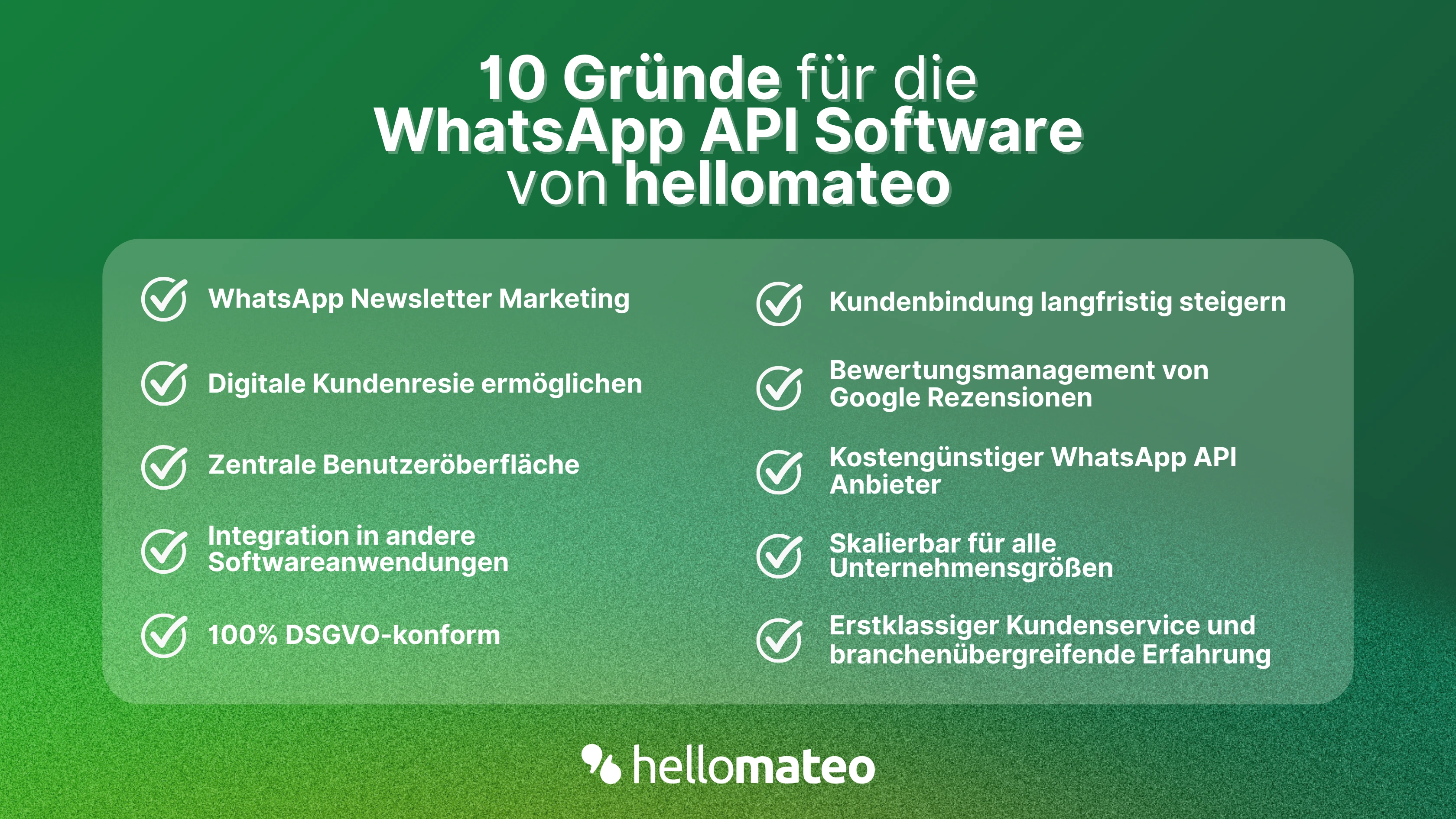
- Central user interface: hellomateo combines WhatsApp Business Platform, email, Instagram, SMS and Facebook Messenger in one central inbox. The intuitive user interface includes various tools for efficient customer communication and saves you valuable working time.
- integrations: With hellomateo, you can use WhatsApp in integrate over 6,000 software programs and fully automated Customer trips create with invitations, order confirmations, shipping information, invoices, and reminders.
- Newsletter marketing: Send GDPR-compliant Newsletter via WhatsApp or SMS and benefit from opening rates of over 95%.
- Assessment management: hellomateo can Automatically request online reviews from your customers, which boosts your Google ranking and trust in your company.
- Data protection: hellomateo meets all German and European Data protection requirements and offers end-to-end encryption for secure customer communication.
- scalability: Our software is suitable for Businesses of all sizes and can be extended indefinitely depending on the package.
- Diverse AI features: Our AI agent can automatically answer customer inquiries in chat, answer calls, help with the formulation of messages and much more.
Interested? Book a free, non-binding demo appointment and learn more about hellomateo and WhatsApp communication. Book here.
About the author
Domenik Fox
CEO and Co-Founder
Domenik Fox is co-founder and CEO of hellomateo. He is responsible for Customer Success, Customer Engineering, Finance and Product. A particular focus of his work is on the continuous development of the product and the design of new features. In terms of content, he focuses primarily on automated and personalized customer communication, multichannel marketing and digital customer journeys. Together with Christian Strauch and Philipp Steinrötter, he is continuously developing hellomateo into a central platform for modern customer experience in SMEs.
More interesting articles
WhatsApp Business Data Processing Agreement— all information for companies
WhatsApp is an integral part of customer communication for many companies. High opening rates and quick responses make the channel attractive. But as soon as you use WhatsApp Business, you process personal data — and therefore there are clear GDPR requirements. In this article, you will find out what role the order processing contract plays and why it is indispensable for companies.

![Set up WhatsApp Business Auto Reply — Quick Guide [2025]](https://cdn.prod.website-files.com/68b19e5233a4641b9e2e4f95/692dd05228900f9fa9834bd4_whatsapp-automatische-antwort.avif)
Set up WhatsApp Business Auto Reply — Quick Guide [2025]
With automatic Reply messages Is there for them in the WhatsApp Business App provides a practical way to your customers in the digital chat channel automatically greet And in a flash one first reaction to show. Because day-to-day business is often stressful; you can't always respond personally to incoming messages and write back to the customer immediately.
But there are also many other reasons why it makes sense to use automatic reply messages when using the WhatsApp Business app. With this Quick guide Automatic answers are set up in a flash!

![Grüner Haken in WhatsApp – So bekommen Unternehmen die Verifizierung [Oktober 2025]](https://cdn.prod.website-files.com/68b19e5233a4641b9e2e4f95/692dcf56fb67605603b34297_gruener-haken.avif)
Grüner Haken in WhatsApp – So bekommen Unternehmen die Verifizierung [Oktober 2025]
WhatsApp hat eine neue Funktion eingeführt: Unternehmen können Ihr Konto verifizieren lassen und bei erfolgreicher Legitimation einen grünen Haken in dem WhatsApp Business Unternehmensprofil erhalten. Das sorgt für mehr Vertrauen bei Kaufinteressenten Ihres Unternehmens und steigert Ihre Umsätze! Zudem können Sie sich durch einen grünen Haken in WhatsApp Business von Ihren Wettbewerbern abheben. Doch wie funktioniert die Beantragung des beliebten Symbols? In diesem Beitrag zeigen wir es Ihnen!