Set up WhatsApp Business Auto Reply — Quick Guide [2025]
Veröffentlicht am
01.10.2025
Arrange a non-binding consultation now
Im unverbindlichen Gespräch zeigen wir Ihnen, wie Sie Kunden per WhatsApp zu Terminen einladen und Anfragen gemeinsam im Team beantworten. Zusammen schauen wir, welche Abläufe sich in Ihrem Betrieb sinnvoll automatisieren lassen.

Step-by-step guide to setting up automatic replies in WhatsApp
Setting up automatic replies in WhatsApp Business is easy and quick. Just follow these steps. The automatic answers are set up within a very short time and your customers receive the right answer to inquiries around the clock.

1.: Open the WhatsApp Business app
Nothing easier than that — just tap on the app to open WhatsApp Business.
Prerequisite: You already have the WhatsApp Business app via the Google Play Store (for Android users) or the Apple App Store (for iPhone users) downloaded and installed. How exactly the Setting up WhatsApp Business works, find out here.

2.: Open the settings via the “Three Dots”.
Click on the three dots or a gear icon to get to the takes. From there, navigate to the so-called Business tools.

3.: Navigate to “Business Tools” — “Out of Office Messages” or “Welcome Message.”
In the company tools, you can find lots of useful features, such as the WhatsApp catalog or your profile information. Now, either tap on”Absence message“or on”Welcome message“- depending on whether the message is to be sent outside or during opening hours.

4.: Activate the welcome or absence message and enter the content of the message.
With the slider or by setting a check mark, you can Enable welcome or absence messages. Type the appropriate message. In the case of a welcome message, you can, for example, the following template use:
Hi [customer name],
Thank you for writing to us! 😊
We have received your message and will get back to you shortly. If it is urgent, we can also be reached by phone: [telephone number].
We are happy to help you!
Kind regards,
Your [company name] team
Reading tip: There are more here Message templates per automatic answers during opening hours And here is Templates for outside opening hours.

5.: With “Schedule”, you can determine when your automatic replies should be sent out
About the timetable Can you choose whether the automatic response is”Always”, at”Your own schedule” or”Outside business hours” should be sent. Please make sure that the opening times are set correctly.

6.: Finally, you can decide whether all or only certain contacts should receive the welcome message
About”transceivers*innen” select the customer who should receive your automatic response. Here you should usually”all”, as the message is also aimed at new contact requests.

Why should companies use WhatsApp via the Business Platform and not the WhatsApp Business app?
Die WhatsApp Business Platform was developed for companies that want to inspire their customers with customer communication and marketing, maximize their sales and minimize internal workload. integrations with thousands of other software applications, WhatsApp newsletter marketing, unlimited scalability and flexibility, automatic responses, GDPR compliance, etc. — the WhatsApp Business Platform has so much to offer. Just arrange a free consultationto find out all the details Our customers know the following benefits particularly appreciated:
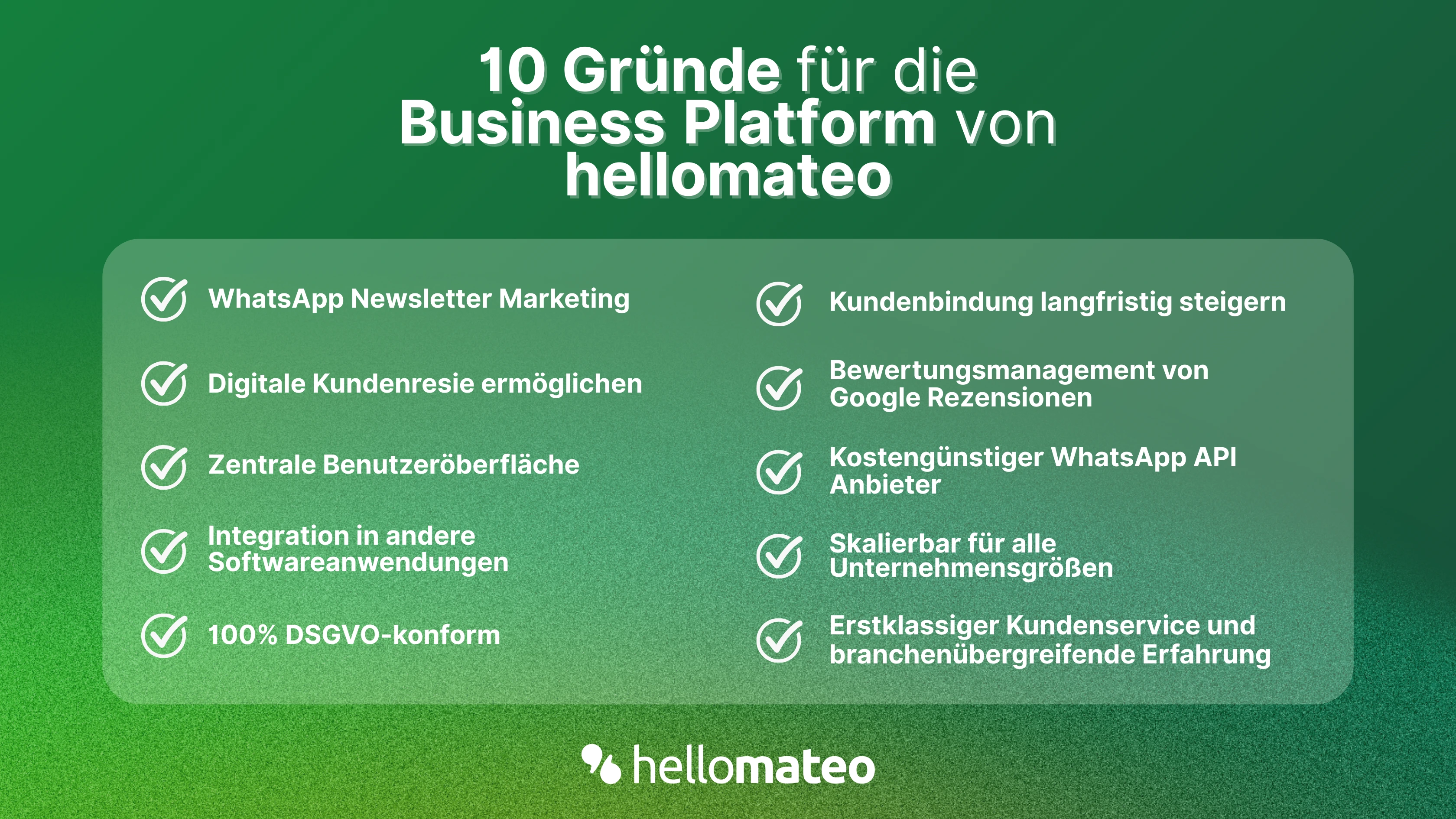
- Central user interface: hellomateo combines WhatsApp Business Platform, email, Instagram, SMS and Facebook Messenger in one central inbox. The intuitive user interface includes various tools for efficient customer communication and saves you valuable working time.
- integrations: With hellomateo, you can use WhatsApp in integrate over 6,000 software programs and fully automated Customer trips create with invitations, order confirmations, shipping information, invoices, and reminders.
- Newsletter marketing: Send GDPR-compliant Newsletter via WhatsApp or SMS and benefit from opening rates of over 90%.
- Assessment management: hellomateo can Automatically request online reviews from your customers, which boosts your Google ranking and trust in your company.
- Data protection: hellomateo meets all German and European Data protection requirements and offers end-to-end encryption for secure customer communication.
- scalability: Our software is suitable for Businesses of all sizes and can be extended indefinitely depending on the package.
- Diverse AI features: Our AI agent can automatically answer customer inquiries in chat, answer calls, help with the formulation of messages and much more.
Arrange a non-binding and free consultation and we'll show you how hellomateo covers your communication needs! Simply book an appointment here or write to us via our web widget.