Using WhatsApp Business privately - instructions and all benefits [2025]
Veröffentlicht am
11.04.2025
Arrange a non-binding consultation now
Im unverbindlichen Gespräch zeigen wir Ihnen, wie Sie Kunden per WhatsApp zu Terminen einladen und Anfragen gemeinsam im Team beantworten. Zusammen schauen wir, welche Abläufe sich in Ihrem Betrieb sinnvoll automatisieren lassen.


Brief summary:
Can WhatsApp Business even be used for private purposes?
WhatsApp Business offers various features that are not only for companies, but also beneficial for private users can be. Access to WhatsApp Business is not limited, i.e. private individuals can also easily access the WhatsApp Business app in Apple App Store or in Google Play Store download, set up, use and benefit from the additional features. Even the simultaneous use of WhatsApp Business and WhatsApp It is possible for private individuals on the same smartphone. However, the two apps must not be set up with the same number. Since the Setup but even works with a landline number, that shouldn't usually be a problem. Of course, WhatsApp Business users can also chat with “normal” WhatsApp users.
Tip: When switching from WhatsApp to WhatsApp Business for personal use, you can even backup all your chats from the previous WhatsApp version. Be sure to Create a backup before uninstalling the standard WhatsApp app. For more information, visit the WhatsApp backup help page.
How does setting up WhatsApp Business for personal use work?
Download and install WhatsApp Business app
To use WhatsApp Business for personal purposes, you must first download and install the WhatsApp Business app. Go into the App Store(for iOS) or den Google Play Store (for Android) and search for “WhatsApp Business.” Download and install the app on your smartphone.
Sign up with a private phone number
After installing the app, you must use WhatsApp Business with your personal Register phone number. Enter your phone number and follow the on-screen instructions. You'll receive a text message with a verification code that you'll need to enter to verify your phone number.
Configure your WhatsApp Business profile
After registration, you can configure your WhatsApp Business profile. Add a profile picture Add one that represents you and enter a names one where you can be found by other users. You can also find further information such as a description or Opening hours Add, depending on how you want to use WhatsApp Business.
Activate WhatsApp Business Features
The additional features of WhatsApp Business are only visible when you go to the settings in the WhatsApp Business app on”company settings“click. By the way: You can also deactivate each and every one of the features presented.
Make sure you adjust all settings to suit your needs. For example, you can choose who can see your profile information and whether you want to enable read receipts.
Once your profile is set up, you can use WhatsApp Business for private purposes and benefit from diverse functions profit.
Reading tip: We also have contributions on the topics”Use WhatsApp Business on multiple devices“and to”Use WhatsApp Business with two cell phones“written.
Benefits of WhatsApp Business for private users
Using WhatsApp Business offers private users a variety of benefits:
1. Automatic welcome and absence messages
WhatsApp Business allows you to set up automatic welcome and absence messages. With individual welcome messages, you can share important information with new contacts, such as your availability or preferred communication times. You can also set up absence messages to inform your contacts about temporary closures, for example during a vacation or during important tasks.
2. Efficient organization with labels
Another useful feature of WhatsApp Business is the use of labels. With labels, you can divide your chats into different categories, for example for family, friends, work colleagues, or hobbies. By individually naming and assigning labels, you can keep track of your various contacts and conversations, which makes it much easier to organize your chats.
3. Selling personal items with product catalogs
WhatsApp Business offers the ability to create product catalogs and sell personal items. You can create a catalog with your listings, add product images, prices, and descriptions, and share that catalog with your contacts. This feature allows you to clearly present your sales offers and reach potential buyers directly via WhatsApp.
4. Evaluation of messages with statistical functions
WhatsApp Business's statistics features allow you to analyze the success of your messages. You get information about how many messages were delivered, read, or responded to. This data enables you to evaluate the effectiveness of your communication and make adjustments as needed.
5. Other useful features
In addition to the benefits mentioned above, WhatsApp Business also offers other practical features for private users:
- They can Opening hours add to let your friends or acquaintances know when you're available.
- You can any location Select or enter an email address to make it easier to communicate with your contacts.
- They can Internet addresses connect to present your own website, YouTube channel, or Instagram account
- By setting up a built-in Bots You can automatically reply to messages when you're not online, for example. This can be set under “Absence message or welcome message.”
- Quick answers: If you write something very frequently, simply set it under “Quick Replies.” You can then create pre-written messages.
- Your own URL: If you share your URL with others under “short link”, you can be contacted even more easily.
Note: WhatsApp Business was originally developed for companies, so not all features can be specifically tailored to the needs of private users.
Even more benefits & functions with hellomateo and the WhatsApp Business Platform
The functions of WhatsApp Business offer private users numerous options to personalize their communication and organize it more efficiently. But did you know that there is even an upgrade to WhatsApp Business for companies?
With hellomateo and the WhatsApp Business Platform companies can inspire their customers with customer communication and marketing, maximize their sales and minimize internal workload. The addition of unlimited devices and users, integrations with thousands of other software applications, WhatsApp newsletter marketing, unlimited scalability and flexibility, automatic responses, GDPR compliance, etc. — the WhatsApp Business Platform has so much to offer. Just arrange a free consultationto find out all the details Our customers know the following benefits particularly appreciated:
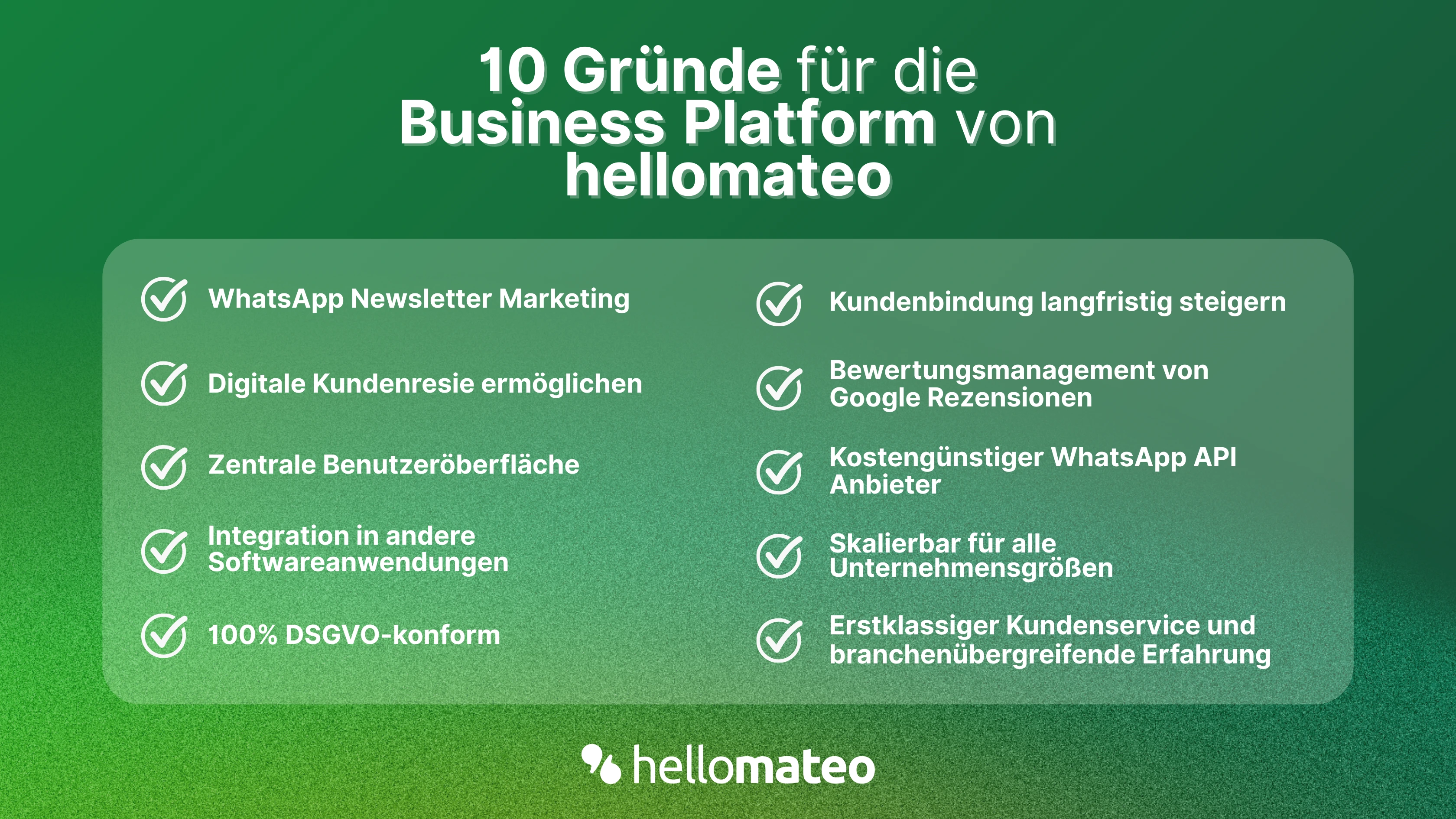
- Central user interface: hellomateo combines WhatsApp Business Platform, email, Instagram, SMS and Facebook Messenger in one central inbox. The intuitive user interface includes various tools for efficient customer communication and saves you valuable working time.
- integrations: With hellomateo, you can use WhatsApp in integrate over 6,000 software programs and fully automated Customer trips create with invitations, order confirmations, shipping information, invoices, and reminders.
- Newsletter marketing: Send GDPR-compliant Newsletter via WhatsApp or SMS and benefit from opening rates of over 90%.
- Assessment management: hellomateo can Automatically request online reviews from your customers, which boosts your Google ranking and trust in your company.
- Data protection: hellomateo meets all German and European Data protection requirements and offers end-to-end encryption for secure customer communication.
- scalability: Our software is suitable for Businesses of all sizes and can be extended indefinitely depending on the package.
- Diverse AI features: Our AI agent can automatically answer customer inquiries in chat, answer calls, help with the formulation of messages and much more.
Arrange a non-binding and free consultation and we'll show you how hellomateo covers your communication needs! Simply book an appointment here or write to us via our web widget.