Google Business Account — All information about setting up and optimizing Google My Business [December 2024]
16.12.2024
Arrange a non-binding consultation now
In a non-binding conversation, we'll show you how to use messenger communication in compliance with GDPR, automate processes and achieve measurably more revenue and efficiency with WhatsApp. Clear, practical and tailored to your company.


What is a Google Business account?
The Google My Business profile is a free company listing on Google. It allows companies to provide details and photos of the services and products offered and to provide much more information such as address, opening hours and telephone number. Creating this free account is a good way to increase your visibility across all Google services. Information entered in the Google business profile can be displayed in Google Search, Google Maps, and Google Shopping. A Google My Business account is particularly recommended for companies that have direct contact with customers. This includes companies with a physical location (such as a restaurant or a bike shop) and companies that provide services and meet with customers in other locations (such as consultants or tradesmen). But even for purely online companies, an entry in Google My Business Accounts offers many advantages.

The benefits of a Google Business account
A company profile on Google My Business offers a number of advantages and leads to significantly more impressions on the web and thus to more new customers for your company. Detailed and always up-to-date information about the benefits of an entry on Google My Business can be found at the Google's homepage.
Be found by customers in Google search and Google Maps
Whether you're looking for local visitors or Internet users, Google is the ultimate search agent. With a Google business profile, you can ensure that customers find your business when they're looking for nearby products and services that match your company's portfolio. For example, when a user from Stuttgart searches for “flower shop near me” on Google, corresponding company profiles are displayed. Your Google My Business entry therefore shows searchers where and how they can visit your company. It also improves local search engine optimization.
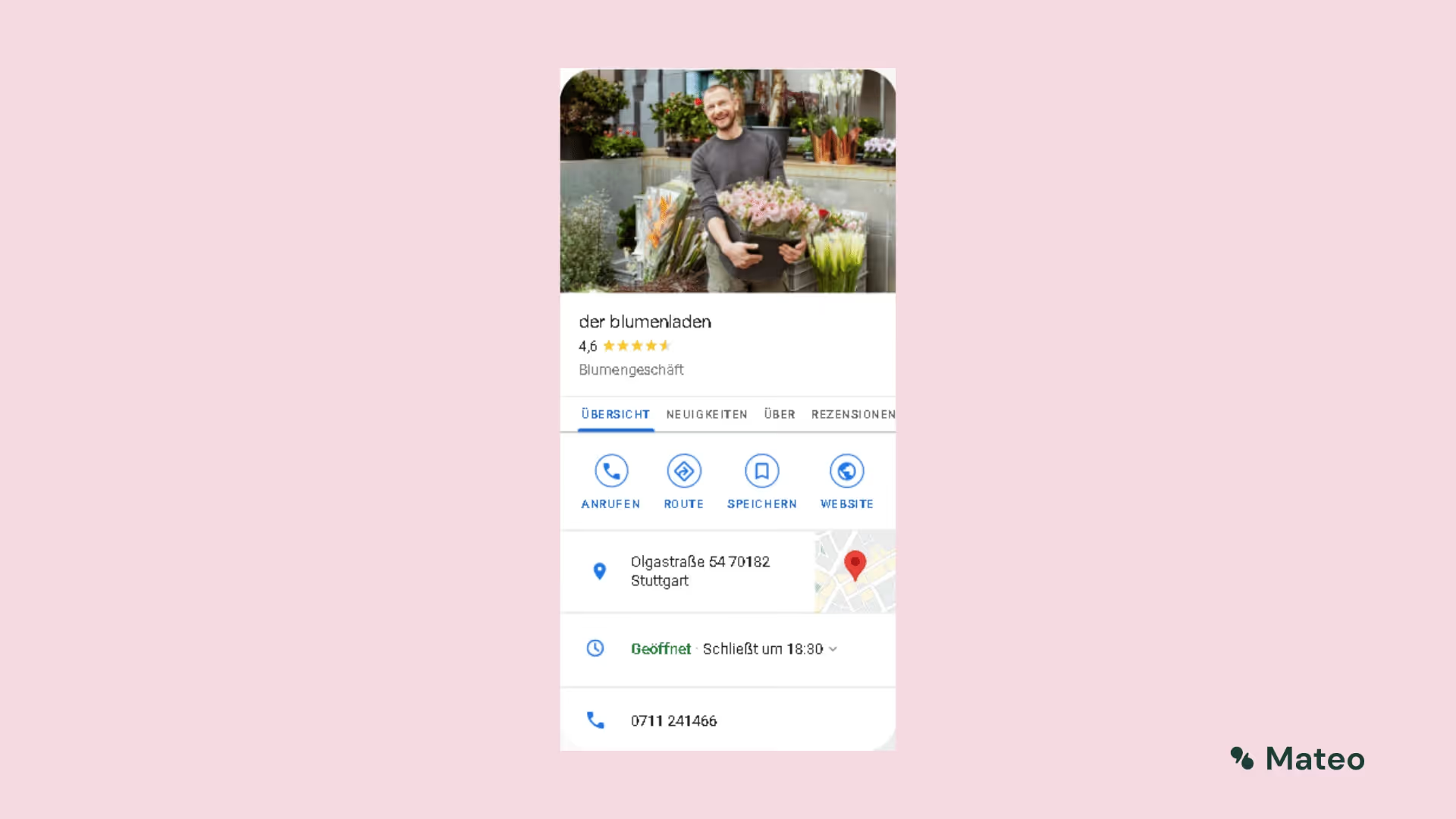
Managing business information
With your Google My Business account, you can enter, manage, and update contact information, opening hours, and other important details. Google Business profiles have strong local search engine optimization, so the information you provide ranks ahead of third-party websites (such as “yellow pages”) whose details may be out of date.
Build trust through reviews
Reviews are a key element of social networks and a useful way to build trust and credibility. Star ratings and detailed reviews on Google allow customers to share information about experiences with your business. All of this helps potential new customers decide which companies to visit and which products to buy.
By the way: With hellomateo, you can Automatically request reviews from your customers and thus not only increase the significance of your company profile, but also positively influence your position in search results. The better the average rating and the higher the number of reviews a company has, the higher the store's listing appears in Google search results.
Send and receive direct messages
With a Google My Business account, customers can contact you via direct messages in Google Business Chat.

Set up a Google My Business account
You certainly don't need an expensive agency to create a Google Business account and manage the listing. Setting up the account and entering your data is very easy and quick to do. Just follow these instructions:
Step 1: Sign in to Google
Open the web page of Google My Business and sign in with your Google account. With the “Manage Now” button, you can continue.
Step 2: Add Your Business
Enter the name of your company and then select the appropriate category for your company. Make sure the company name is spelled correctly and consistently and select the category as precisely as possible (e.g. “Greek restaurant” instead of just “restaurant”). If your company is already listed on Google and is therefore listed in the drop-down menu, you must select this entry.
Step 3: Enter company address
Your business address is now ready to be added. You might also be asked to place a location marker on a map. A catchment area can also be defined.

Step 4: Set contact information
Enter your company's phone number and website URL so customers can reach you. You can also let Google create a free website with business data if your company doesn't have a website.
Step 5: Verify Your Google My Business Business Account
The last step is to verify the company account. This is done by means of a code, which is sent by postcard to the specified address. As soon as you receive the postcard, the code can be entered and the verification process can be completed.
Improve your ranking in search results through various optimizations in Google My Business
Google determines local search rankings based on the following factors:
relevancy: How well does your Google My Business listing match a search query?
distance: How far is the company location from the location or the searcher?
Level of familiarity: How well-known is your company (based on factors such as links, number of reviews, review score, and SEO)?
To improve your company's ranking in search results, you can therefore implement the following tips:
Tip 1: Complete all elements of your profile
Customers are 2.7 times more likely to think your company is reputable if you have a full Google Business profile. Plus, you're 70% more likely to actually visit your location (source: support.google.com). Google specifically states that “companies with complete and accurate information can be more easily connected to the right search queries.” According to Google, the key is telling Google users “what you're doing, where you are, and when you can be visited.” So don't forget to enter your opening hours, website, photos, and contact information in your Google Business account.
Tip 2: Verify your location or locations
Verified business locations are “more likely to appear in local search results from Google products such as Maps and Search.” Providing a verified location also helps improve your score for the Distance ranking factor. If you skipped verifying your location when creating an account, you can now access your verification postcard at https://business.google.com/ request.
Tip 3: Include real images and videos from your business
Your Google business profile includes a logo and cover photo. Use images that match those on your social profiles to make your brand easier to recognize. But that's not all: add images and videos to showcase your location, work environment, and team.
For example, if you run a restaurant, post pictures of your dishes, menus, and dining room. Make sure they look appetizing and professional and aren't too low in resolution. According to Google, companies with photos get more requests for directions and more clicks on their websites.
Tip 4: Add keywords to your business description
Using the right keywords (“keywords”) in the company description increases relevance. Keywords refer to the terms that are entered in the search bar by Google users. Which keywords are particularly important for your industry can be found with various online tools such as Google Search Console find out.
Tip 5: Manage and respond to reviews
People trust other people more than companies. A good review can therefore be the decisive factor that makes potential customers decide in your favor. Reviews improve your Google ranking. Encourage people to write reviews, ask questions, and answer them. The best time to ask for a review is when a customer has had a good experience with your products or services. With hellomateo, you have the opportunity to automatically request reviews from your customers. You should also respond to positive and negative reviews. According to a survey by Google and Ipsos Connect, companies that respond to reviews are rated 1.7 times more trustworthy than companies that don't. If you respond to a negative review, be honest and offer compensation where justified. To view and respond to reviews, click on the “Reviews” tab in the left menu of your business profile manager. If you take customer feedback to heart and respond to the reviews, you can easily Increase customer satisfaction.
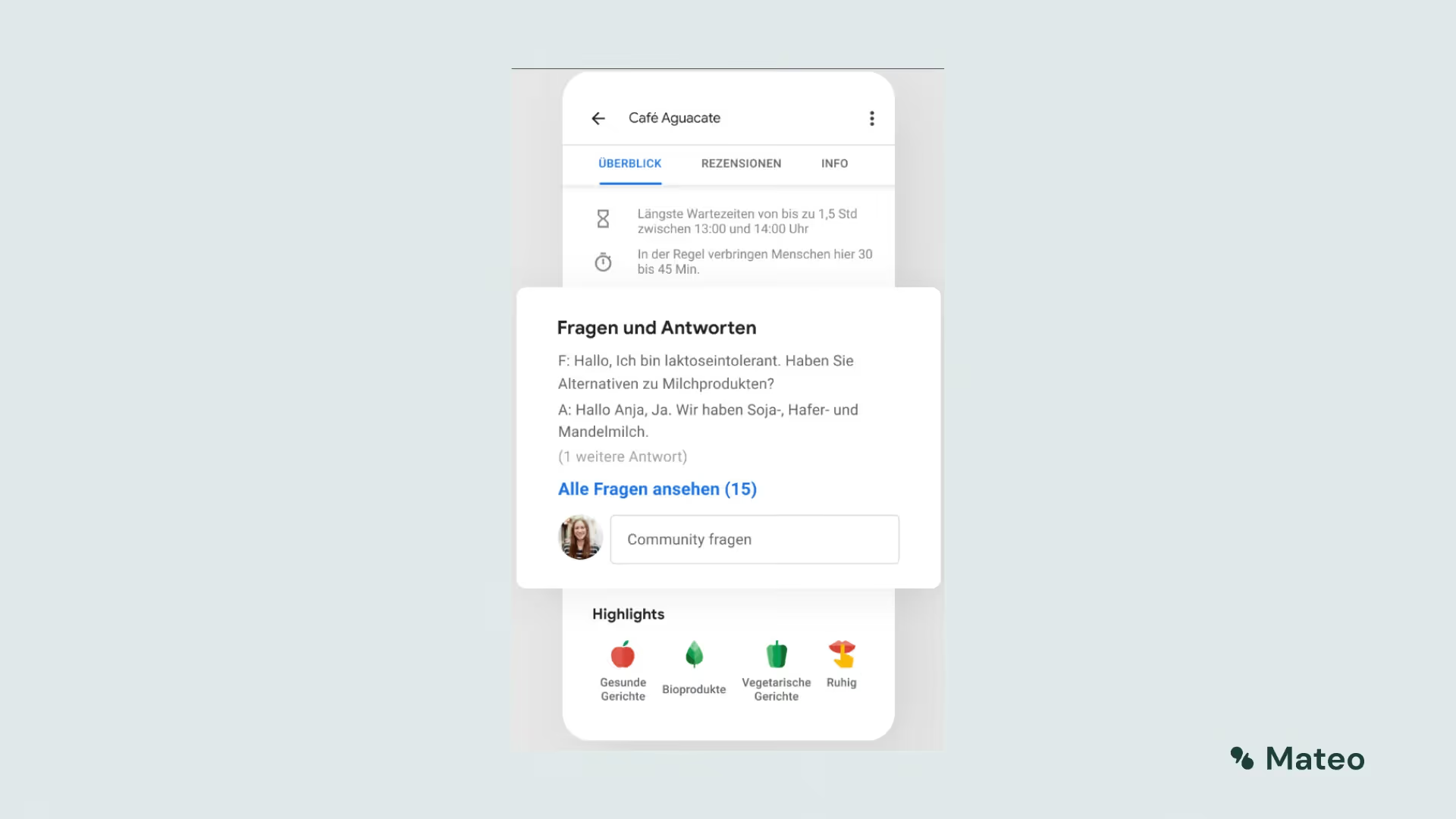
Tip 6: Constantly update business information
Be sure to edit your business profile as your operating hours, contact information, and more change. For customers, nothing is more annoying than coming within the specified business hours and finding that the store is closed. If you have special opening hours on holidays or other occasions, make sure that they are listed in your Google My Business account. You can also create Google My Business posts to post updates, product news, offers, and events.
Tip 7: Add special features and attributes
Depending on the category you choose, there are special features available for Google Business Accounts.
For example, hotels can display class ratings, sustainability practices, highlights, check-in and check-out times, and amenities. Restaurants and bars can upload menus, photos of dishes, and popular dishes, and service-oriented businesses can publish a list of services. Depending on the category, companies also have access to various types of buttons, such as appointments, reservations, and orders.
You can also add factual attributes to your profile to share more information that your customers might be interested in. If you run a shop or restaurant, you can specify that it is wheelchair accessible, offers free WiFi, or outdoor seating.
Attributes can be added to the dashboard under “Info” with the “Add Attributes” button.
Reading tip: In our article “Optimize Google My Business Profile - Instructions & Tips” receive further information!
Collect more positive Google reviews and optimize your Google Business company profile with hellomateo
Since both the number of reviews and the average rating are extremely relevant for Google's algorithm and therefore for the ranking in the results, hellomateo's software offers the opportunity to automatically request reviews from your customers. As a result of this function, you get more impressions on the web and thus significantly increased interest among potential customers. With hellomateo, you can collect authentic reviews, improve your online reputation and create an outstanding customer experience. And this is just a secondary function of hellomateo's messaging tool, which bundles all common communication channels in a central inbox. hellomateo is not only scalable for all company sizes and, in contrast to WhatsApp Business, can be used in 100 percent GDPR-compliant manner, but is also a low-cost provider of WhatsApp API integrations. Please feel free to arrange a free consultation.

The hellomateo software offers many other benefits and improves your customer communication and marketing in dozens of aspects. Our customers particularly appreciate the following benefits:
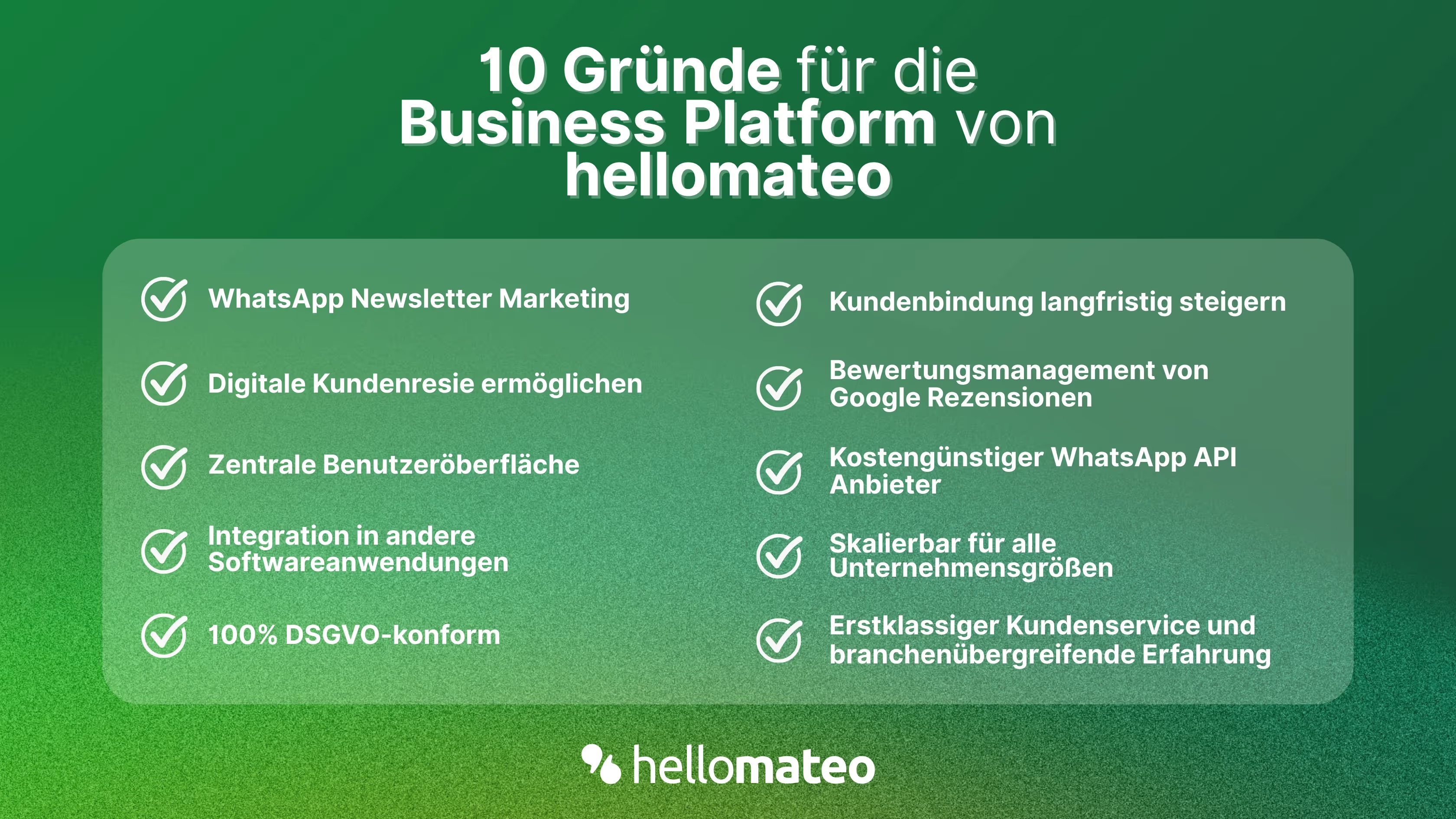
- Central user interface: hellomateo combines WhatsApp Business Platform, email, Instagram, SMS and Facebook Messenger in one central inbox. The intuitive user interface includes various tools for efficient customer communication and saves you valuable working time.
- integrations: With hellomateo, you can use WhatsApp in integrate over 6,000 software programs and fully automated Customer trips create with invitations, order confirmations, shipping information, invoices, and reminders.
- Newsletter marketing: Send GDPR-compliant Newsletter via WhatsApp or SMS and benefit from opening rates of over 95%.
- Assessment management: hellomateo can Automatically request online reviews from your customers, which boosts your Google ranking and trust in your company.
- Data protection: hellomateo meets all German and European Data protection requirements and offers end-to-end encryption for secure customer communication.
- scalability: Our software is suitable for Businesses of all sizes and can be extended indefinitely depending on the package.
- Diverse AI features: Our AI agent can automatically answer customer inquiries in chat, answer calls, help with the formulation of messages and much more.
Arrange a non-binding and free consultation and we'll show you how hellomateo covers your communication needs! Simply book an appointment here or write to us via our web widget.

About the author
Christian Strauch
Co-Founder and CEO
Christian Strauch is CEO and co-founder of hellomateo and is responsible for the strategic and operational management of the company. In his role, he is particularly responsible for sales, marketing and partners. Under his leadership, hellomateo has developed into a central tool for customer loyalty via WhatsApp, e-mail and letter for more than 2,000 companies.
More interesting articles
WhatsApp Business Data Processing Agreement— all information for companies
WhatsApp is an integral part of customer communication for many companies. High opening rates and quick responses make the channel attractive. But as soon as you use WhatsApp Business, you process personal data — and therefore there are clear GDPR requirements. In this article, you will find out what role the order processing contract plays and why it is indispensable for companies.
![Set up WhatsApp Business Auto Reply — Quick Guide [2025]](https://cdn.prod.website-files.com/68b19e5233a4641b9e2e4f95/692dd05228900f9fa9834bd4_whatsapp-automatische-antwort.avif)
Set up WhatsApp Business Auto Reply — Quick Guide [2025]
With automatic Reply messages Is there for them in the WhatsApp Business App provides a practical way to your customers in the digital chat channel automatically greet And in a flash one first reaction to show. Because day-to-day business is often stressful; you can't always respond personally to incoming messages and write back to the customer immediately.
But there are also many other reasons why it makes sense to use automatic reply messages when using the WhatsApp Business app. With this Quick guide Automatic answers are set up in a flash!

![Grüner Haken in WhatsApp – So bekommen Unternehmen die Verifizierung [Oktober 2025]](https://cdn.prod.website-files.com/68b19e5233a4641b9e2e4f95/692dcf56fb67605603b34297_gruener-haken.avif)
Grüner Haken in WhatsApp – So bekommen Unternehmen die Verifizierung [Oktober 2025]
WhatsApp hat eine neue Funktion eingeführt: Unternehmen können Ihr Konto verifizieren lassen und bei erfolgreicher Legitimation einen grünen Haken in dem WhatsApp Business Unternehmensprofil erhalten. Das sorgt für mehr Vertrauen bei Kaufinteressenten Ihres Unternehmens und steigert Ihre Umsätze! Zudem können Sie sich durch einen grünen Haken in WhatsApp Business von Ihren Wettbewerbern abheben. Doch wie funktioniert die Beantragung des beliebten Symbols? In diesem Beitrag zeigen wir es Ihnen!